



Arena Breakout Infinite Best Settings for Visibility: See Enemies First

2026-07-06 11:41:16

You died to a player you never saw. Kill cam shows them standing in a bush 30 meters away. The bush rendered on their screen but not on yours. Or vice versa.
Visibility settings determine who sees who first. In a game where one bullet ends the raid, seeing the enemy half a second sooner decides the fight. Here is what competitive players run.
👇 Need more Bonds? Top up Arena Breakout Infinite on TOPUPlive
【Save with coupon code: topupliveblog】


100 Bonds


Klukai Guarantee Bundle
Leva Guarantee Bundle
Sangvis Ferri Bundle
▍Core Visibility Settings
Setting | Competitive Choice | Explanation |
Texture Quality | Medium | Low textures blur distant player models. Medium preserves enough detail for target identification at range. |
Shadow Quality | Low | Turning shadows completely off removes visual depth cues. Low keeps basic shadows for positional awareness. |
Anti-Aliasing | Off or FXAA | TAA softens edges and smears movement. Objects in motion become harder to track. FXAA is the compromise: some smoothing without ghosting. |
Post Processing | Off | Every post-process effect hides information. Bloom conceals muzzle flash. Motion blur obscures moving targets. Depth of field blurs the background. All three must be off. |
View Distance | High | The one setting you max out. High view distance renders player models at maximum range. This is non-negotiable. |
Foliage Quality | Low | Grass draws further out on high settings. On low, players hiding in grass become visible at shorter ranges. You see them, they think they are hidden. |
Brightness | 1.3-1.5 | Raising brightness by 0.2-0.4 above default reveals enemies in dark corners and shadowed interiors. TV Station and Armory benefit the most. |
Field of View | 90-100 | Wider FOV comes with a fisheye trade-off at the edges. 90 FOV hits the sweet spot between peripheral awareness and target size. |
Sharpening | 0.4-0.6 | Adds edge contrast to player models at distance. Too much sharpening creates visual noise. Stay under 0.6. |
▍NVIDIA Control Panel Tweaks
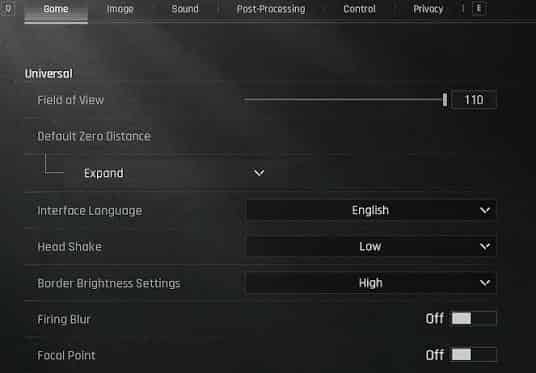
For NVIDIA GPU users, these settings override the in-game renderer:
Digital Vibrance: 65-70%
Gamma: 1.10-1.15
Digital vibrance at 65% makes enemy outfits pop against environmental colors. Gamma at 1.10 brightens dark interiors without washing out outdoor areas. Both give you a split-second advantage indoors.
▍Monitor Settings That Matter
Black equalizer / shadow boost (gaming monitors)
Boosts shadow detail without affecting overall brightness. A setting of 8-10 (out of 20) reveals enemies in dark rooms while preserving outdoor visibility.
Response time
Set to "Faster" or "Fastest" (not "Extreme"). Extreme overdrive creates inverse ghosting. Faster eliminates motion blur without artifacts.
▍Map-Specific Visibility Tips
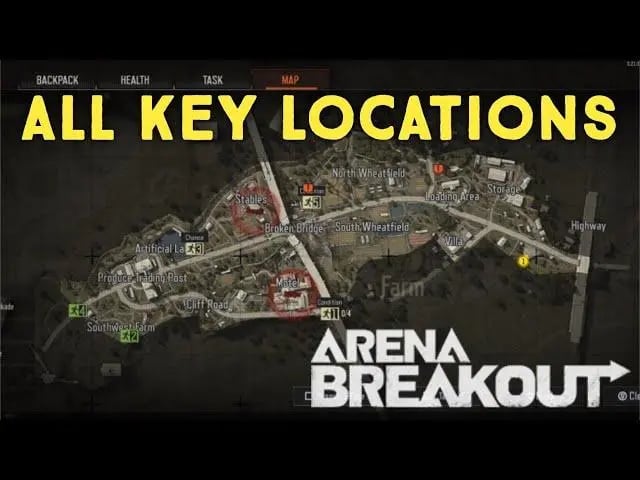
Farm
Keep foliage on low. The wheat fields and tall grass hide prone players on medium settings. On low, they stand out.
TV Station:
Brightness at 1.4 minimum. The indoor lighting hides enemies in corners. Crank it up.
Armory
View distance set to high. Sniper sightlines across the building demand maximum render distance.
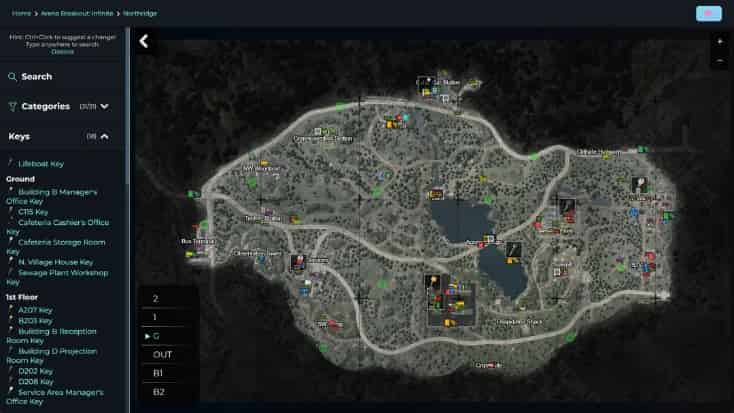
Northridge
Digital vibrance at 70%. The green forest palette blends with default camo. Vibrance separates player models from trees.
▍FAQ
Q: Does increasing FOV make enemies smaller?
A: Yes. Higher FOV shrinks everything at the center of the screen. At 90 FOV, the enemy 50 meters away is roughly 15% smaller than at 70 FOV. The peripheral awareness trade-off is worth it for most players. Snipers may prefer 75-80 FOV.
Q: Will these settings hurt my FPS?
A: Minimal impact. View distance at high costs 5-8 FPS. Everything else is either neutral or improves FPS. You gain visibility without losing performance.
Ready to gear up? Head to TOPUPlive for fast, discounted Arena Breakout Bonds top-up and enjoy more raids with premium advantages. Play smart and extract safely!

Paisley Miller
game writer
I focus on writing guides, tips, and strategy content for popular games. As an active player , I enjoy exploring updates, understanding mechanics, and turning that experience into clear, practical insights for other players.
Related products
Related News

Last War Survival Top Up: Best Way to Buy Packs, Diamonds, and Gift Codes
Last War Gold Bricks Guide: How to Get, Use, and Buy Gold Bricks Safely
Best Last War Packs to Buy: Complete Guide + Where to Get Them Cheaper
5 Best Last War Survival Top-Up Centers: Where to Get the Best Deals and Secure Recharges
Arena Breakout Season 14 Preview: C2S0 Release Date, New Contents and More
Honor of Kings 11th Anniversary Guide: Rewards, Free Skins, and Events
AFK Journey Baden Guide: Skills, Best Teams, Build & Is He Worth Pulling?
Once Human Ace Under Mask Battle Pass: Rewards, Price, and Editions


