



My VALORANT Card Full Tutorial– Make a God Card in 3 Minutes to Attract Teammates!

2026-06-12 11:09:00
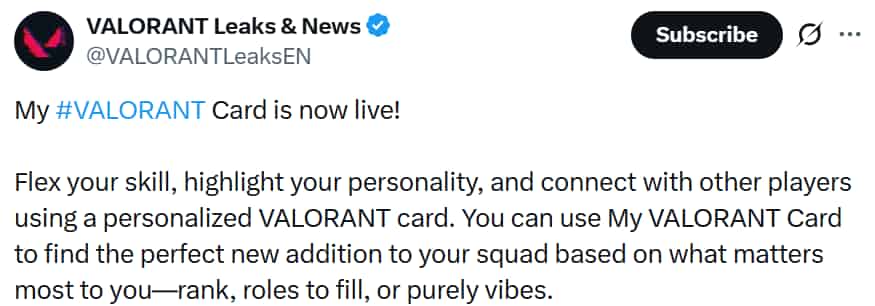
IntroductionPatch 12.11 is here, and My VALORANT Card is the breakout feature everyone is talking about. This brand-new tool lets you create a clean, professional, and highly customizable card that showcases your rank, main Agent, stats, skins, and personality — all in one eye-catching image.
In this tutorial, I’ll show you exactly how to create a standout My VALORANT Card, pro tips, and smart ways to use it for better squad building.
▍What is My VALORANT Card?
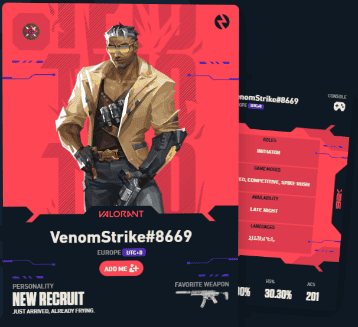
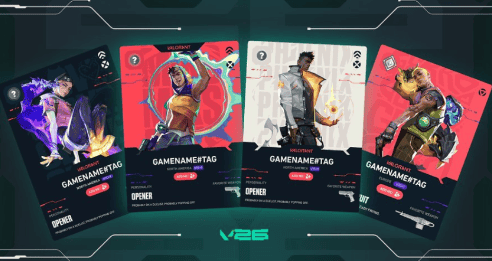
My VALORANT Card is Riot’s official new social feature launched in Patch 12.11. It generates a personalized shareable card using your real in-game data.
You can showcase:
· Current rank and tier
· Favorite Agent and role (Duelist, Controller, etc.)
· Key stats (KDA, Win Rate, ACS, Headshot%, etc.)
· Playstyle tags and personality
· Favorite maps, weapons, and equipped skins
Once created, you get a high-quality image or link perfect for sharing on Discord, X/Twitter, Facebook, WeChat, or in-game communities.
▍Why You Should Make a God Card Right Now
Here’s why it’s worth making one immediately:
· Attract higher-quality teammates who see your rank and style at a glance
· Look more professional and trustworthy than random screenshots
· Flex your personality and favorite skins
· Boost friend requests and squad invites dramatically
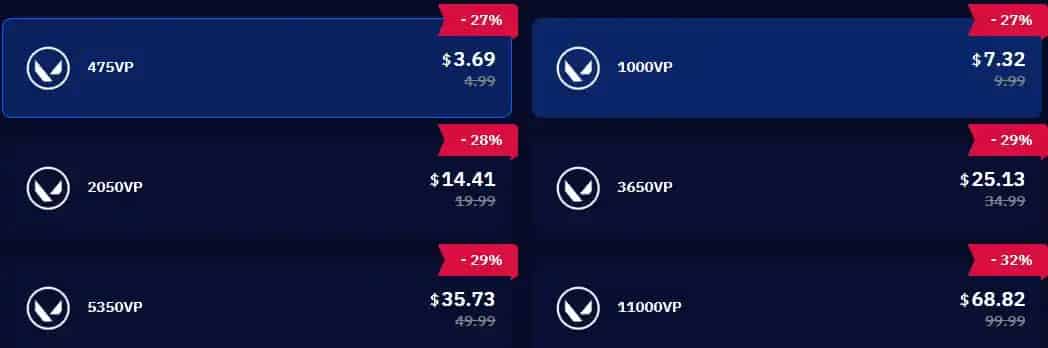
Many players choose to top up VP during new patches to grab the latest Battle Pass or high-quality skins — it makes your card look significantly more impressive and gives you extra confidence when teaming up.
TOPUPlive is a secure and reliable third-party top-up platform where you can acquire your desired skins at lower prices.
【Exclusive coupon code for you: topupliveblog】



475VP

1000VP

2050VP

3650VP

▍How to Create Your My VALORANT Card in 3 Minutes
1. Go to the Official Site
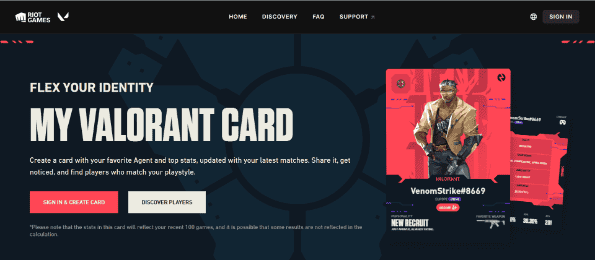
Visit mycard.playvalorant.com and log in with your Riot account.
2. Select Your Main Agent
Choose the Agent that best represents your playstyle — this will be the visual centerpiece.
3. Customize Stats
Pick which stats to display. Hide weaker numbers and highlight your strengths (e.g., high Headshot% or Win Rate on specific maps).
4. Add Personality Tags
Include tags like “Ranked Grinder”, “Chill Duo”, “No Toxicity”, “IGL”, or “Weekend Warrior”.
5. Adjust Theme & Layout
Match colors to your favorite skin theme. Try different layouts until it looks clean and premium.
6. Generate & Download
Preview, create the card, download the high-res image, and copy your shareable link. Done!
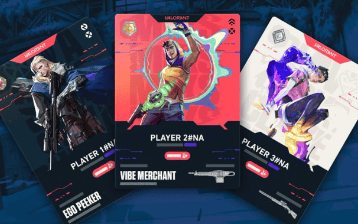
Extra Visual Tips:
· Always coordinate card colors with your skin
· Keep the design clean — less text is often more
· Use your peak rank this Act if your current rank dipped slightly
· Add a short, clear caption when sharing:
Example: “Act 4 grind — Immortal 2, main Duelist looking for strong Controller/Duo. Drop your card if you match!”
▍FAQs about My VALORANT Card
1. Is the Card free?
Yes, 100% free.
2. Can I hide certain stats?
Yes, full control over what to show or hide.
3. How often does the data update?
It uses your latest matches. Regenerate anytime for fresh stats.
4. Does it show my equipped skins?
Yes, you can choose to display your favorite cosmetics.
5. Is it mobile friendly?
Works on mobile browsers, but desktop is smoother for editing.
6. Why can’t I generate the card?
Double-check you’re logged into the correct Riot account. Try clearing cache or switching browsers if issues persist.
7. Will Riot add more features later?
This is just the start — expect more social tools in Act 4 and beyond.
▍Conclusion
My VALORANT Card is one of the smartest social additions Riot has made. It’s fast, effective, and genuinely helps you build a better friend list and stronger teams.Go make your own God Card now and share it in the comments — I’d love to see your creations!Ready to make your card (and gameplay) look even better?Better cosmetics = a much stronger-looking card and smoother experience overall.
Need more VALORANT vp for those amazing skins?TOPUPlive offers a safe and discounted way to top up VALORANT vp! Enjoy:
✅ Official partner with secure transactions
✅ Exclusive discounts on VP packages
✅ Instant delivery to your account
✅ 24/7 customer support
Visit TOPUPlive today and upgrade your gaming experience!
Paisley Miller
game writer
I focus on writing guides, tips, and strategy content for popular games. As an active player , I enjoy exploring updates, understanding mechanics, and turning that experience into clear, practical insights for other players.

Related products
Related News

Wuthering Waves 3.7 Livestream Summary: New Characters, Story, Events,Codes and Banner
Pokémon TCG 30th Celebration Guide: Card List,Key Products & Prices
Honor of Kings Angela Mythic Skin Cost Guide: How Many Tokens Do You Need for Magic Mirror?
Heartopia x New Legend of Madame White Snake Collaboration: Release Date, Rewards, and Event Guide
AFK Journey Beginner Guide: Best Starting Tips, Heroes, Resources & More
VALORANT Champions 2026 Skins: Frag or Die Bundle Price, Phantom, Fan Melee & More
Honor of Kings Gifting Guide: How to Gift Skins & Boost Nobility
Once Human Gifting Guide: How to Gift Cosmetics, Blueprints & Items


