


Free Fire Top Up Not Working? Causes & Easy Fixes

2026-11-06 11:16:34
Having trouble topping up diamonds in Free Fire? You’re not alone. Many players regularly face issues with the official Garena Top-Up Center, in-app purchases, or payment methods. Payments fail, error messages appear, or diamonds simply never arrive.
In this guide, we’ll cover the most common Free Fire top-up problems, practical ways to fix them, and a more reliable alternative when official methods keep failing.
Common Free Fire Top-Up Problems
- Diamonds not received after payment — Money is successfully deducted, but diamonds never appear in the account.
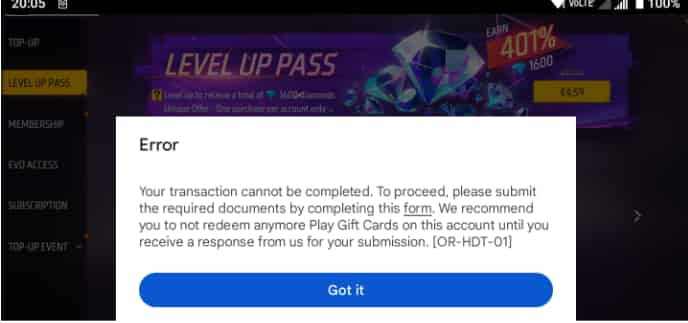
- Payment failed / “Transaction cannot be completed” — The payment is rejected at the final step.
- Wrong Player ID entered — Diamonds are sent to another account (usually irreversible).
- Payment method temporarily unavailable — Specific options (cards, e-wallets, carrier billing) suddenly disappear or show as unavailable.
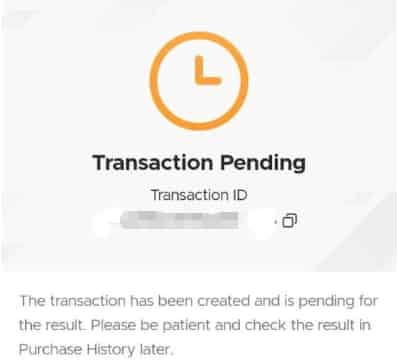
- Transaction pending or delayed — Payment is processing but takes longer than expected.
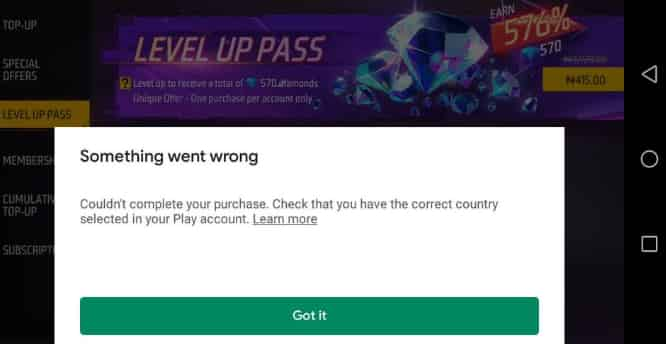
- Region or account mismatch — Free Fire account region, Google Play/App Store country, or top-up site region don’t match.
- Unstable internet / network errors — Weak connection causes the transaction to fail.
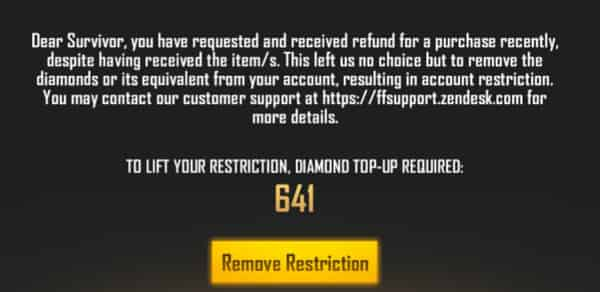
- Negative diamonds restriction — Previous refunds create a negative balance that blocks new top-ups.
How to Fix Free Fire Top-Up Issues
Try these steps in order — most problems can be resolved without contacting support:
1. Restart the game and your device
Fully close Free Fire, restart your phone, and open the game again. This often refreshes the diamond balance.
2. Double-check your Player ID
Open Free Fire → tap your avatar → note the numeric Player ID (not your nickname). Make sure you entered it correctly. A single wrong digit sends diamonds to another account.
3. Check your internet connection
Switch between Wi-Fi and mobile data. Unstable networks are a frequent cause of failed transactions.
4. Try a different payment method
Switch between cards, e-wallets, or other available options. Some methods go down temporarily for maintenance.
5. Verify region settings
Confirm that your Free Fire account region matches the top-up platform and your payment method’s country.
6. Wait for pending transactions
Some payments take time to process (from a few minutes up to 1–3 business days). Avoid making another payment while one is still pending.
7. Clear cache or reinstall (if needed)
On Android, clear the Free Fire app cache. On iPhone, try updating the app or reinstalling it.
8. Contact support if diamonds still don’t arrive
If payment succeeded but diamonds haven’t appeared after 24 hours:
Take screenshots of the payment receipt and order history.
Note your Player ID and transaction ID.
Submit a ticket through Garena’s official help center. Check here to learn how.
Note: Garena generally focuses on delivering the diamonds rather than issuing refunds.
These steps solve the majority of cases. However, official top-up methods can still be unreliable due to regional restrictions, temporary outages, or payment partner issues.
A Better & More Reliable Way to Top Up Free Fire
When the official Garena Top-Up Center is down, payment methods keep failing, or you simply want a smoother experience, many players switch to trusted third-party top-up services.
TOPUPlive is one popular option that players use for Free Fire diamonds. It offers Fast delivery, high success rate even when official channels have problems, multiple convenient payment methods, and simple process using only your Player ID.
Here is the price of Free Fire Diamonds on TOPUPlive:
Item | Original Price | TOPUPlive Price | Discount |
|---|---|---|---|
110 Diamonds | $1.40 | $0.87 | -31% |
Booyah Pass Card | $5.99 | $4.16 | -18% |
Monthly Membership | $14.99 | $12.35 | -9% |
Weekly Lite | $0.79 | $0.72 | -13% |
Weekly Membership | $2.99 | $2.62 | -12% |
341 Diamonds | $4.29 | $2.32 | -46% |
572 Diamonds | $6.59 | $3.91 | -41% |
1166 Diamonds | $13.29 | $7.03 | -47% |
2398 Diamonds | $27.59 | $14.07 | -49% |
6160 Diamonds | $65.99 | $35.64 | -46% |
You can top up Free Fire diamonds directly here:



110 Diamonds



Booyah Pass Card
Monthly Membership

Weekly Lite
Just enter your Player ID, choose the diamond pack, complete payment, and the diamonds are usually delivered quickly to your account.
Final Tips
- Always double-check your Player ID before confirming any purchase.
- Keep payment receipts and screenshots until the diamonds appear.
- Official methods work most of the time, but having a reliable backup like TOPUPlive saves frustration when they don’t.
If your Free Fire top-up is not working right now, start with the fixes above. And if you want a faster, more consistent way to get diamonds, give TOPUPlive a try.

Lucy Lauria
Game writer
I spend most of my time exploring game worlds, testing new features, and learning how different systems work. Through my writing, I aim to share useful insights, helpful strategies, and clear guides that make games more enjoyable for everyone.

Related products
Related News

How to Get Diamonds in Free Fire: All Legit Methods
Arena Breakout Mobile Beginner Guide: Everything New Players Need to Know
NTE Exe Build Guide: Kit, Materials, Arcs, Cartridges, Teams & Pull Advice
Monopoly GO Free Dice Links (November 2026): How to Get Free Rolls and More Dice?
NTE Elyms Build Guide: Kit, Materials, Arcs, Cartridges, Teams & Pull Advice
Honkai: Star Rail Acheron Build Guide: Best Light Cones, Relics, Materials, and Teams
Arena Breakout Mobile Codes (November 2026) – Working Redeem Codes & How to Use
Monster Hunter Outlanders Beginner Guide: Tips, Weapons, Combat & Progression