



Arena Breakout Infinite Download PC Guide (Steam vs Launcher, Size & Install Tips)

2026-07-06 10:10:23
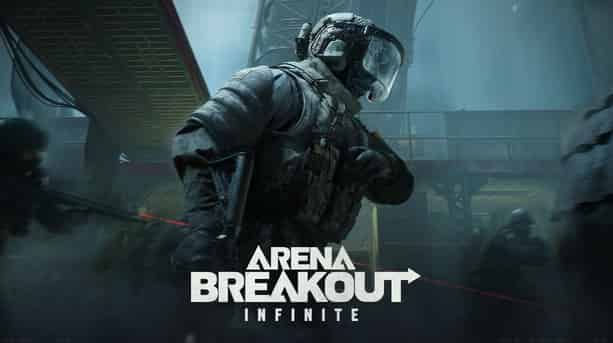
You want to download Arena Breakout Infinite, but there are two options: Steam or official launcher. Which is better? How big is the download? And why does installation sometimes take longer than expected? This guide breaks down everything you need: download size, setup steps, performance tips, and fixes for common issues.
If you’re looking for a safe and affordable Arena Breakout top up, head over to TOPUPlive to get fast delivery, secure checkout, and exclusive savings up to 20% off.


100 Bonds


Klukai Guarantee Bundle
Leva Guarantee Bundle
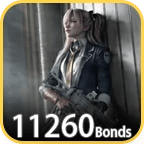
Sangvis Ferri Bundle
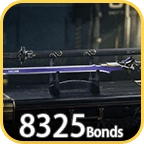
Arena Breakout Infinite Download Options
Option 1: Steam (Recommended)
Steam is the easiest way to install and manage the game.
Steps:
- Open Steam
- Search for “Arena Breakout Infinite”
- Click Play Game (free-to-play)
- Steam will automatically download and install
Download size:
- Download: ~48 GB (compressed)
- Installed size: ~55 GB (on disk)
Option 2: Official Launcher
The standalone launcher is the direct method from the developer.
Steps:
- Visit the official Arena Breakout Infinite website
- Click Download for PC
- Install the launcher
- Launcher downloads game files after setup
Download size:
- Download: ~42 GB (compressed)
- Installed size: ~52 GB (on disk)
Steam vs Launcher Summary
Steam | Official Launcher | |
|---|---|---|
Download size | 48 GB | 42 GB |
Installed size | 55 GB | 52 GB |
Update handling | Automatic | Manual via launcher |
File verification | Built-in | Limited |
Steam is more convenient. The launcher saves a small amount of disk space but requires more manual maintenance.
Disk Space Requirements
Category | Steam | Launcher |
|---|---|---|
Minimum free space | 65 GB | 60 GB |
Recommended free space | 80 GB | 75 GB |
Important note
During installation and updates, the game may temporarily require extra space for unpacking files. Even a 500 MB update can require 10+ GB of temporary free space.
Always keep at least 20 GB of buffer space beyond the installed size.
Download Speed Optimization Tips
Slow downloads are usually caused by server congestion or incorrect Steam settings.
Fix 1: Clear Steam download cache
Steam → Settings → Downloads → Clear Download Cache → Restart Steam
Fix 2: Change download region
Steam → Settings → Downloads → Download Region
Try switching to a nearby but less crowded region:
- Sweden / Norway (often stable for EU traffic)
- Singapore (good for SEA users)
Fix 3: Remove bandwidth limits
Steam → Settings → Downloads → Limit bandwidth → No limit
Launcher tip
The official launcher uses a single CDN. Speeds may drop during peak hours (6 PM – 10 PM local time). Starting downloads earlier in the day usually improves performance.
Common Installation Problems
1. “Not enough disk space” (even when space is available)
This usually happens due to fragmented storage or insufficient contiguous free space.
Fix:
- HDD: defragment drive
- SSD: free additional space (do NOT defrag SSD)
2. “Installation failed — corrupt files”
Steam:
Right-click game → Properties → Installed Files → Verify integrity of game files
Launcher:
Delete game folder and reinstall (no built-in repair tool)
3. Game crashes on launch
Common cause: antivirus or Windows Defender blocking anti-cheat files.
Fix:
- Add game folder to antivirus exclusions
- Whitelist Easy Anti-Cheat (EAC) files
4. Black screen on launch
Usually caused by outdated GPU drivers or missing DirectX 12 support.
Fix:
- Update GPU drivers (NVIDIA / AMD official site)
- Do not rely on Windows Update drivers
Minimum and Recommended System Requirements
Component | Minimum | Recommended |
|---|---|---|
CPU | i5-8400 / Ryzen 5 1600 | i7-10700 / Ryzen 5 5600X |
GPU | GTX 960 / RX 280 | RTX 2060 / RX 5700 XT |
RAM | 16 GB | 32 GB |
Storage | 60 GB HDD | 60 GB SSD |
OS | Windows 10 64-bit | Windows 11 64-bit |
Performance note
Installing on an SSD dramatically improves loading times:
- HDD: 45–90 seconds per raid load
- SSD: 10–15 seconds per raid load
Over time, this significantly improves gameplay experience.
FAQs About Arena Breakout Infinite Download
Steam or official launcher — which is better?
Steam is recommended due to automatic updates, better download infrastructure, and easier file verification.
Can I play while downloading?
No. Arena Breakout Infinite requires full installation before launch. There is no partial play option.
How often does the game update?
- Hotfixes: weekly (50–200 MB)
- Content updates: every 6–8 weeks (2–8 GB)
- Major updates: quarterly (15–25 GB)
>>Top Up Arena Breakout: Infinite<<

Lucy Lauria
Game writer
I spend most of my time exploring game worlds, testing new features, and learning how different systems work. Through my writing, I aim to share useful insights, helpful strategies, and clear guides that make games more enjoyable for everyone.
Related products
Related News

Last War Survival Top Up: Best Way to Buy Packs, Diamonds, and Gift Codes
Last War Gold Bricks Guide: How to Get, Use, and Buy Gold Bricks Safely
Best Last War Packs to Buy: Complete Guide + Where to Get Them Cheaper
5 Best Last War Survival Top-Up Centers: Where to Get the Best Deals and Secure Recharges
AFK Journey Marene Guide: Skills, Best Teams, Build & Is She Worth Pulling?
Arena Breakout Season 14 Preview: C2S0 Release Date, New Contents and More
Honor of Kings 11th Anniversary Guide: Rewards, Free Skins, and Events
AFK Journey Baden Guide: Skills, Best Teams, Build & Is He Worth Pulling?


