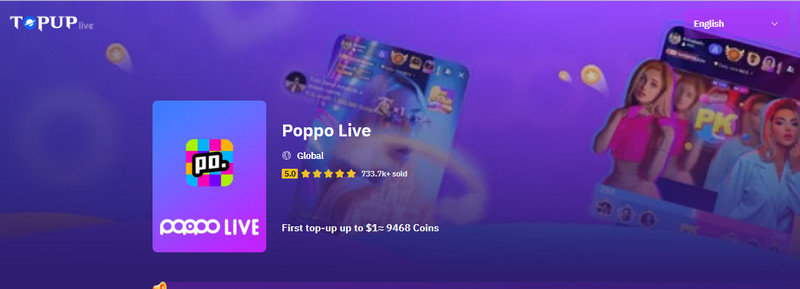
Poppo Live is one of the most active social livestreaming platforms today, and a big part of the experience is sending gifts, supporting your favorite hosts, and unlocking more interaction features. To do all that, you’ll need Poppo Coins, which you can get through in-app recharge or trusted third-party platforms like TOPUPlive.
If you’re new to Poppo or just want a cheaper and easier way to recharge, this guide will walk you through everything you need to know.
▍What Does Poppo Live Recharge Mean?
Poppo Live recharge simply means adding coins to your account. These coins can be used for:
- Sending virtual gifts
- Boosting your account visibility
- Joining events
- Unlocking special features
- Supporting streamers you like
Coins are the main in-app currency, so knowing the right recharge method can help you save money and enjoy the platform more smoothly.
▍How Poppo Recharge Works
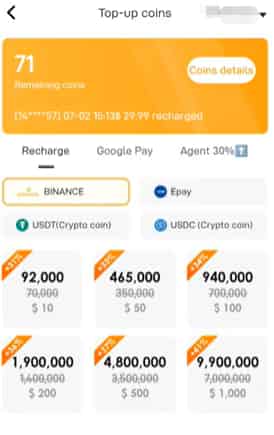
Poppo offers several coin packages. You can recharge in two main ways:
- Directly inside the Poppo app
- Through third-party recharge platforms like TOPUPlive
The app is convenient, while TOPUPlive usually offers better prices and more payment flexibility.
▍How to Recharge on Poppo Live (Step-by-Step)
Here’s the simplest way to top up coins directly inside the app:
Step 1: Open the Poppo Live app
Step 2: Tap your Profile
Step 3: Tap on the Coins.
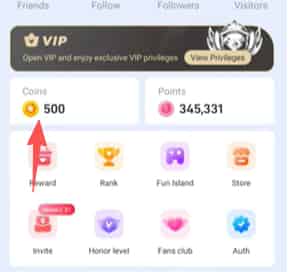
This will take you into the Coins page where you can see your remaining coins. Tap on Top Up button.
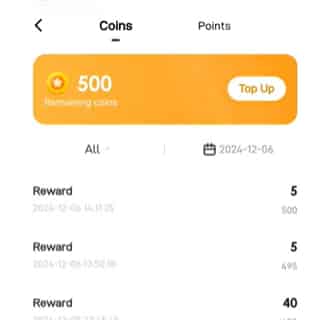
Step 4: Select your payment method and choose the coin amount you want.
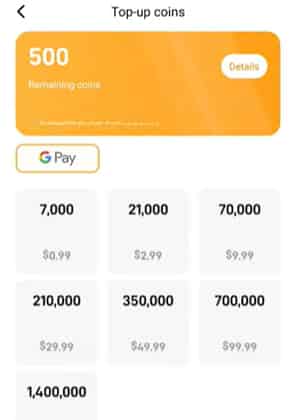
Step 5: Confirm your purchase.
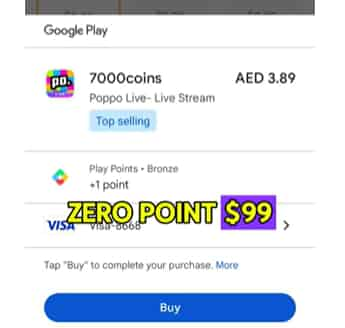
Coins should appear instantly. If not, try refreshing the app or checking your purchase history.
▍Poppo Live Recharge Options
Depending on your region, you’ll usually see options like:
- Small starter packs
- Medium value packs
- Larger bundles with bonus coins
As for payments, most users can recharge through:
- Google Play (Android)
- Apple App Store (iOS)
- Credit/debit cards
- Carrier billing
- PayPal (available in some regions)
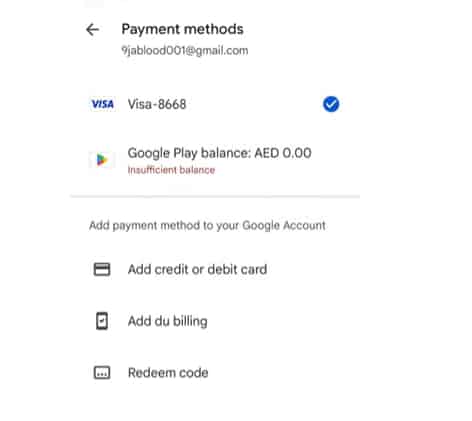
Payments can vary depending on where you live.
▍How to Recharge Poppo Live Using PayPal?
PayPal isn’t available in every location, but if your region supports it, here’s how to use it:
- Go to Profile > Coins > Top Up
- Select a coin package
- Choose PayPal as the payment method
- Log in to PayPal and confirm the payment
If PayPal doesn’t appear:
- Update your Poppo app
- Check your Google Play / Apple ID payment settings
- Try a different region payment method
▍Is Poppo Live Recharge Safe?
Yes — as long as you use official channels or trusted partners.
Here’s what to avoid:
- “Free coin hacks”
- Mod APKs
- Unverified sellers on social media
As Poppo Coins involve real money, it’s important to choose a safe recharge method.
▍A Cheaper Way: Recharge Poppo Live on TOPUPlive
If you want a more affordable option, TOPUPlive is a great choice. It’s a trusted third-party top-up platform known for:
- Competitive prices
- Frequent discounts
- Secure, fast payments
- Easy checkout with multiple payment methods
- Reliable delivery and responsive support
👇 Explore the safe and affordable Poppo live coins from TOPUPlive:
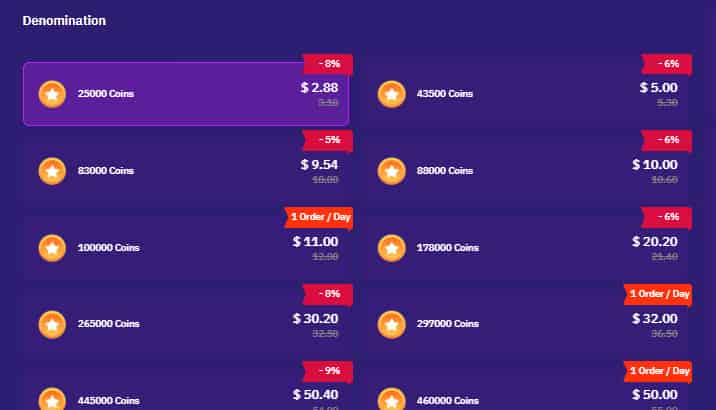
To recharge on TOPUPlive, you simply:
- Visit the TOPUPlive Poppo page
- Enter your Poppo ID
- Select a coin package
- Choose your payment method
- Complete the order — coins arrive quickly
This is a good option if you want to save a little extra compared to in-app pricing.
▍Poppo Recharge Not Working? Quick Fixes
If your recharge fails or doesn’t show up, try:
- Restarting the Poppo app
- Checking your internet connection
- Confirming the payment in Google Play / App Store
- Waiting a few minutes
- Contacting Poppo support with your order ID
If you recharged through TOPUPlive, you can also reach their support team — they’re fast and helpful.
▍Tips to Save Money When Buying Poppo Coins
Want to get more value? Try these simple tips:
- Buy bigger bundles when possible
- Watch for seasonal discounts
- Use coupons on TOPUPlive
- Avoid unofficial “cheap” coin sellers
- Compare prices before you recharge
A little planning can help you stretch your budget further.
▍FAQs about Poppo Living Recharging
1. Can I get free Poppo Coins?
Mostly no — Poppo doesn’t offer many free coin options. Avoid “free coin” hacks.
2. Why isn’t PayPal showing up?
It may not be available in your region or app store settings.
3. Is third-party recharge safe?
Yes, if the platform is trusted. TOPUPlive is widely used and secure.
4. How long does a recharge take?
In-app purchases are instant. TOPUPlive orders usually arrive quickly as well.
▍Conclusion
Poppo Live recharge is simple once you know the steps. Whether you top up through the app or use TOPUPlive for better prices, the process is fast and safe. Pick the method that works best for your wallet and enjoy a smoother streaming experience.