



Complete Guide: How to Download Official Chinese Douyin (TikTok China Version) 2026

2026-07-15 17:36:50

▍Introduction
Douyin(抖音) is the exclusive Chinese mainland version of TikTok with unique local content, live streams, and e-commerce features unavailable on global TikTok. This 2026 Douyin Download Guide covers 1 verified iOS method and 2 safest Android methods for overseas users, with stable auto-update support.
Douyin and global TikTok are independent platforms with no data synchronization. The methods below are the only reliable, non-risk download solutions for foreign users. For complete account registration steps for overseas users, please check our dedicated Douyin registration guide for foreigners.👇
Douyin Account Guide: How to Create, Log In, Recover & Delete a Douyin Account



300 Diamonds

500 Diamonds



1000 Diamonds

2000 Diamonds

▍Download Douyin on iPhone & iPad
Changing your App Store region to China Mainland is the only verified, long-term stable method for iOS devices. It supports permanent automatic updates and full access to exclusive Chinese apps, which is far more reliable than using a Hong Kong region account.
Step-by-Step Installation
1. Open the App Store, tap your profile icon to enter account settings.
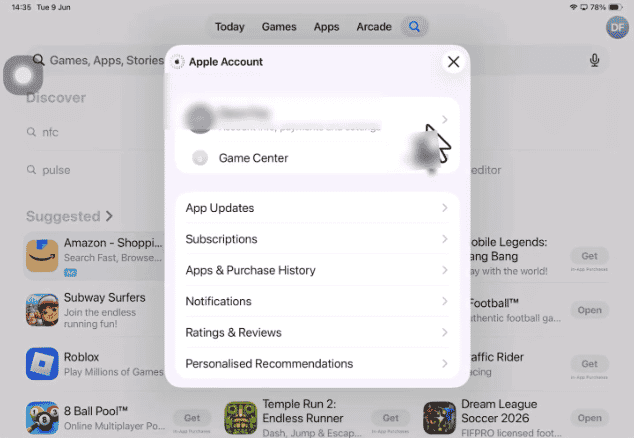
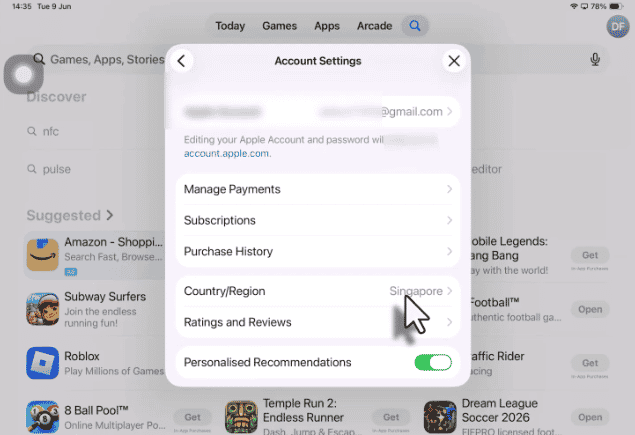
2. Tap Country/Region > Change Country or Region, then select China (Mainland).
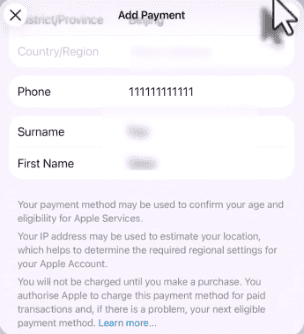
3. Fill in standard valid Chinese Mainland address and phone information to complete region switching.
( Chinese Mainland phone numbers are 11-digit numbers starting with 1, and you can enter any valid 6-digit number for the postcode field. )
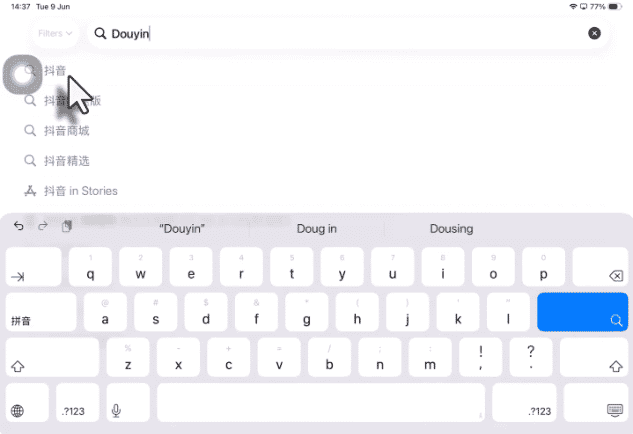
4. Search for Douyin in the App Store and download the official app.
5. You can switch back to your original App Store region after installation without affecting app usage or updates.
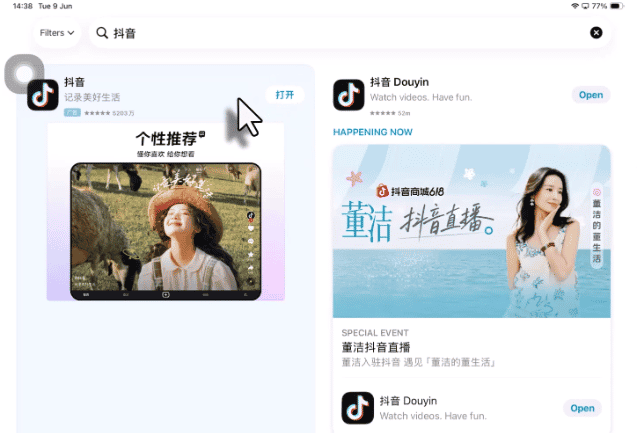
Core Advantages of China Mainland Region
- One-time setup for permanent automatic updates (no repeated region switching).
- Full access to Douyin’s all functions and exclusive Chinese apps like Doubao and Taobao.
- Stable server connection with no functional restrictions.
▍Download Douyin on Android
We sorted out the two most practical official Android installation methods, abandoning risky third-party backup channels. Both methods support normal official app updates.
Method 1 – Google Play Store (Safest & Auto-Update Supported)
1. This method provides pure official app with automatic background updates, ideal for long-term stable use.
(VPN Reference: NordVPN : https://www.winstonwee.com/ai/nordvpn)
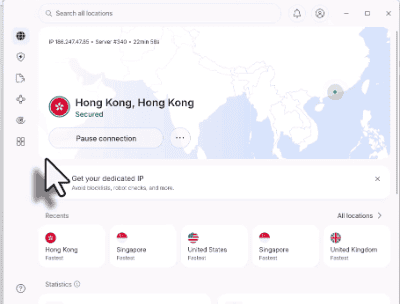
2. Log in to your Google Play account, search for Douyin, and install the official version.
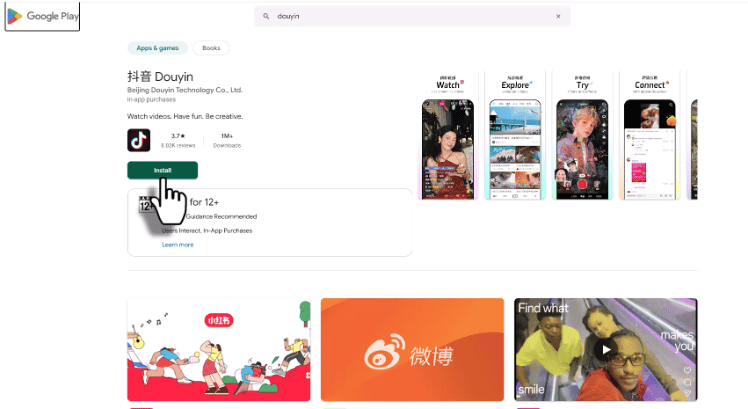
3. The app will update automatically via Google Play without manual operation.
Method 2 – Official Douyin Website (Easiest & No Account Modification)
The most friendly method for most users, no need to change account regions or use complex configurations.
1. Open any mobile browser and visit the official Douyin download page: https://www.douyin.com/downloadpage/appIn
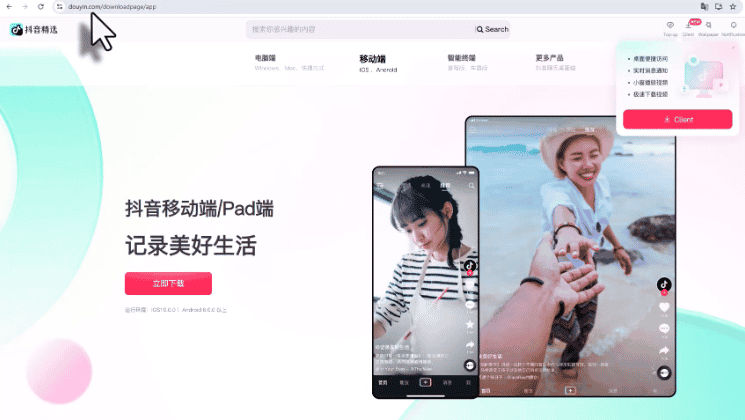
2. Tap the official Android APK download button on the page.
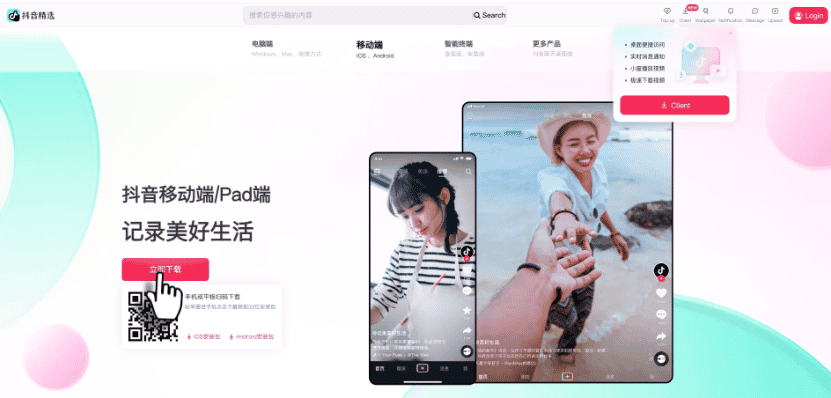
3. Grant temporary Install unknown apps permission for your browser.
4. Complete installation. The official APK supports in-app one-click automatic updates.
▍FAQ about Douyin installation
1. Can I use Douyin immediately after downloading?
Installation is only the first step. You need a valid Douyin account to log in and use all features. Overseas users can complete registration via passport verification, which is covered in our dedicated registration guide.👉Douyin Account Guide: How to Create, Log In, Recover & Delete a Douyin Account
2. Will I lose updates if I switch back my iOS App Store region?
No. After a one-time China Mainland region installation, Douyin retains full auto-update access. You can safely switch back to your original region with no impact on app usage or updates.
3. Why does Google Play fail to download Douyin?
This is usually caused by a region mismatch. Ensure your VPN server location matches your Hong Kong Google Play account region, then clear the Play Store cache and retry the download.
4. Is it safe to install the Douyin APK from the official website?
Yes. The official Douyin website provides 100% original, unmodified official APK files. It is completely safe and supports official in-app updates, far more secure than third-party cracked versions.
5. Can I use global TikTok and Chinese Douyin on the same phone?
Yes. The two apps are independent with separate servers and data. They can coexist on one device without conflicts, and no data synchronization occurs between them.
▍Douyin Download Tips 2026
For overseas users, the iOS China Mainland region installation method and the two official Android installation methods above are the safest, most stable and long-term reliable solutions to download the full-featured Chinese Douyin app.
TOPUPlive provides Douyin Diamond recharge options from 300 Diamonds to 100,000 Diamonds, with discounts on multiple packages, making it easier to buy Diamonds safely and conveniently.

Wren Knox
game writer
I enjoy diving into game worlds, studying mechanics, and turning what I learn into helpful guides and articles. I write to make complex systems easier to understand and to help players get more enjoyment out of every game they play.
Related products
Related News

Junko Coins Top Up Guide: Prices, Top-Up Methods & How to Top Up
Cocco Coins Top Up Guide: Price, Methods & How to Get Cocco Coins
Best Douyin Top Up Websites: Trusted & Cheapest Diamonds Compared
Douyin App Guide: What It Is, Download, Account & Recharge Diamonds
Tango App: Everything You Need to Know
Where to Buy Yalla Ludo Diamonds: 4 Best Platforms Compared (Codashop, SEAGM, Carry1st & TOPUPlive)
Higo Coins Recharge Guide: How to Top Up Higo Coins Safely and Save More
DiDO Top Up Guide: How to Buy DiDO Coins for Less


