



Telegram Stars Payment Failed? Common Reasons and How to Fix It

2026-08-04 17:38:44
Telegram Stars let users purchase digital goods, support creators, and unlock paid content. However, you may sometimes encounter errors such as "Payment Failed," "Invalid Transaction Details," or payment completed but Stars not received. These issues are often caused by payment method restrictions, App Store or Google Play billing problems, or temporary system errors. This guide explains the most common causes and how to fix them.
If official payment methods are unavailable, users can also consider alternative purchase options such as third-party Telegram Stars recharge platforms.



Premium 3 Months

Premium 6 Months

Premium 12 Months

50 Stars

▍Why Is My Telegram Stars Payment Not Working?
Telegram Stars purchases may fail for several reasons. In most cases, the problem is related to the payment channel rather than the Stars system itself.
Common causes include:
- Bank or card payment rejection
- Apple App Store or Google Play billing issues
- Incorrect payment information
- Temporary Telegram payment errors
- Network or app version problems
- Payment completed but Stars delivery delayed
Understanding the exact error message can help identify the right solution.
▍Common Telegram Stars Payment Errors and Fixes
1. Telegram Stars Payment Failed After Card Declined
Possible Reasons
Your bank or payment provider may reject the transaction.
Common reasons:
- Insufficient balance
- International payment disabled
- Bank security restrictions
- Unsupported card type
How to Fix It
Try:
- Confirm your card balance
- Enable online/international payments
- Contact your bank
- Use another card or payment method
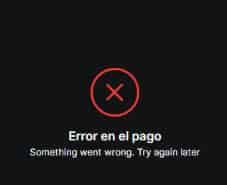
2. “Something Went Wrong. Try Again Later” Error
This is a common payment provider error. It usually appears when the payment system cannot complete the transaction.
Possible Reasons
- Temporary payment gateway failure
- Google Play payment issue
- Card authorization failure
- Unstable internet connection
- Payment provider server problems
How to Fix It
Try:
- Restart Telegram
- Switch between Wi-Fi and mobile data
- Update Telegram to the latest version
- Check your payment method
- Try again later
If your payment continues failing, consider using another supported payment method.
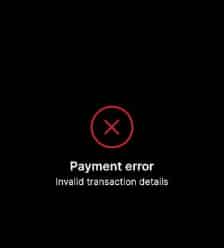
3. “Invalid Transaction Details” Error
Possible Reasons
This error means Telegram or the payment provider cannot verify the transaction information.
Possible reasons include:
- Payment verification failure
- Expired payment session
- Incorrect transaction information
- Temporary communication issue between Telegram and the payment provider
How to Fix It
Try these solutions:
- Close and reopen Telegram
- Check your payment method information
- Ensure your card supports online payments
- Try another payment method
- Wait for a while before making another attempt
If the problem continues, the issue may be related to the payment provider rather than your account.
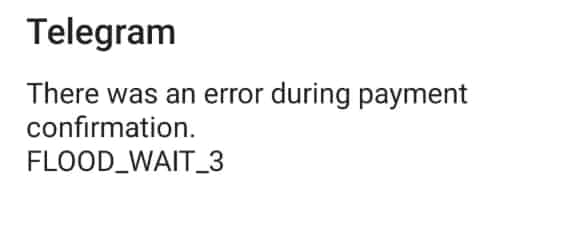
5. Telegram Stars “FLOOD_WAIT” Payment Error
Possible Reason
FLOOD_WAIT is Telegram’s temporary rate limit protection.
It may appear when users:
- Attempt payment repeatedly within a short time
- Refresh payment requests too frequently
- Try multiple failed transactions continuously
How to Fix It
- Stop retrying immediately
- Wait until the restriction period ends
- Try again with a stable connection
- Avoid repeatedly clicking the purchase button
Repeated attempts may extend the waiting period.
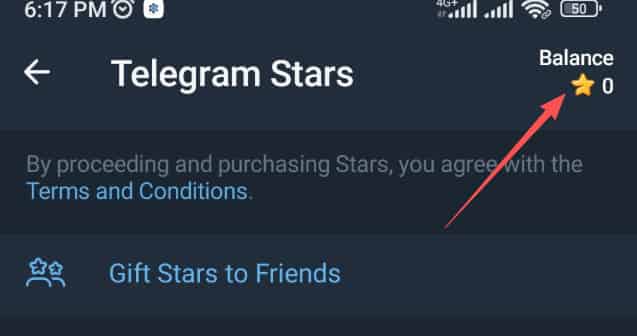
6. Charged but Telegram Stars Not Received
Possible Reasons
Sometimes payment goes through, but Stars do not appear immediately.
Possible causes:
- Delayed payment verification
- App Store or Google Play synchronization issues
- Transaction processing delays
Telegram users have reported cases where payment was deducted but Stars were not delivered. In some cases, the payment provider (such as Google Play) handled the refund or transaction issue instead of Telegram.
How to Fix
Before buying again:
- Check your payment history
- Restart Telegram
- Wait several minutes
- Keep your payment receipt
If you purchased through:
- Google Play: contact Google Play support
- Apple App Store: contact Apple support
- Other payment providers: contact the relevant provider
▍Telegram Stars Payment Problems on Android
Android users usually purchase Stars through Google Play billing.
Common problems:
- Google Play payment declined
- Payment profile mismatch
- Google Play cache issues
- Unsupported payment method
Google recommends checking payment methods, account settings, connectivity, and restarting the app when in-app purchases fail.
Fix Telegram Stars Payment on Android
Try:
- Open Google Play settings
- Check your payment methods
- Confirm your Google Play country settings
- Clear Google Play Store cache
- Add another payment method
- Retry the purchase
▍Telegram Stars Payment Problems on iPhone
iPhone purchases are usually processed through Apple’s payment system.
Common causes:
- Apple ID payment issue
- Expired card
- Unpaid Apple balance
- Payment method restriction
Fix Telegram Stars Payment on iPhone
Try:
- Update Apple ID payment information
- Clear outstanding Apple payments
- Add another payment method
- Restart Telegram
- Try again later
▍Alternative Solution: Buy Telegram Stars Through TOPUPlive
If your Telegram Stars purchase keeps failing because of card restrictions, App Store problems, or payment limitations, using a third-party top-up platform can be another option.
TOPUPlive provides:
- Multiple Telegram Stars denominations
- Alternative payment methods
- Fast digital delivery
- Competitive pricing compared with some official purchase channels
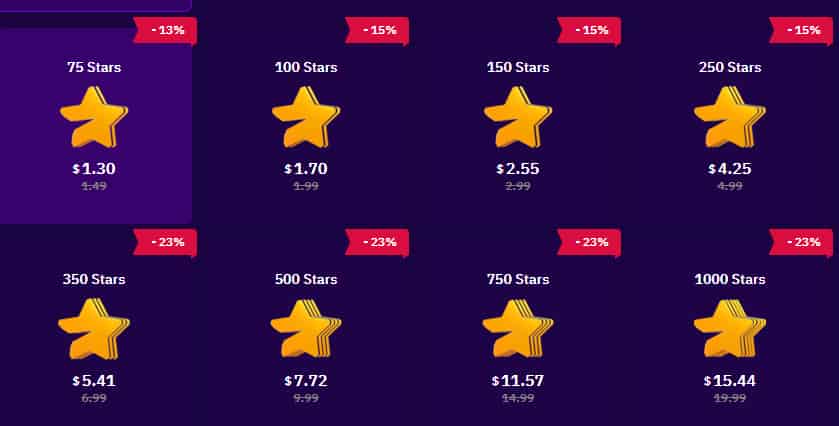
Below is the side-by-side comparision between Telegram stars price in TOPUPlive v official prices:
Telegram Stars | Official Price | TOPUPlive Price | Discount |
|---|---|---|---|
50 Stars | $0.99 | $0.88 | 12% OFF |
75 Stars | $1.49 | $1.30 | 13% OFF |
100 Stars | $1.99 | $1.70 | 15% OFF |
150 Stars | $2.99 | $2.55 | 15% OFF |
250 Stars | $4.99 | $4.25 | 15% OFF |
350 Stars | $6.99 | $5.41 | 23% OFF |
500 Stars | $9.99 | $7.72 | 23% OFF |
750 Stars | $14.99 | $11.57 | 23% OFF |
1,000 Stars | $19.99 | $15.44 | 23% OFF |
1,500 Stars | $29.99 | $23.14 | 23% OFF |
2,500 Stars | $49.99 | $38.57 | 23% OFF |
5,000 Stars | $99.99 | $77.64 | 23% OFF |
10,000 Stars | — | $165.29 | 18% OFF |
Recharge Telegram Stars with a discount on TOPUPlive:
Premium 3 Months
Premium 6 Months
Premium 12 Months
50 Stars
👉See also: Is TOPUPlive Legit?
Before purchasing from any third-party platform, always check that the service is reliable and uses secure payment methods.
▍FAQs About Telegram Stars Payment Issues
1. Why does Telegram say “Payment Failed” when buying Stars?
This usually happens because of payment method problems, bank rejection, App Store/Google Play issues, or temporary payment system errors. Try another payment method or retry later.
2. Why did Telegram charge me but not give me Stars?
This can happen because payment confirmation is delayed. Check your transaction history, restart Telegram, and contact your payment provider if Stars do not arrive.
3. Can I buy Telegram Stars without a credit card?
Yes. Depending on your region, Telegram Stars may support different payment methods. Users can also use alternative top-up platforms that support other payment options.
4. Are Telegram Stars payment errors permanent?
Usually not. Many payment failures are temporary and can be fixed by updating Telegram, changing payment methods, or waiting for payment systems to recover.
▍Conclusion
Telegram Stars payment failures are usually caused by payment method restrictions, App Store or Google Play issues, transaction verification problems, or temporary system errors. Checking the exact error message is the fastest way to find the right solution.
If official payment methods continue failing, alternative Telegram Stars top-up services like TOPUPlive can provide another way to purchase Stars conveniently.
Lucy Lauria
Game writer
I spend most of my time exploring game worlds, testing new features, and learning how different systems work. Through my writing, I aim to share useful insights, helpful strategies, and clear guides that make games more enjoyable for everyone.
Related products
Related News

Higo Coins Recharge Guide: How to Top Up Higo Coins Safely and Save More
DiDO Top Up Guide: How to Buy DiDO Coins for Less
Veeka Recharge Guide: How to Top Up Gold Beans Safely and Save More
Pago Live Top Up: Gold Prices, Recharge Methods & Guide
SoMatch Top Up Guide: How to Buy SoMatch Coins at a Lower Price?
Firefly Live Top Up Guide: Features, Cheaper Rates & Step-by-Step Tutorial
Tumile Top Up Guide: Features, Cheaper Rates & Step-by-Step Tutorial
Telegram Stars Guide: How to Buy, Use, and Get the Best Value


