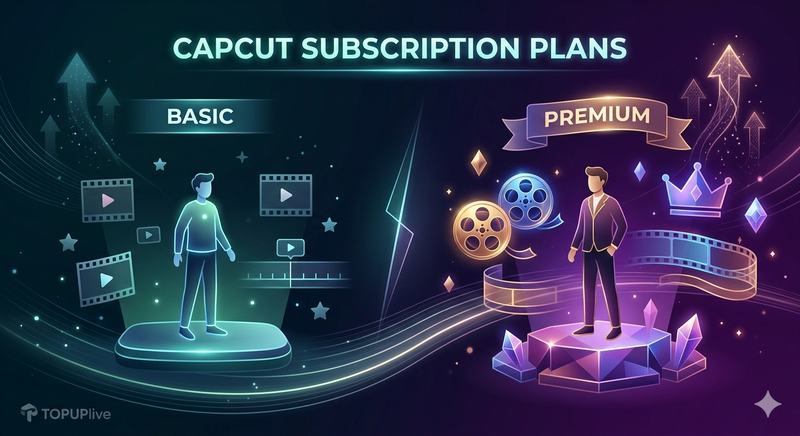
CapCut Pro runs $9.99 a month in the US App Store. Users in other countries pay a third of that for the same plan. You can claim the lower rate without leaving your own account. This article covers where the gap comes from and how to keep it month after month.
Why CapCut Pro Costs So Much
ByteDance sets CapCut Pro prices in each market. US and Western European users see the highest tiers. The Pro features stay the same everywhere: 4K export without watermark, advanced filters, cloud storage, and the full asset library. The software is identical across regions. You pay more for the US price tag.
Most users meet the cost only after the free trial ends. CapCut prompts you to subscribe at your local App Store rate, and that rate is the expensive one. You never see the cheaper options because the app shows your region's price.
Is There a Legit Way to Pay Less?
Yes. CapCut sells one Pro subscription across all regions. US buyers and lower-priced-market buyers get the same tools. ByteDance charges different currencies for that one product.
You get the official subscription at a lower regional price. Your login stays yours. The app on your phone stays official.
How Regional Pricing Actually Works
Software companies price by purchasing power. A plan that costs $10 in the US might cost $3 in a market with lower average income. ByteDance does this for CapCut the same way Netflix and Spotify price their plans.
The App Store ties your price to your account's region. You would need a local payment method to subscribe in a cheaper country. That blocks most users from the discount.
Top-up services bridge that gap. They hold regional payment methods and deliver the subscription to your existing CapCut ID. You log in, you get Pro, you pay the lower rate.
Get CapCut Pro Cheaper via TOPUPlive Top-Up
TOPUPlive tops up your CapCut account at regional rates. You send us your CapCut ID, we activate Pro on it through a lower-priced market, and your app shows the active subscription within minutes. Your login stays yours. Your projects stay yours.
The price you pay covers the regional subscription plus our service. It stays below the US App Store rate. You skip the VPN setup and the cracked APK risk.
We activate most orders within 10 minutes. We issue a refund the moment activation fails.
Cheaper Auto-Renewal: Keep Paying Less Every Month
One purchase saves you for a month. Auto-renewal saves you every month after that.
CapCut's own trial flips to full price the day it ends. Users who forget lose the discount that day. TOPUPlive auto-renew keeps your subscription at the regional rate on a rolling basis. We renew it for you before it lapses, so the cheaper price carries forward each month.
You control it from your dashboard. Pause the renewal, switch plans, or cancel before the next cycle. No phone call, no support ticket maze.
CapCut Pro vs Free: Is Pro Worth It
Free CapCut covers casual edits. You export at lower resolution with the watermark, and you miss the pro filters and the larger asset library.
Pro pays off if you edit weekly. The 4K export clears the watermark for YouTube and client work. Cloud storage moves projects across devices without manual file transfers.
If you edit once a month for fun, free is fine. If you publish often, Pro at a regional rate runs a few dollars a month and removes the friction.
FAQ
Will CapCut ban my account?
No. You receive the official Pro subscription on your own ID. You aren't sharing a login or running modified software.
How fast does activation happen?
TOPUPlive activates most orders within 10 minutes. You get an email when Pro goes live.
What if I already pay for Pro?
Let your current cycle end, then start the top-up. Two subscriptions on one ID waste money.
Can I cancel auto-renewal?
Yes. Open your dashboard and switch it off before the next charge.
Stop Paying App Store Prices
Top up CapCut Pro on TOPUPlive, lock in the regional rate, and turn on auto-renew to keep it. Most first activations complete within 10 minutes.