



Fortnite Top Up Guide: How to Get the Cheapest V-Bucks & Best Bundles

2026-08-24 16:21:36
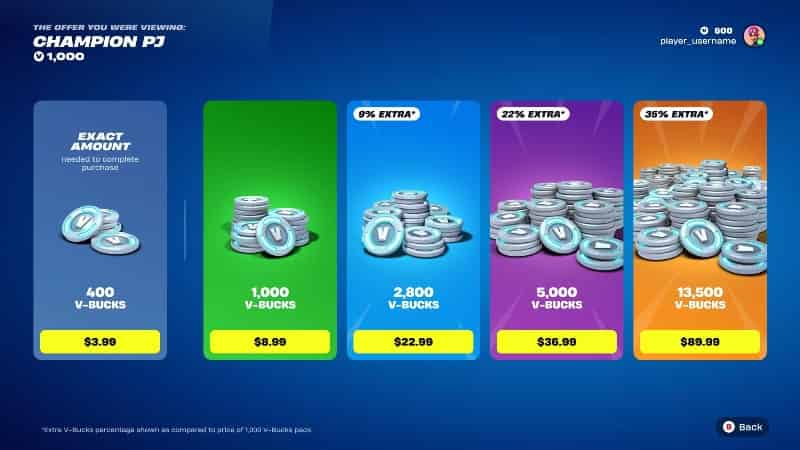
Fortnite is one of the most popular battle royale games, where players can use V-Bucks to purchase Skins, Emotes, Battle Passes, and other cosmetic items.
However, frequent V-Bucks purchases can quickly increase your gaming costs. This Fortnite Top Up Guide will show you how to buy V-Bucks efficiently and save more with TOPUPlive.
▍What Are V-Bucks and Bundles in Fortnite?
1. What Are V-Bucks in Fortnite?
V-Bucks (Vinder-Bucks) are Fortnite’s premium in-game currency, allowing players to purchase a variety of cosmetic content and seasonal rewards. Unlike gameplay items that affect performance, V-Bucks are mainly used to customize your character and enhance your overall gaming experience.
2. How Do V-Bucks Work in Fortnite?
After purchasing V-Bucks, players can spend them on various cosmetic items and seasonal content. These purchases focus on customization rather than gameplay advantages.
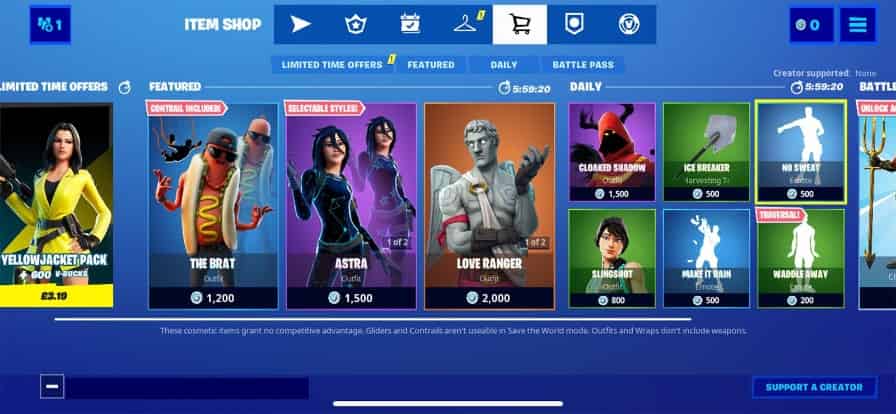
Common uses of V-Bucks include:
Item | Description |
|---|---|
Skins | Change your character appearance with unique outfits |
Emotes | Add special animations and actions |
Pickaxes | Customize your harvesting tools |
Gliders | Change your landing style |
Battle Pass | Unlock seasonal rewards and exclusive cosmetics |
Players can also save V-Bucks for future Item Shop updates, especially when popular collaborations or limited-time skins are released.
3. What Are Fortnite Bundles?
Fortnite Bundles combine multiple cosmetic items into one package, allowing players to unlock several rewards at once.
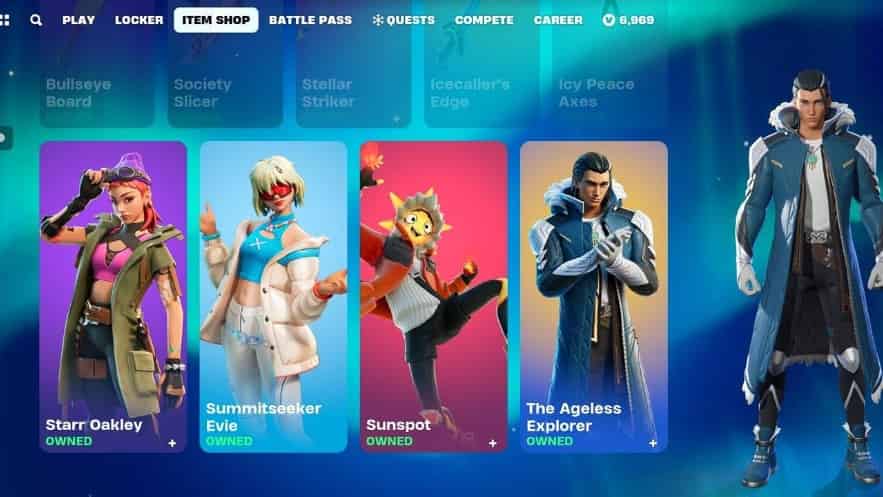
Common Bundle contents include:
- Outfits: Exclusive character skins
- Pickaxes: Matching harvesting tools
- Gliders: Special landing cosmetics
- Back Blings: Additional character accessories
- Emotes: Unique animations
For players who want multiple cosmetic items, Bundles can often provide better value compared with buying each item separately.
▍Fortnite V-Bucks Top Up Price & Discount List
Fortnite offers different V-Bucks packages for players to purchase Skins, Battle Passes, Emotes, and other cosmetic items. However, buying V-Bucks frequently can increase your overall gaming expenses.
This section compares official Fortnite prices with TOPUPlive discounts, helping players find a more cost-effective way to top up V-Bucks.
1. Official Fortnite V-Bucks Pricing
Fortnite provides several standard V-Bucks packages through its official store. The price depends on the amount of V-Bucks you purchase.
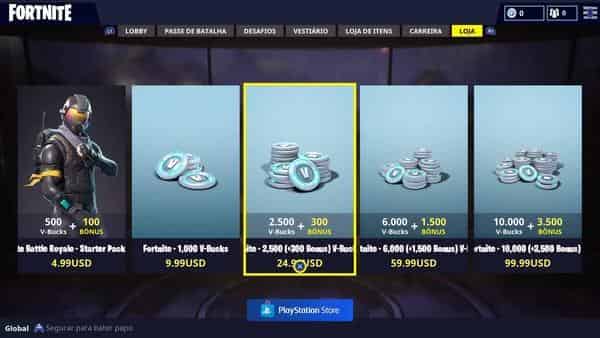
Common V-Bucks packages include:
V-Bucks Package | Official Price |
|---|---|
1,000 V-Bucks | $8.99 |
2,800 V-Bucks | $22.99 |
5,000 V-Bucks | $36.99 |
13,500 V-Bucks | $89.99 |
Official purchases are simple and secure, but the prices are usually fixed with limited discount opportunities.
2. TOPUPlive Fortnite V-Bucks Discounts
With TOPUPlive, players can purchase Fortnite V-Bucks at a lower price compared with standard store purchases.
Benefits include:
- Lower prices: Save more on every V-Bucks purchase.
- Better value for large packages: Larger V-Bucks packs provide greater savings.
- Convenient recharge: Complete your order through a simple top-up process.



Fortnite Crew

800 V‑Bucks

2400 V‑Bucks
4500 V‑Bucks

3. Fortnite V-Bucks Package Comparison Table
Fortnite offers different V-Bucks packages to meet the needs of different players, from small purchases for individual cosmetics to large bundles for frequent buyers. To help players find the best value, the table below compares the official prices with TOPUPlive discounted prices.
V-Bucks Package | Official Price | TOPUPlive Price | Discount |
|---|---|---|---|
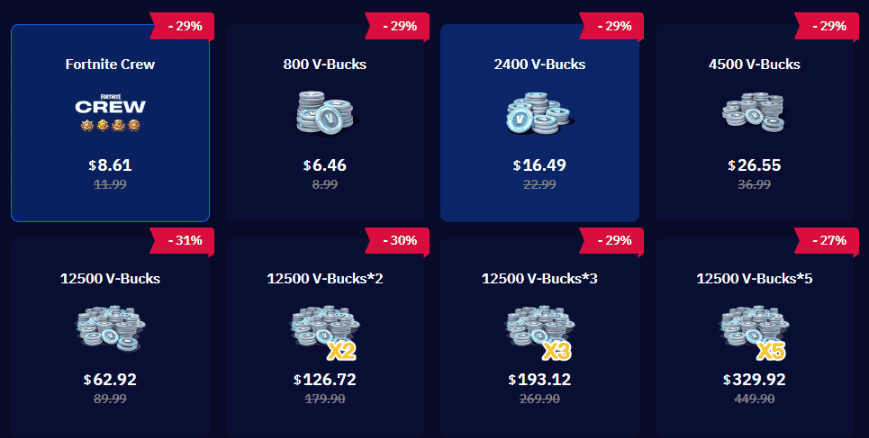
Fortnite Crew | $11.99 | $8.61 | 29% OFF |
800 V-Bucks | $8.99 | $6.46 | 29% OFF |
2,400 V-Bucks | $22.99 | $16.49 | 29% OFF |
4,500 V-Bucks | $36.99 | $26.55 | 29% OFF |
12,500 V-Bucks | $89.99 | $62.92 | 31% OFF |
12,500 V-Bucks ×2 | $179.98 | $126.72 | 30% OFF |
12,500 V-Bucks ×3 | $269.97 | $193.12 | 29% OFF |
12,500 V-Bucks ×5 | $449.95 | $329.92 | 27% OFF |
12,500 V-Bucks ×10 | $899.90 | $663.41 | 27% OFF |
By choosing TOPUPlive, players can save up to 31% on Fortnite V-Bucks purchases. Whether you are preparing for a new season, collecting Skins, or unlocking Battle Pass rewards, discounted top-ups can help you get more value from your budget.
▍How to Top Up Fortnite V-Bucks: Step-by-Step Top Up Guide
1. Buy Fortnite V-Bucks Through Official Store
Steps to Buy V-Bucks Officially:
1. Open Fortnite or Epic Games Store: Visit the official Fortnite store and enter the V-Bucks purchase page.
2. Select Your V-Bucks Package: Choose the V-Bucks amount you want to purchase based on your needs.
3. Complete Payment: Select your available payment method and finish the transaction.
4. Receive V-Bucks: After successful payment, V-Bucks will be added to your Fortnite account.
Advantages:
- Official and straightforward purchase process.
- No additional account information is required.
Disadvantages:
- Prices are usually fixed.
- Limited discounts are available compared with third-party top-up platforms.
2. Top Up Fortnite V-Bucks Through TOPUPlive
TOPUPlive provides a convenient way for players to purchase Fortnite V-Bucks at a lower price. The process requires players to select their package, provide the necessary account details, and complete the recharge process.
- Visit TOPUPlive Website
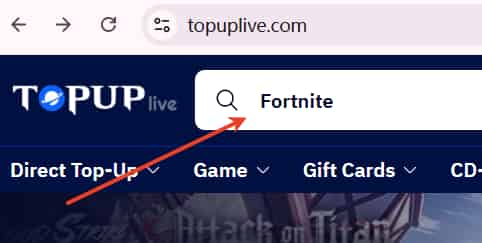
Open your browser and search for TOPUPlive. Enter the official website to start your Fortnite V-Bucks top-up.

- Search for Fortnite
After entering the TOPUPlive homepage, use the search bar and enter "Fortnite" to find the game page.
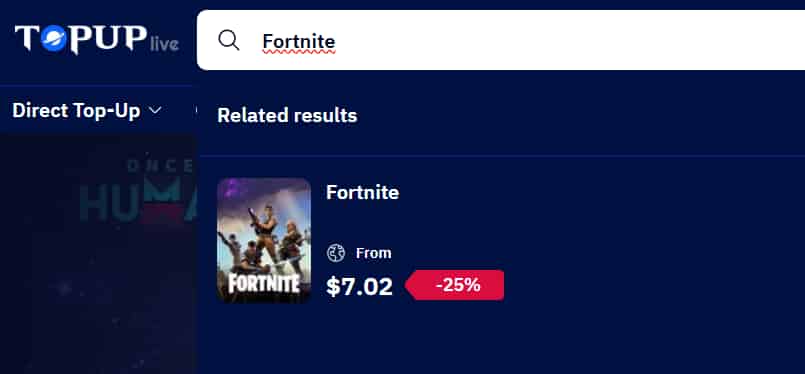
- Select Fortnite Top Up Service
Choose Fortnite from the search results and enter the game top-up page.
- Select Your V-Bucks Package
Choose the V-Bucks amount or package you want to purchase, then proceed with payment to complete your order.
▍Why Buy Fortnite V-Bucks on TOPUPlive?
1. Save More on Fortnite V-Bucks
- Up to 31% discount on selected Fortnite V-Bucks packages.
- Lower prices for both small and large V-Bucks purchases.
- More value for players who frequently buy seasonal content.
With TOPUPlive discounts, players can save more budget for future Fortnite updates and exclusive items.
2. Safe and Reliable Top Up Service
- Secure payment channels.
- Professional customer support.
- Clear recharge steps from purchase to delivery.
TOPUPlive also guides players through the required information and verification process to ensure successful top-ups.
3. Convenient Payment and Fast Recharge
- Multiple payment options.
- Simple ordering process.
- Fast recharge service.
Whether you are preparing for a new season, buying a Battle Pass, or collecting new Skins, TOPUPlive provides a convenient way to get the V-Bucks you need.
▍FAQs About Fortnite Top Up
1. Is It Safe to Top Up Fortnite V-Bucks on TOPUPlive?
Yes. TOPUPlive provides a secure top-up process with reliable payment methods and customer support to help players complete their Fortnite purchases safely.
2. Do I Need to Provide My Fortnite Account Information?
Yes. Fortnite top-up requires necessary account information for verification. Please make sure the details you provide are accurate to avoid recharge delays.
3. How Long Does Fortnite V-Bucks Top Up Take?
Most orders are completed quickly after payment and verification. Processing time may vary depending on account verification and order volume.
4. Can I Use Fortnite V-Bucks Across Different Platforms?
Yes. Fortnite supports cross-platform accounts through Epic Games. Make sure your Epic account is properly linked with your platform account before purchasing.
5. Can Xbox Accounts Be Used for Repeated Fortnite Top Ups?
No. Xbox accounts cannot be repeatedly used for recharge. Please check your account status before placing an order.
▍Conclusion
Fortnite V-Bucks are essential for unlocking Skins, Battle Pass rewards, Emotes, and other cosmetic items. Choosing the right top-up method can help players enjoy more in-game content while managing their budget more effectively.
With TOPUPlive, players can enjoy discounted Fortnite V-Bucks, a convenient recharge process, and better value for every purchase.
Ethan Caldwell
game writer
Game guide creator. Walkthroughs, tips, and secrets – all in one place. Let's master every game together!

Related products

Related News

Aniimo Tier List: Best Aniimo Ranked for DPS, Break, Heal & Support
Aniimo Beginner Guide: Starter Choice, Catching Tips, Twining & Team Building
Pokémon GO Halloween 2026 Event Guide: Part 1, Part 2, GO Pass Rewards & Pokopia Halloween Event
Marvel Rivals Season 10.5: New Modes, Events and Skins
MLBB Aspirants 5.0 Skins: How to Get Selena or Obsidia Skins for Fewer Diamonds
Arknights: Endfield 1.6: Release Date, New Operators, Redeem Codes & More
Honkai: Star Rail 4.6 Tier List: Best Teams for Endgame Modes
Wuthering Waves 3.7 Endstate Matrix Guide: Bosses, Enhancements, and Best Teams


