



Delta Force Gifting Guide: How to Gift Items, Skins & Battle Pass (Mobile & PC)

2026-09-29 15:49:24
Want to surprise a friend with a cool skin, weapon appearance, or bundle in Delta Force? The game has an official gifting system that lets you send store items directly. This guide covers everything you need to know for Delta Force Mobile (and PC/console), including how to gift, key restrictions, whether you can send the Season Pass/Battle Pass, and how to get the Delta Coins needed for gifting.
Ready to send your first gift? Check TOPUPlive for the safe discount to top up Delta Coins.


60 Coins


Season Pass Warfare Special
Season Pass Operations Special
Season Pass Delta Force Deluxe
Does Delta Force Support Gifting?
Yes. Delta Force includes a built-in gifting feature for many in-game store items such as weapon skins, customization rewards, exclusive supplies, and certain bundles. You access it through the official gifting page (often linked from the in-game Events menu). Gifting works across platforms in many cases, but there are important limits—especially for the Season Pass and cross-region or cross-platform transfers.
How to Gift Someone on Delta Force Mobile (Step-by-Step)
Here’s the simplest way to send a gift on mobile:
- Open Delta Force and go to the Events tab.
- Switch to the Others section.
- Tap Gift (this usually opens the official gifting website or in-game gifting interface).
- Log in with your account if prompted.
- Browse available store gifts (skins, bundles, supplies, etc.).
- Select the item or bundle you want to send.
- Choose your friend from the list (they must meet the friendship requirements).
- Confirm the gift and complete payment using Delta Tickets first, then Delta Coins if needed.
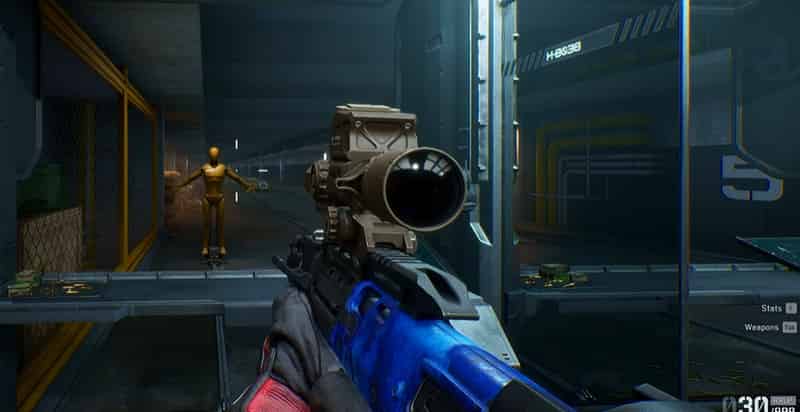
Alternative path: Visit the official gifting page directly while logged into your account.The process is similar on PC. Look for the Gift option under Events > Others or access the web page while signed in.
Requirements and Limitations (Important!)
Before trying to gift, make sure these conditions are met:
- Both you and the receiver must have been friends for at least 5 days.
- Both accounts must be Level 20 or higher in either Operations Level or Warfare Level.
- You can send a maximum of 5 gifts per month (bundles and single items both count).
- You can receive a maximum of 5 gifts per month.
- Monthly gifting value is capped at around 30,000 Delta Coins / Delta Tickets.
- Gifts only work between friends in the same country/region. Cross-region gifting is not allowed.
- Delta Tickets are used first. If they run out, Delta Coins cover the rest.
- Limited-time Delta Tickets cannot be used for gifting.
- Always double-check the recipient’s account info to avoid sending to the wrong person.
Tip for multi-account or cross-platform users: Some players report “cross-platform gifting is not available” errors. Logging into both accounts on Delta Force Mobile has resolved this for many.
Can You Gift the Season Pass in Delta Force?
You cannot gift the Season Pass using Delta Tickets. The official rules explicitly state: “Unable to use Delta Tickets to gift a Season Pass.” You may be able to gift certain other premium items or bundles with Delta Coins (or a combination), but the Season Pass itself has restrictions. Always check the current store page when selecting a gift—unavailable items will be grayed out or blocked.
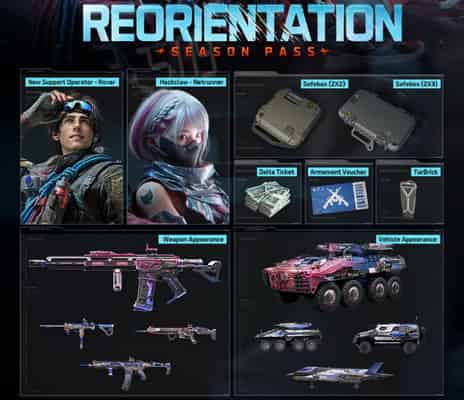
If your main goal is to help a friend unlock the Season Pass, the cleanest options are usually:
- Gift them other high-value items they want, or
- Have them top up their own Delta Coins/Tickets and buy it themselves.
Is There Any Way to Send My Friend an Item Outside the Gift System?
The official gift feature is the only supported and safe way to send store-bought cosmetics and bundles. You cannot freely transfer most owned items, keys, or stash gear to friends as permanent gifts (bound items return to the original owner on extraction in many cases). Event-specific gifting (for example, temporary card exchanges during special events) sometimes appears, but these are limited-time only.Avoid any third-party “account sharing” or unofficial transfer methods—they risk bans.
How to Get Delta Coins for Gifting
Gifting almost always requires Delta Coins (or a mix with Tickets). Many players use third-party top-up sites to recharge more conveniently. On TOPUPlive, for example, you can find a range of Delta Force packages at discounted prices. Here’s a quick overview of the available denominations:
Package | Original Price (USD) | TOPUPlive Price | Discount |
|---|---|---|---|
30 Coins | $0.49 | $0.43 | -22% |
60 Coins | $0.99 | $0.78 | -37% |
300+20 Coins | $4.99 | $3.92 | -23% |
420+40 Coins | $6.99 | $5.45 | -24% |
680+70 Coins | $9.99 | $7.69 | -23% |
1280+200 Coins | $19.99 | $15.80 | -25% |
1680+300 Coins | $24.99 | $18.92 | -25% |
3280+670 Coins | $49.99 | $37.67 | -25% |
6480+1620 Coins | $99.99 | $79.90 | -25% |
12960+3240 Coins | $199.99 | $150.60 | -25% |
19440+4860 Coins | $299.99 | $227.44 | -24% |
>>Check live Delta Force prices on TOPUPlive:
60 Coins
Season Pass Warfare Special
Season Pass Operations Special
Season Pass Delta Force Deluxe
👉See also: Is TOPUPlive Legit?
These options make it easier to top up exactly what you need before sending gifts, especially if you’re planning multiple gifts within the monthly limit.
Quick Tips for Smooth Gifting
- Become friends early so the 5-day timer starts counting.
- Keep track of your monthly gift limit (both sent and received).
- Top up Delta Force in advance if you plan to send several gifts.
- Confirm the friend is online or check Gift History after sending.
- Update the game client if the gift fails to appear in the recipient’s mail.
Conclusion
Gifting in Delta Force is a nice way to support friends and share cool cosmetics, but the system is deliberately restricted (level, friendship duration, monthly caps, same-region only) to prevent abuse. Follow the official steps and requirements above, and you should have no problems. Whether you buy Coins through the official store or a site like TOPUPlive, make sure you have enough balance ready so the gifting process goes smoothly.

Lucy Lauria
Game writer
I spend most of my time exploring game worlds, testing new features, and learning how different systems work. Through my writing, I aim to share useful insights, helpful strategies, and clear guides that make games more enjoyable for everyone.

Related products

Related News

Aniimo S1 Companion Handbook Guide: Worth It? How to Get More Glimmer & Lumin Crystals
Aniimo Top Up Guide: Lumin Crystals, Prices, and Best Ways to Recharge
NTE 1.4 Tier List: Best Characters Ranked for Every Role
Arena Breakout × GIRLS'FRONTLINE 2: EXILIUM Collaboration: Release Date, All Skins, Weapons & New Content
Tumile App Guide: Features, How to Use & Coins Top-Up
Valorant Battle Pass Guide: Current Skins, Price, Knife & Is It Worth It?
Arknights Critical Phase Transition Banner Guide: Kal'tsit·Esperanta and Closure Operator Analysis
Gossip Harbor Beginner Guide: Energy, Merge Tips, and Progression Guide


