












First-Time Top-up Bonus Refreshed Available
- After the Version 2.3 update, the first-time top-up double bonus will reset.
- All Lunite bundles will have their first top-up bonus reset to the initial state.
【Important Top-up Guidance】
- The Login top-up required to log in your game to make the purchase
- Top up information:Wuthering Waves Account, Password, Server and Login method.
- We recommend you to bind the email login method for a faster delivery and higher success rate.
Note: After the payment is successful, you need to cooperate with customer service to provide a Google or Facebook verification code. Please pay attention to the real-time message guidance of the customer service
-------------------------------------------------------------------------------------------------------------------
【How to Top UP Wuthering Waves Lunites and Pack ? 】
1.Place your order and complete the payment.
2.Provide your account information (Google/Facebook Login) after the payment for us to log in and complete the top-up. Please do not log in to the game during this process.
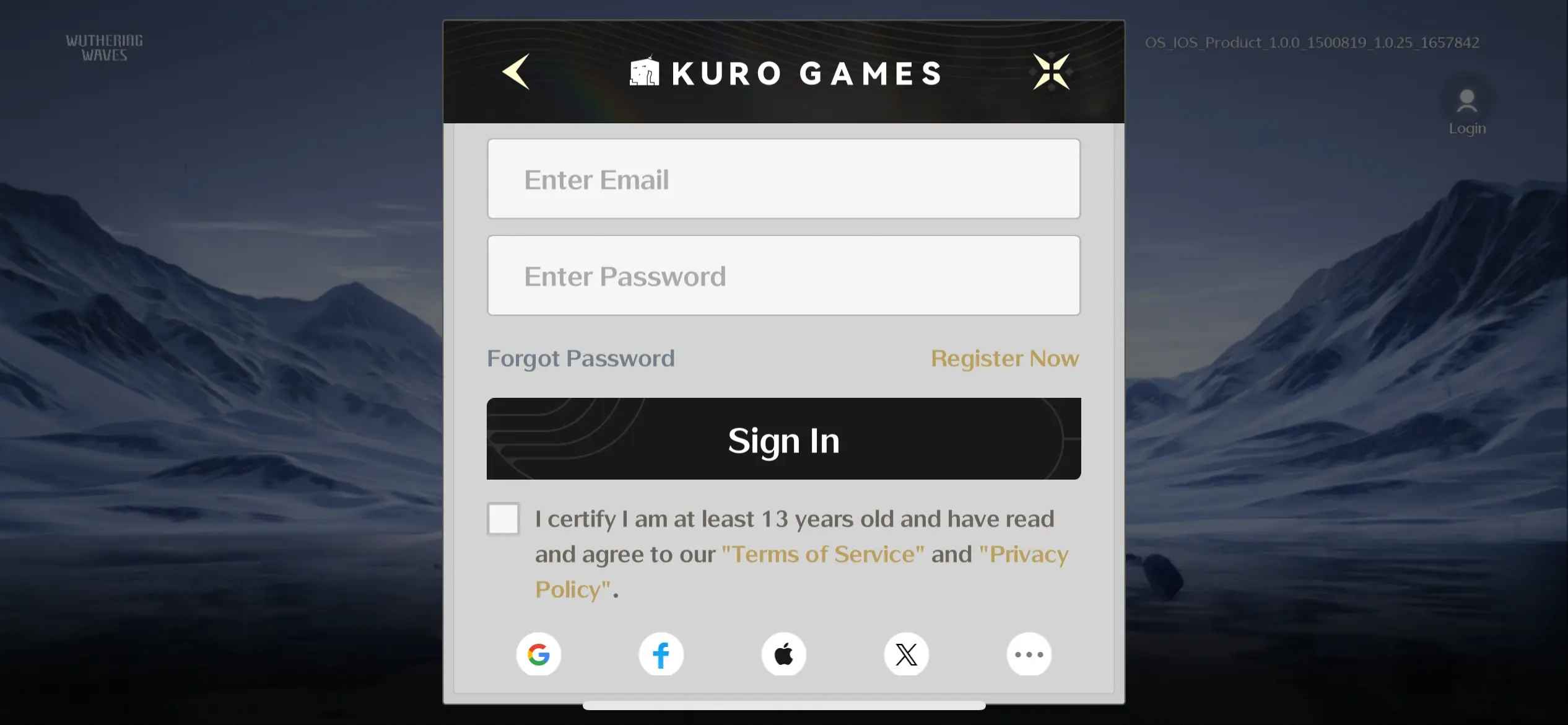
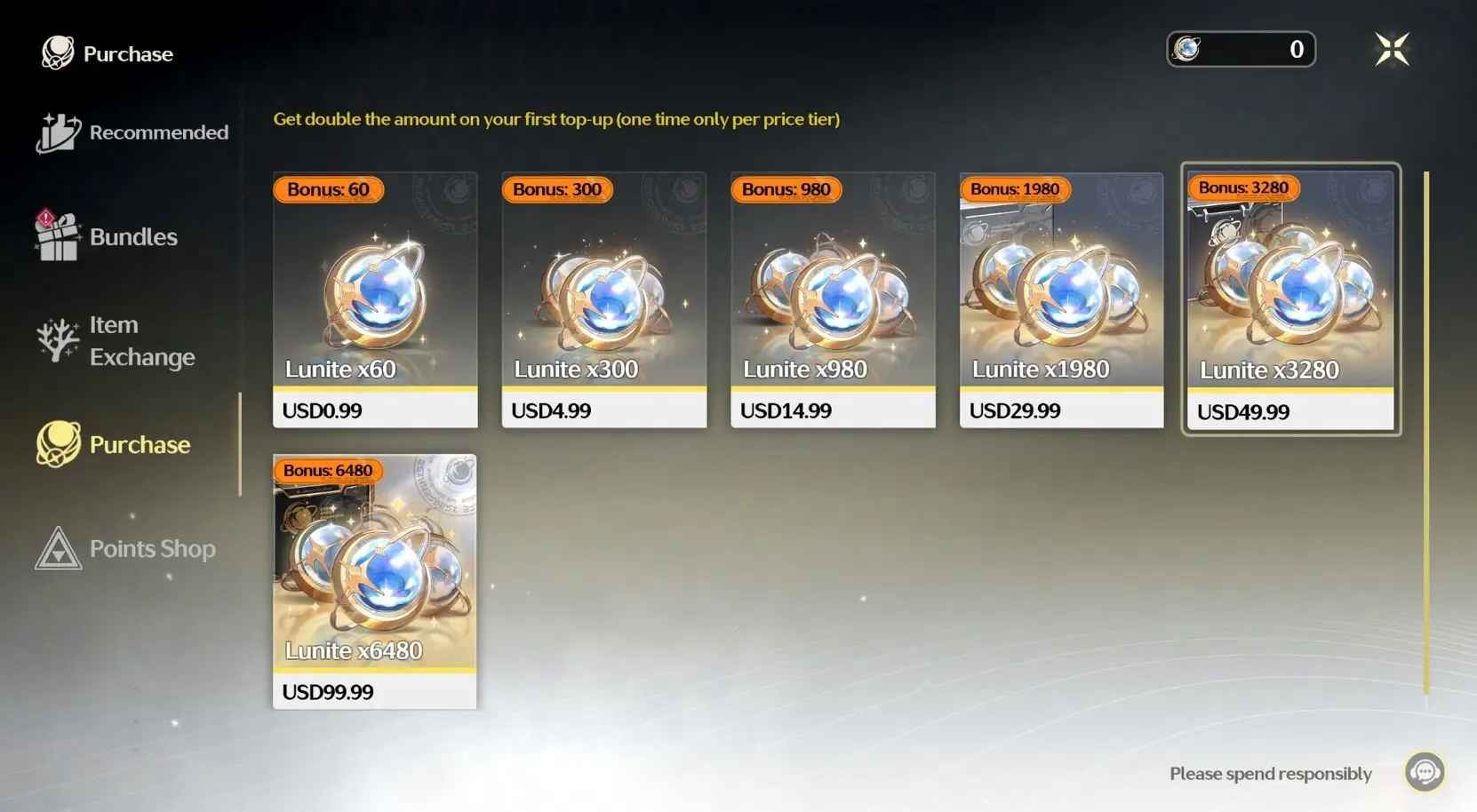
3. We will purchase/top up the items in the game based on the product you ordered.
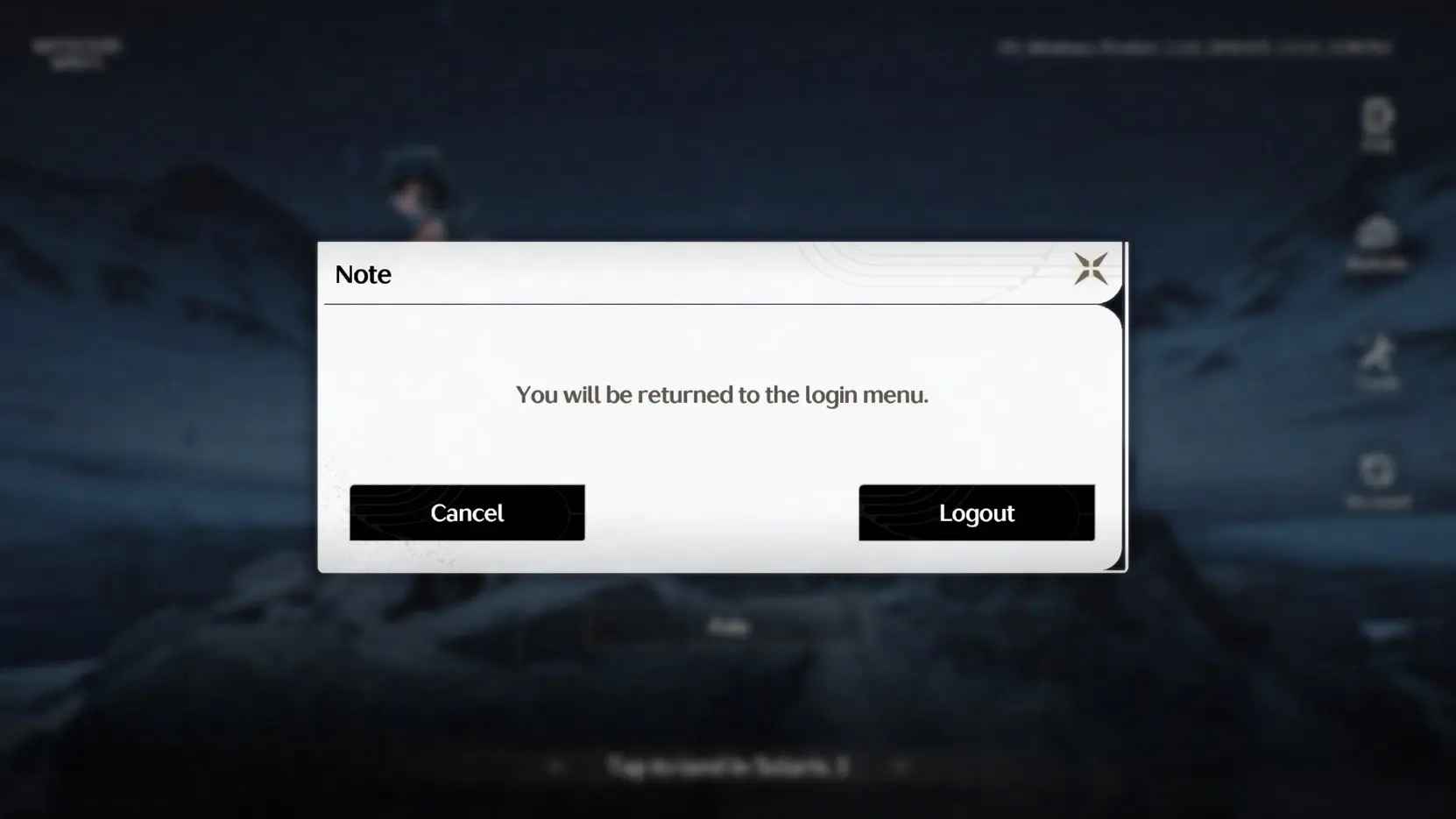
4. After we complete the purchase/top-up, we will log out of your account and clear the login history.
5. You will receive a notification once the top-up is complete, and you can then log in to the game to verify the transaction. To protect your account saftey to the biggest extent, we recommend changing your account password after the transaction is completed.
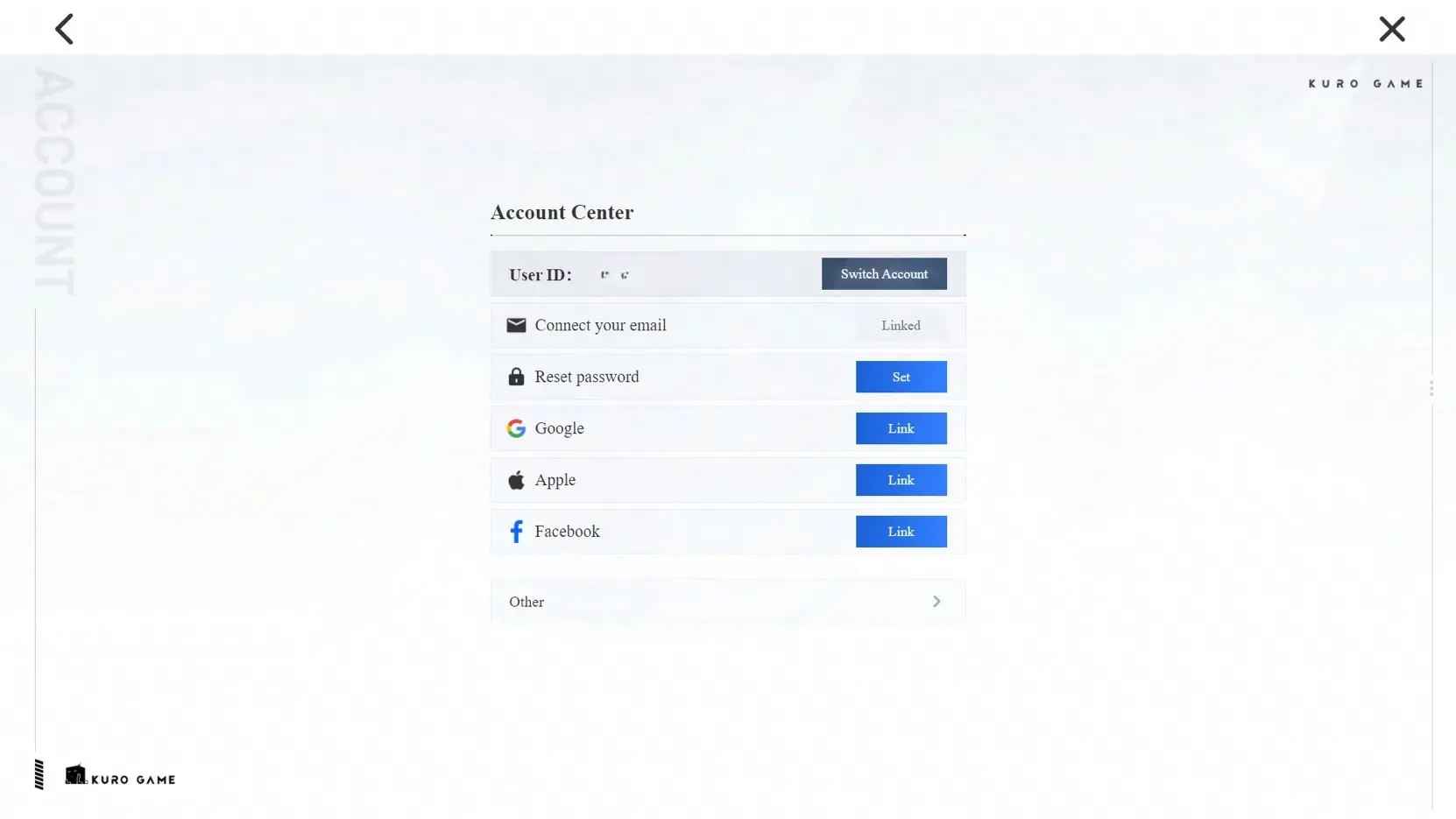
【How to link your email address?】
We recommend that you link your email to your login method to ensure faster delivery and a higher success rate.
1. Start the game, click Terminal on the upper right, and then settings on bottom right corner.
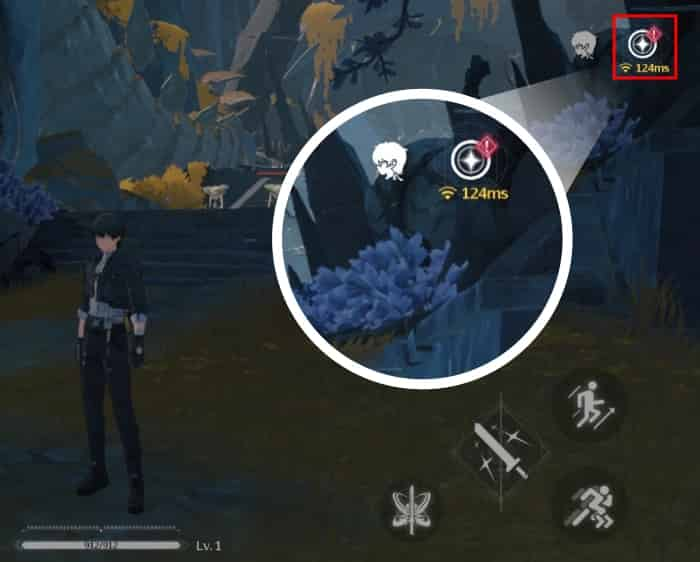
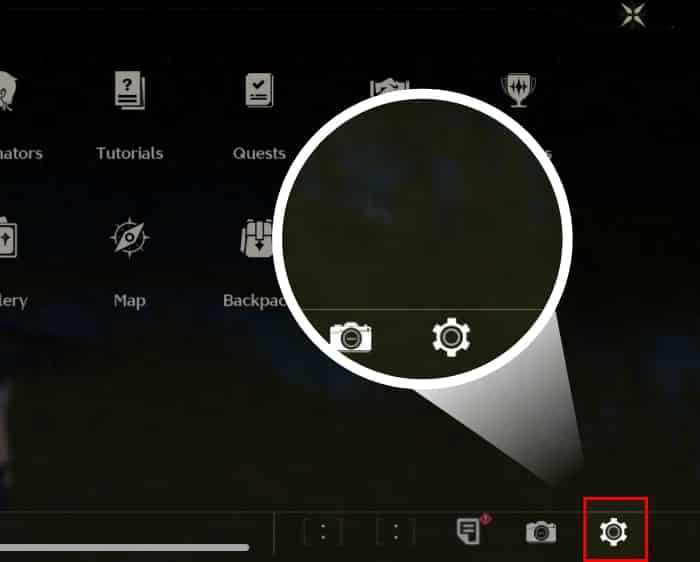
2. Scroll down to the last one and find Account Settings, and click "Go" in the User Center.
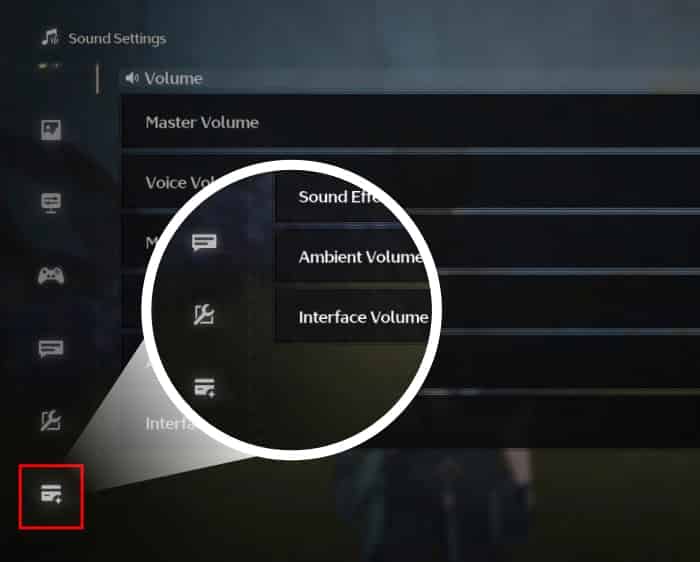
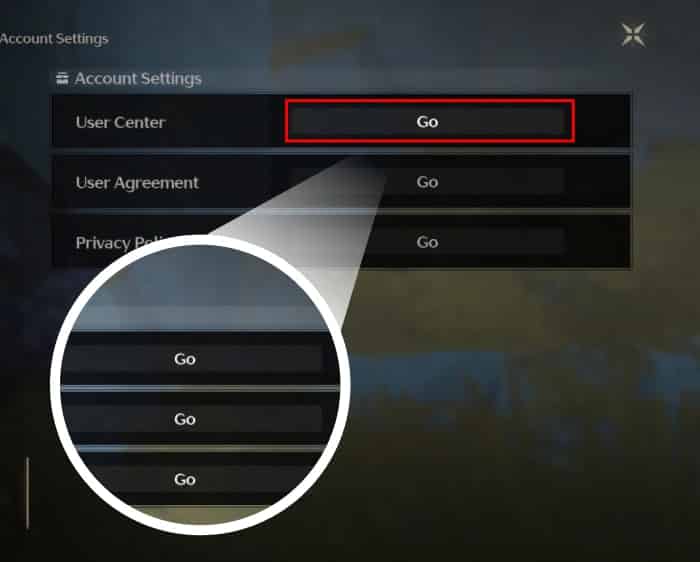
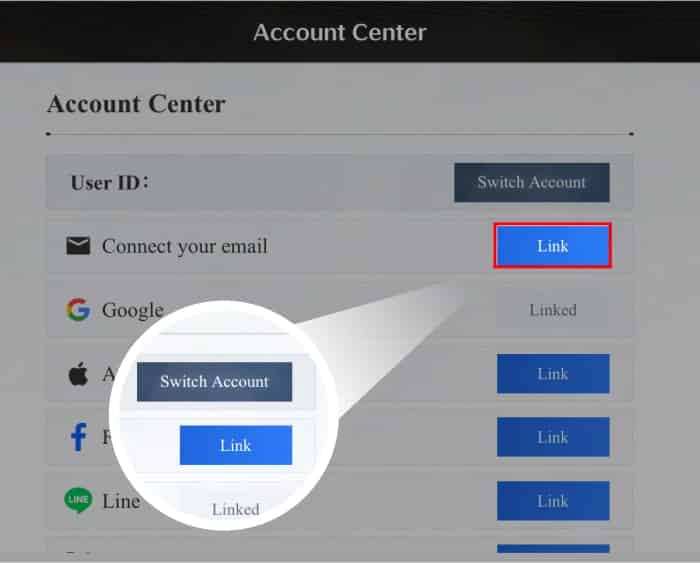
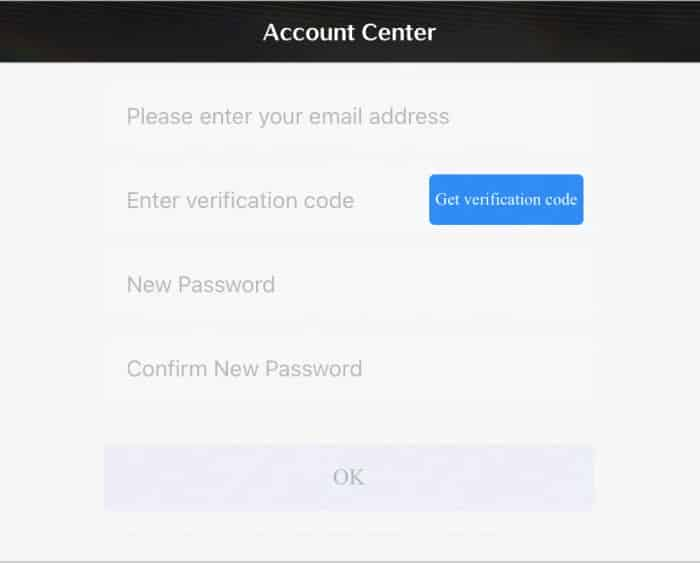
3. On the Account Center page, click "Link" of Connect your email, enter email address and click "Get verification code". You will receive a six-digit verification code in your email. Enter the verification code and set a password, then click "OK" to complete the account binding.
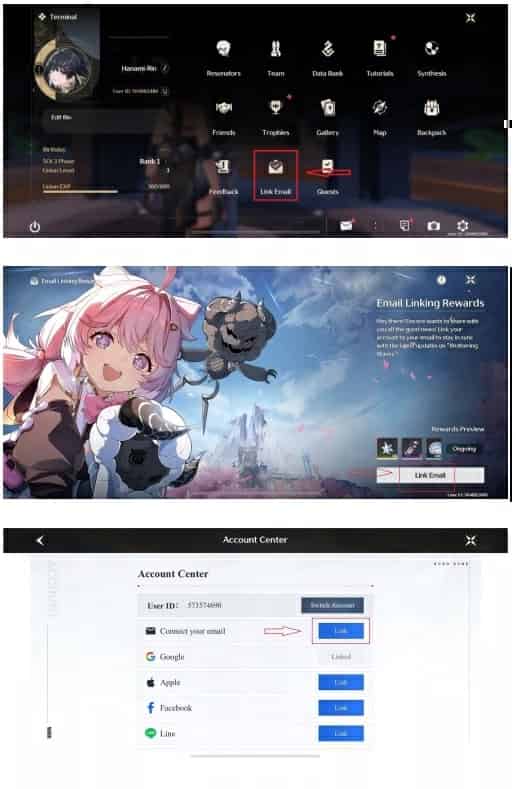
4. If you log in via PS device, start your game, click on the upper right corner to open Terminal, and click "Link Email".
【First Top Up Wuthering Waves Lunite Bonus】
If you haven't topped up in-game or via any platforms before with your character, you'll enjoy the following benefits:
- Top up 300 Lunite to receive 300+300 Lunite
- Top up 980 Lunite to receive 980+980 Lunite
- Top up 1980 Lunite to receive 1980+1980 Lunite
- Top up 3280 Lunite to receive 3280+3280 Lunite
- Top up 6480 Lunite to receive 6480+6480 Lunite
Bonus Giveaway
If you have already topped up in-game or via any platforms before with your character, you'll obtain the following:
- Top up 300 Lunite to receive 300+30 Lunite
- Top up 980 Lunite to receive 980+110 Lunite
- Top up 1980 Lunite to receive 1980+260 Lunite
- Top up 3280 Lunite to receive 3280+600 Lunite
- Top up 6480 Lunite to receive 6480+1600 Lunite
Wuthering Waves (Login Top-Up) — FAQ
1) What does “Login Top-Up” mean for Wuthering Waves?
Login Top-Up means the recharge is completed by logging into your account to purchase subscriptions/passes/items on your behalf (instead of UID-only delivery).
2) What information is required for Wuthering Waves login top-up?
Typically:
- Your account login method
- Verification (OTP / email code) if prompted
Do not share any unrelated sensitive information.
3) Is login top-up safe for gacha accounts?
It can be safe only when handled carefully, but it is inherently higher risk than UID-only top-ups. Key safety factors:
- Only proceed if you can verify communications and reach Online customer service
- Avoid password sharing outside the official order flow
4) How should I prepare my account before ordering?
Recommended:
- Make sure email/phone binding is correct
- Ensure you can receive verification codes during processing
- Turn on security protections (2FA) if available
- Record your account/server info in case support needs it
5) Do I need to log out during processing?
Yes, it’s recommended to log out and avoid logging in until the order is completed to prevent login conflicts or verification loops.
6) How long does Wuthering Waves login top-up take?
Login top-ups often take ~10–30 minutes, sometimes longer if verification prompts appear or the purchase requires manual confirmation.
7) What if I get a “new device login” or “suspicious login” warning?
This can happen. Confirm it matches your order time. If anything looks wrong (wrong region/time), contact Online customer service immediately and consider changing your password.
8) Can I keep playing while the top-up is being done?
It’s not recommended. Playing/logging in during processing can cause interruptions or delays. Wait until the order is confirmed completed.
9) Should I change my password after the top-up is completed?
Yes. After completion:
- Change your password
- Review recent login history (if available)
- Log out of other sessions/devices
10) What is the refund policy for Wuthering Waves login top-up?
Refunds depend on delivery status. If the order is completed and items/subscriptions are delivered, refunds are usually not possible. For failed/duplicate payments, contact Online customer service with your order number and proof.