






Buy Tower of Saviors Packs with Login Top-Up
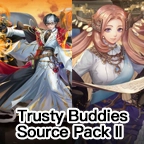
Purchase Tower of Saviors packs at TOPUPLive through this account-login service. Choose Trusty Buddies Source Pack I, Trusty Buddies Source Pack II or a matching price-tier package from the available selection. Send the exact in-game offer so the purchase can be matched to your account.
This page requires login details and verification. It is different from a UID-based Diamonds recharge and is intended for purchases of the listed in-game packs.
Available Tower of Saviors Packages
The current selection includes:
- Trusty Buddies Source Pack I
- Trusty Buddies Source Pack II
- “Any $X Pack” tiers: $0.99, $4.99, $11.99, $20.99, $22.99, $42.99, $64.99 and $99.99
A dollar amount in an “Any $X Pack” name identifies a package tier. It does not promise a fixed Diamond amount, a wallet balance or a particular set of rewards. Check the package name, price and contents in your game, and provide a screenshot for matching.
For Trusty Buddies Source Pack I and II, verify the current offer, purchase limits and eligibility in your account. A product listing does not guarantee that an expired or previously purchased offer can be bought again.
What You Need for This Login Service
The page lists Facebook and Google login methods. Prepare the requested account login details, password, Character Digital ID and a screenshot of the pack you want. Stay available for the verification requested during fulfillment.
If your account uses another login route, confirm compatibility before payment. Account information should be submitted only through the TOPUPLive order process, not through public comments or reviews.
How to Buy Tower of Saviors Packs ?
1. Locate your preferred pack in the game and check its availability.
2. Select the matching named product or price tier on this page.
3. Resolve any account or package-matching questions with support, then review the checkout total and pay.
4. Submit the required login details and screenshot, and follow the verification instructions from customer service.
5. After completion is confirmed, check the purchased pack and any applicable reward-claim location in the game.
Looking for a Diamonds Direct Top-Up Instead?
If you want the separate UID-based service rather than a login pack purchase, visit [Tower of Saviors Diamonds Direct Top-Up](https://www.topuplive.com/tower-of-saviors/). Check that page's denominations and current requirements before choosing it. The two pages offer different purchase methods and should not be treated as interchangeable.
Plan Your Next Tower of Saviors Purchase
Tower of Saviors combines match-three puzzles with RPG team building and collectible characters. Choose a pack by comparing its actual contents with what your team needs, then confirm that it is available to your account.
Select your login top-up package above and review the current price before ordering.
Is this Tower of Saviors page a login top-up service?
Yes. This page is for purchases that require access to your game account. Prepare the requested login details, password, Character Digital ID and package screenshot, and stay available for verification.
How is this different from Tower of Saviors Diamonds direct top-up?
This service purchases eligible packs through account login. The separate Tower of Saviors Diamonds direct top up offers a UID-based route and describes its own verification requirements. Use the page that matches the purchase method and product you want.
Can I order using only my UID and the game's Verification Code?
Not on this login top-up page. Its instructions require account login information. The UID and in-game Verification Code flow belongs to the separate direct top-up service; do not assume it replaces the login requirements for a pack purchase.
Which Tower of Saviors packs are listed?
The selection includes Trusty Buddies Source Pack I, Trusty Buddies Source Pack II and price-tier packs from “Any $0.99 Pack” through “Any $99.99 Pack.” Choose from the actual listed tiers and confirm the exact in-game product before paying.
What do Trusty Buddies Source Pack I and II contain?
The detailed contents must be checked in the current in-game offer. They are separate products, and the TOPUPLive description does not specify all rewards. Send the relevant screenshot so the correct pack can be confirmed before purchase.
How many Diamonds are included in an “Any $X Pack”?
The tier label alone does not specify a Diamond quantity. The chosen in-game offer determines its contents, which may include different rewards. If you want a particular Diamond denomination through direct recharge, compare the separate Diamonds page instead.
Which accounts can use this login top-up?
Facebook and Google are the login methods listed on this page. It does not establish support for every game version, region or other account type. Ask support to confirm eligibility if your account or package differs from the listed options.
How long does a Tower of Saviors pack purchase take?
This login service has no fixed completion time stated on the product page. Verification and package availability affect processing. Do not apply delivery promises from the separate direct top-up page to this service; ask support about timing before ordering an expiring offer.
How should I handle passwords and verification codes?
Provide requested information only through your TOPUPLive order process and confirm that each verification request relates to your purchase. Do not post account details publicly or share unrelated recovery credentials or payment authorization codes. Coordinate with support before accessing the account during processing.
What if I ordered the wrong pack or cannot find my rewards?
Contact TOPUPLive support through the website with your order number, selected product and screenshots. Explain immediately if you meant to use the direct top-up page instead. Correction or refund eligibility depends on the order status and must be checked by support.



