



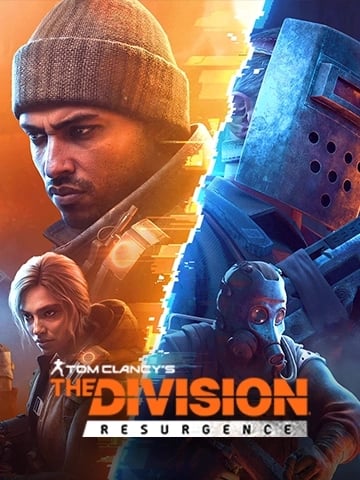









About The Division Resurgence
The Division Resurgence is a third-person shooter RPG set in a massive urban open world. It offers the same acclaimed HD experience tailored to mobile. The Division Resurgence is a whole new opus in the Tom Clancy’s The Division franchise, with the addition of a new storyline, factions and much more.
How To Recharge The Division Resurgence Premium Credits?
- Select the Premium Credits denomination.
- Enter your Player ID.
- Click the "Buy Now" button and Choose your payment method.
- Once payment is made, Premium Credits will be credited to your account shortly.
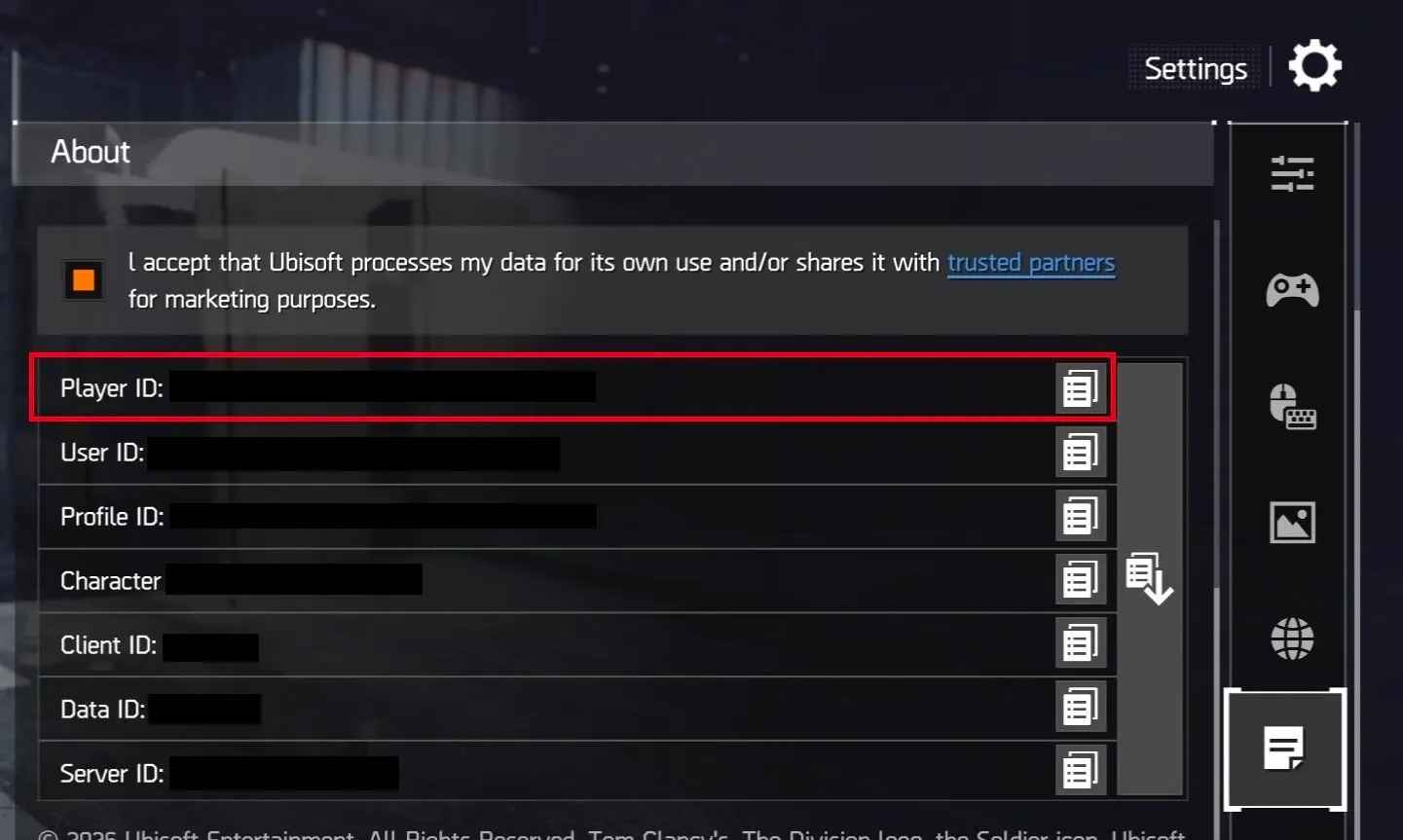
How to find the Player ID?
- Log in to your The Division Resurgence account.
- Tap the "Menu" icon in the top-right corner.
- In the settings interface, scroll down and tap "About".
- In the About section, scroll down to find your Player ID.
requently Asked Questions — The Division Resurgence Premium Credits
Q1: What are Premium Credits in The Division Resurgence?
Premium Credits are the in-game premium currency of The Division Resurgence. They can be used to purchase exclusive gear, cosmetic items, weapon skins, character outfits, and other premium content that enhances your experience in this open-world third-person shooter RPG.
Q2: What Premium Credit denominations are available on TOPUPLive?
TOPUPLive offers six denominations: 125, 315, 645, 1,650, 3,450, and 7,200 Premium Credits — all at discounts of up to 12% off standard in-game pricing, with larger packs offering the best savings.
Q3: How do I top up The Division Resurgence Premium Credits on TOPUPLive?
It's a simple process:
1. Select the Premium Credits denomination you want.
2. Enter your The Division Resurgence Player ID.
3. Click "Buy Now" and choose your payment method.
4. Complete the payment — Premium Credits will be credited to your account shortly after.
Q4: How do I find my Player ID in The Division Resurgence?
Follow these steps in-game:
1. Log in to your The Division Resurgence account.
2. Tap the "Menu" icon in the top-right corner of the screen.
3. In the settings interface, scroll down and tap "About".
4. Your Player ID will be displayed at the bottom of the About section.
Q5: How quickly will my Premium Credits arrive after payment?
Delivery is near-instant. Once your payment is confirmed, Premium Credits are automatically credited to your account — typically within a few minutes. If there is any delay, please check your in-game mailbox first.
Q6: Is it safe to purchase Premium Credits on TOPUPLive?
Yes. TOPUPLive is PCI DSS certified and uses fully encrypted payment processing. Only your Player ID is required to complete the top-up — your account password or login credentials are never needed.
Q7: Can players from all regions top up on TOPUPLive?
Yes, this service is available globally. Whether you play on iOS, Android, or another supported platform, you can top up your The Division Resurgence account from any country through TOPUPLive.
Q8: What makes The Division Resurgence different from the original PC/console game?
The Division Resurgence is a standalone mobile title set in the Tom Clancy's The Division universe. It features a brand-new storyline, new factions, and a full open-world New York environment — all redesigned for mobile with the same acclaimed HD visual experience as the original franchise.
Q9: Which denomination offers the best value?
Larger packs generally offer better value per credit. The 645, 1,650, and 3,450 packs all carry a 12% discount, making them the most cost-effective options. The 7,200 pack offers an 11% discount and is ideal for players making a large one-time purchase.
Q10: What should I do if my Premium Credits were not delivered after payment?
First, verify that you entered the correct Player ID. If the ID was correct and credits have not arrived after a few minutes, please contact TOPUPLive customer support via Live Chat, WhatsApp, or email at [email protected] with your order number for prompt resolution.



