If you’ve ever been frustrated by having to re-enter your payment details every single time you want to top up your favorite game, your life is about to get a whole lot easier.
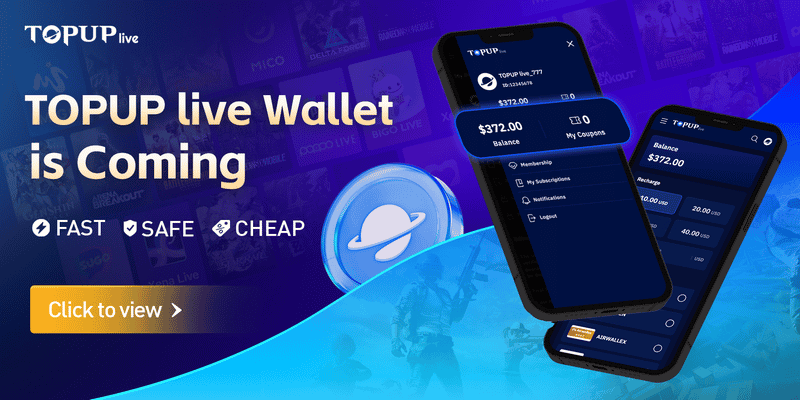
TOPUPlive has officially launched its brand-new Wallet feature — a personal balance system. Now you can preload funds once and enjoy lightning-fast, hassle-free top-ups anytime you want.
▍What is the TOPUPlive Balance Wallet?
The TOPUPlive Balance Wallet is a secure digital balance linked to your account. Instead of entering your payment details every time you want to buy in-game currency (such as PUBG Mobile UC, Genshin Impact Genesis Crystals, Free Fire Diamonds, or currency for any other supported game) or live streaming coins, you can preload money into your Balance Wallet once. After that, you use the stored balance to complete game top up instantly.
It works as a central fund for all your purchases on the site, so you don’t need to go through the full payment process for every order.
▍How Does the TOPUPlive Balance Wallet Work?
Here’s the simple process:
- Log in to your TOPUPlive account.
- Go to the Balance Wallet section (found in your profile).
- Add funds to your Balance Wallet using any of the supported payment methods (card, e-wallet, bank transfer, etc.).
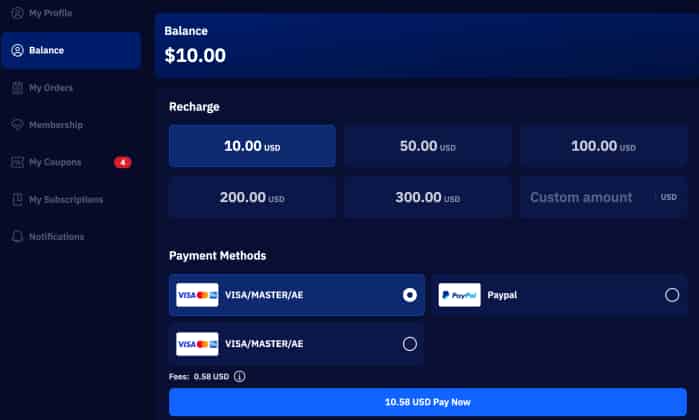
- Once the money is in your Balance Wallet, browse any product and select the top-up amount you want.
- At checkout, choose Pay with Balance Wallet instead of other payment options.
- The order is processed immediately using your available balance.
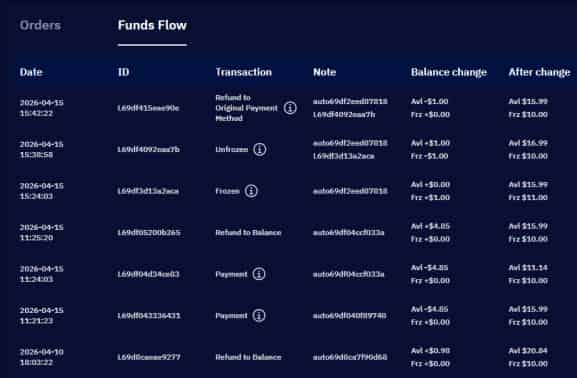
Except for CD keys, your Balance Wallet can be used across all products on this platform. Any unused balance stays in your account until you use it. Refunds or cancelled orders are automatically credited back to your Balance Wallet.
▍FAQs About TOPUPlive Balance Wallet
1. Do I need to create a new account to use the TOPUPlive Balance Wallet?
No. If you already have a TOPUPlive account, the Balance Wallet is automatically available. Just log in and you’ll see the Balance Wallet option.
2. How do I add money to my Balance Wallet?
Go to the Balance Wallet page, choose the amount you want to recharge, choose your payment method, and complete the payment. The funds appear in your balance right away.
3. Can I use the Balance Wallet for every prodcut on TOPUPlive?
Except for CD keys, the Balance Wallet works for all games and top-up products available on the site.
4. What happens if my top-up order fails or is cancelled?
The amount is automatically refunded to your Balance Wallet immediately, so you can use it for your next purchase.
5. Can I withdraw money from my Balance Wallet?
Currently, Balance Wallet funds are for top-ups only and cannot be withdrawn back to your payment method. (This may change in future updates.)
6. Are there any extra fees when using the Balance Wallet?
No extra fees are charged for using the Balance Wallet itself. You only pay the normal top-up amount.
7. Is my Balance Wallet safe?
Yes. Your Balance Wallet uses the same secure system as the rest of TOPUPlive. Funds are stored in your account and protected by our standard security measures.
8. What should I do if my Balance Wallet balance is not updating?
Please contact our 24/7 live chat support. Our team can check your transaction and update the balance if needed.
The TOPUPlive Balance Wallet feature is now live on TOPUPlive. You can top up now using it by logging into your account and going to the Balance Wallet section.
>>Top Up Now Your Favoriate Games Now<<