



Once Human Top Up Not Working? Common Reasons and Easy Troubleshooting Guide
2026-07-10 16:46:55
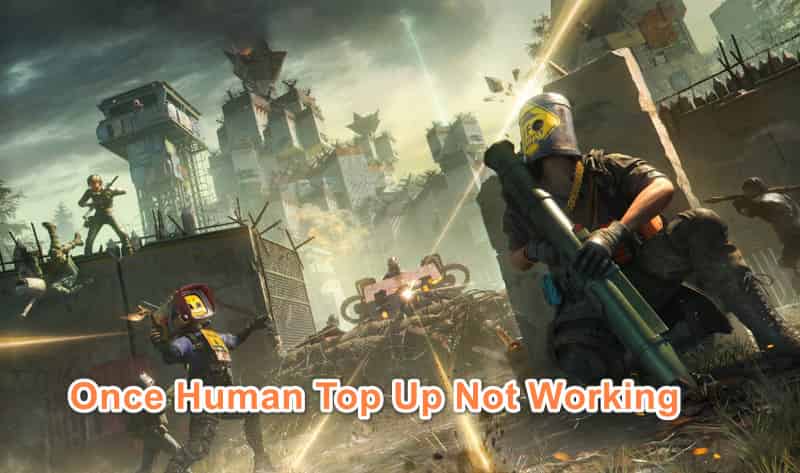
Topping up Crystgin in Once Human should be straightforward, but many players encounter issues where the purchase fails to process, doesn't appear in their account, or the payment page won't load. Whether you're trying the official NetEase channel or another method, these problems are common. Below, you'll find the likely causes and step-by-step fixes, plus a reliable solution that works well for many players.
Ready to top up Crystgin? Get it fast and securely at competitive prices up to 17% off on TOPUPlive.



Umbral Weaver Crate
Chained Eclipse Crate
120 Draws Guaranteed Bundle-Bone Path
All Pack
Why Once Human Top Up Often Fails
Here are the most frequent reasons:
- Incorrect Server/Region or User ID — Mismatching your details is the top culprit. Crystgin goes to the wrong account if the region, server, or User ID is off.
- Payment Declines or Platform Issues — Banks may block the transaction, or certain methods fail due to regional restrictions. Steam players often face problems when the overlay is disabled.
- Technical Glitches — Browser cache, VPN interference, outdated app/browser, or temporary NetEase server delays can interrupt the process.
- Account Linking Problems — Issues logging into or associating your NetEase/Steam account prevent successful top-ups.
- In-Game Shop Not Responding — Clicking to buy does nothing, commonly due to overlay or connection issues.
- Maintenance or Bugs — Official patches sometimes cause delayed processing.
Step-by-Step Troubleshooting
1. Confirm Your Account Details
Log into the game and note your exact Server Region, Server Name, and User ID. Use these precisely on any top-up site.
2. Fix Steam Overlay (for Steam Players)
Go to Steam → Settings → In-Game → Enable “Steam Overlay while in-game.” Restart the game and try again.
3. Switch Browser/Payment Method
Try Incognito mode, a different browser, or alternate payments (PayPal, card, local wallets). Temporarily disable VPN.
4. Wait Out Server Issues
Check the official Once Human site or forums for maintenance. Retry after 30–60 minutes if needed.
5. Clear Cache and Restart
Clear browser cache/cookies, restart your device and router.
6. Contact Support
Keep order screenshots and reference numbers for faster help.
If these steps don’t resolve it quickly, many players switch to a trusted third-party platform for better success rates and more flexible options.
Smooth Top-Ups with TOPUPlive
When official top-ups are unreliable, TOPUPlive is a popular choice for fast, hassle-free Once Human recharges. It offers competitive prices, instant or quick delivery, and multiple payment methods that often bypass common restrictions.
Here are the current Once Human top up options on TOPUPlive:
Pack Type | In-Game Price | TOPUPlive Price | Discount |
|---|---|---|---|
62 Crystgin | $0.99 | $0.94 | 11% OFF |
339 Crystgin | $4.99 | $4.46 | 17% OFF |
1120 Crystgin | $14.99 | $12.58 | 17% OFF |
2340 Crystgin | $29.99 | $25.08 | 17% OFF |
3979 Crystgin | $49.99 | $41.80 | 16% OFF |
8075 Crystgin | $99.99 | $84.99 | 11% OFF |
Meta Pass (30 Days) | $4.99 | $4.46 | 17% OFF |
Battle Pass (Advanced) | $9.99 | $8.36 | 17% OFF |
Battle Pass (Deluxe) | $23.99 | $20.06 | 6% OFF |
Shining New Star Selection Gift Pack | $0.99 | $0.94 | 11% OFF |
Custom Server: 4 Person - 30 Days | $2.99 | $2.67 | 17% OFF |
Custom Server: 10 Person - 30 Days | $7.49 | $6.27 | 17% OFF |
Custom Server: 20 Person - 30 Days | $14.99 | $12.58 | 17% OFF |
Custom Server: 40 Person - 30 Days | $29.99 | $25.08 | 17% OFF |
Custom Server: 100 Person - 30 Days | $59.99 | $50.16 | 17% OFF |
How to Top Up on TOPUPlive:
- Visit the Once Human section on TOPUPlive.
- Select your pack and enter your accurate User ID + Server details.
- Choose your preferred payment method and complete the order.
- Crystgin is usually delivered quickly to your account.
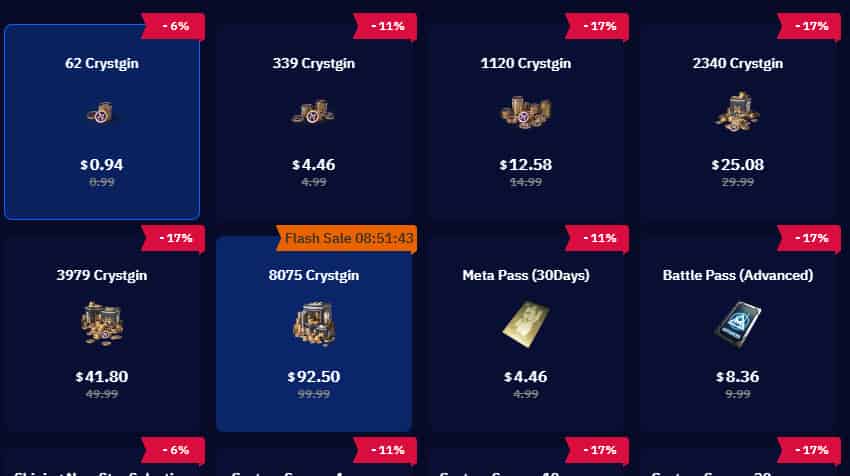
TOPUPlive focuses on convenience and reliability, making it easier to get back into the game with extra Crystgin for cosmetics, passes, and progression.
Quick Tips for Future Once Human Top-Ups
- Always double-check your server info before paying.
- Avoid peak update times.
- Save all transaction confirmations.
Don’t let top-up troubles hold you back in Once Human. With proper troubleshooting or a dependable service like TOPUPlive, you can quickly grab the resources you need and continue exploring the post-apocalyptic world. If you’re still stuck with a specific error, drop the details below for more targeted advice. Happy surviving!

Lucy Lauria
Game writer
I spend most of my time exploring game worlds, testing new features, and learning how different systems work. Through my writing, I aim to share useful insights, helpful strategies, and clear guides that make games more enjoyable for everyone.
Related products

Related News

TOPUPlive Halloween 2026 Events: Free Monthly Passes and Gaming Currency
Monster Hunter Outlanders Top Up Guide: Price, Methods & How to Top Up Crimson Crest Coins Safely & Cheaply
Where Winds Meet Redeem Codes (November 2026): Active Codes and Free Rewards
Call of Duty Mobile Redeem Codes November 2026
Stormshot Gift Codes November 2026 – Latest Working Codes & How to Redeem
Last Z: Survival Shooter Codes (November) 2026: Reaward & How to Redeem
Sausage Man Redeem Codes: All Active Gift Codes(November 2026)
ZZZ Nangong Yu Build Guide: Best W-Engines, Drive Discs, and Teams


