



How to Send Gifts in Last War Survival: A Complete Guide

2026-04-17 09:53:10
Gifting is one of the most fun and strategic social features in the game. Whether you want to help your alliance mates, surprise friends, or climb event leaderboards, sending gifts strengthens your community, earns you rewards, and can even get you free paid skins or resources.
This complete guide covers everything: how to send gifts in Last War, how to gift resources, alliance gifts, Lucky Gifts, and pro tips. Perfect for new and veteran players alike.
▍What Are Gifts For in Last War?
Gifts in Last War serve multiple purposes:
- Build alliances and friendships – Sending gifts increases Gift Points and Gift Level, which help unlock cosmetics, skins, and event rewards.
- Share resources and value – Through Gold Bricks, event items (chocolates, flowers, cowboy hats, etc.), or alliance-wide packages.
- Boost progression – Gifts often contain resources (Gold, Food, Iron), speed-ups, diamonds, or hero shards.
- Event participation – Seasonal events (Valentine’s Chocolate Party, Christmas, Cowboy Hat season) revolve around gifting for leaderboards and exclusive rewards.
- Community perks – Higher Alliance Gift Levels unlock features like alliance mails and image chat.
In short, gifts = faster growth, stronger bonds, and more fun.
▍How to Send Gifts in Last War (Step-by-Step)
Method 1: Quick Gift from Chat (New & Fastest Way)
- Open Chat: Go to your alliance chat or private chat with the recipient.
- Tap the "+" Button: Located next to the chat input field.

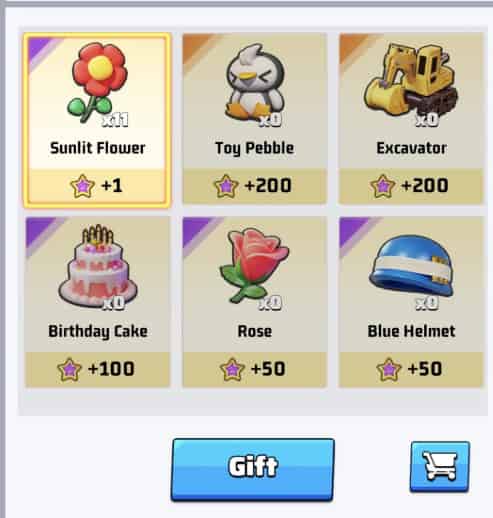
3. Select Gift Icon: Choose from available gifts (flowers, chocolates, cars, crowns, etc.).
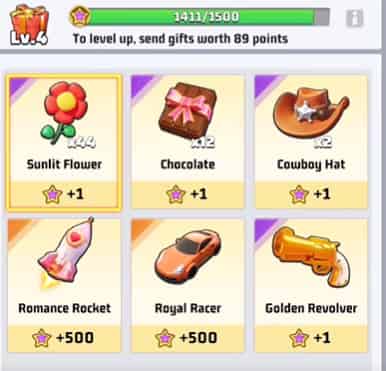
4. Confirm Quantity: Select how many you want to send.
5. Hit Send: The gift is delivered instantly, and you earn Gift Points.
Method 2: Classic Way via Player Profile
1. Complete daily tasks – You’ll often receive free gift tokens or items (e.g., basic gifts or Gold Bricks) as rewards.
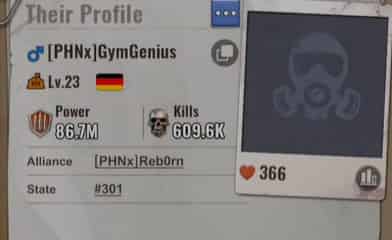
2. Tap the player’s avatar in alliance/world chat or search their name/UID.
3. Tap the gift box icon in the bottom right of their profile.
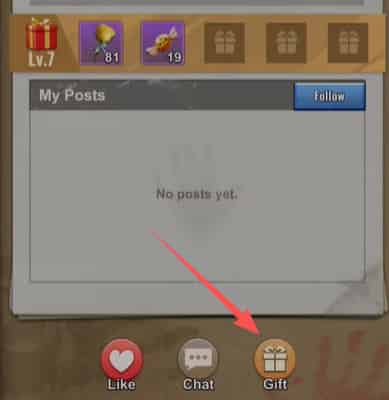
4. Select and send – Choose the gift (Gold Brick package, event item, etc.) and confirm. The recipient gets it instantly in their mail or inventory.
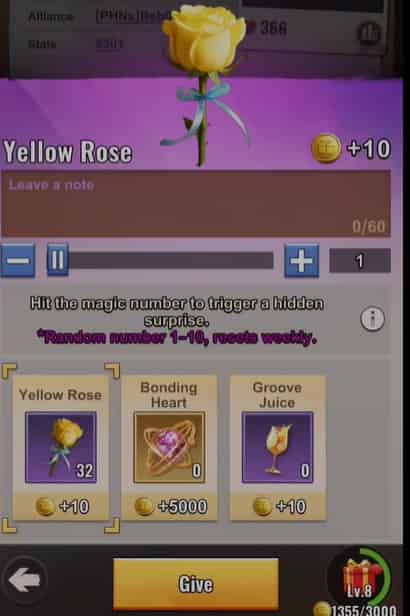
Pro tip: You can also gift directly using Gold Bricks you’ve topped up (more on that below).
▍How to Gift Resources in Last War?
Direct 1:1 resource transfers (Food, Gold, Iron) to a specific player are not available. However, you have two strong workarounds:
- Gold Bricks (best method): Top up Gold Bricks (via in-game shop or trusted third-party sites like TOPUPlive for bonus rates). Then use them in the gift interface (same profile → gift box) to send full resource packs or equivalent value to friends. This is the most popular way to “gift resources” directly.


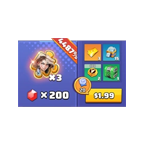
Special Gold Brick Pack
5000 Gold Brick
10000 Gold Brick
1.99 Standard Packs
👉 See also: Is TOPUPlive legit?
- Alliance Gifts system: When you or your alliance mates claim or trigger gifts, everyone gets resources. Purchasing premium packs also sends Premium Alliance Gifts to the whole alliance (including resources).
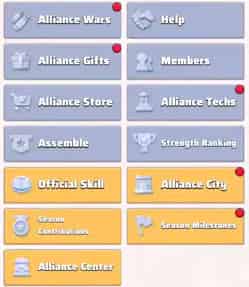
▍How to Send Alliance Gifts in Last War?
Alliance Gifts work differently from personal gifts — they’re mostly triggered and claimed, not manually sent one-by-one: There are two types:
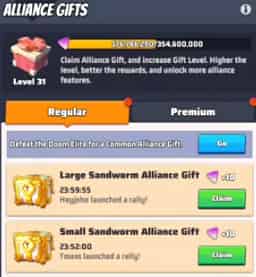
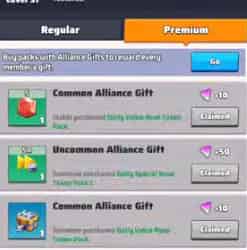
- Regular (Common) Gifts → Earned when alliance members start rallies or defeat Doom Elites. Every member can claim them from the Alliance menu (Gift section).
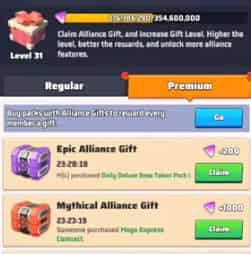
- Premium (Rare) Gifts → Automatically granted to the entire alliance when any member buys a pack that includes Alliance Gifts.
How to contribute / “send” them:
- Join or stay in an active alliance.
- Complete rallies and kill Doom Elites → this generates Regular Gifts for everyone.
- Purchase packs (with real money or Gold Bricks) in reputable platforms like TOPUPlive→ this triggers Premium Gifts for the whole alliance.
【Top up with coupon code: topupliveblog】
4. Manually claim your gifts in the Alliance → Gifts tab (top of the alliance screen).
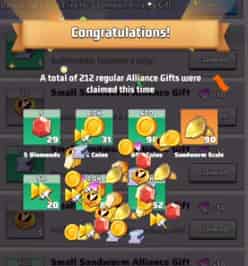
Important: Claiming gifts raises the Alliance Gift Level, unlocking better rewards and perks (e.g., Level 5 = R4/R5 can send alliance mails; Level 6 = image chat).
▍Lucky Gifts – The New Passive Way to Gift Diamonds
Introduced in early 2026 updates, Lucky Gifts are a fun bonus:
- Open Supply Chests.
- If you hit a jackpot (5,000 Diamonds, 10,000 Diamonds, 100× UR Hero Shards, or 1,000 Valor Badges), you get a chance to trigger a Lucky Gift.
- It appears in the alliance chat.
- Up to 20 members can tap and claim random Diamonds each.
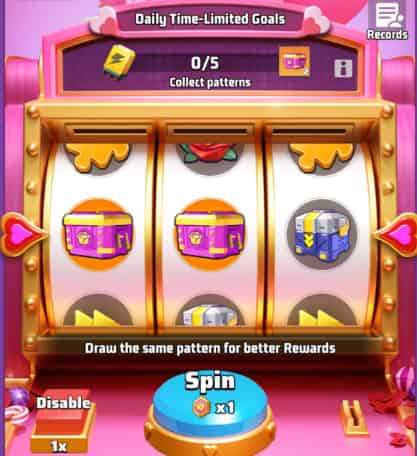
No cost to the sender — it’s a free community giveaway!
▍Benefits of Sending Gifts & Pro Tips
- Climb seasonal leaderboards (Valentine’s, Christmas, etc.).
- Earn Gift Points → higher Gift Level → free paid skins and cosmetics.
- Reciprocity: Send gifts and your alliance will likely send back.
- Top-up smarter: Buy Gold Bricks through authorized third-party platforms for 5%+ bonus, then gift them in-game. For more tips, refer to: Last War Survival Top Up: Best Way to Buy Packs, Diamonds, and Gift Codes
Tips:
- Focus on active alliances for more gift opportunities.
- During events, farm common gifts and trade them strategically.
- Always claim your Alliance Gifts daily — they expire if ignored.
- Use your UID (found in Settings → Avatar) if someone wants to send you something via mail or redeem codes.
▍Common Questions About Last War Gifting
1. Can you send gifts in Last War?
Yes — personal gifts via profile, alliance gifts via purchases/rallies, and Lucky Gifts via chest openings.
2. How to gift resources in the last war?
Use Gold Bricks to send resource packs directly through a player’s profile gift box. Alliance Gifts also distribute resources to the whole group.
3. How to send alliance gifts in Last War?
You don’t send them manually. Generate them by doing rallies, defeating Doom Elites, or buying packs. Then everyone claims them from the Alliance → Gifts menu.
4. What are gifts for in the last war?
They help share resources, build friendships, level up your Gift and Alliance Gift systems, unlock cosmetics, and dominate seasonal events.
5. How do I get more gifts to send?
Complete daily tasks, participate in events, top up Gold Bricks, or open Supply Chests for Lucky Gift chances.
6. Do gifts expire?
Alliance Gifts must be claimed promptly. Event gifts usually have time limits shown in the event tab.
7. Can F2P players send good gifts?
Absolutely! Daily tasks and events give free gifts. Smart trading and alliance activity let F2P players gift effectively and even earn paid skins for free.
▍Conclusion
Ready to start gifting? Open Last War: Survival, complete your dailies, and surprise a friend today. Strong alliances win — and gifts are the fastest way to build one! If you’re looking to top up Last War safely with extra bonuses for gifting, check trusted platforms like TOPUPlive that offer better rates than in-game purchases.
Lucy Lauria
Game writer
I spend most of my time exploring game worlds, testing new features, and learning how different systems work. Through my writing, I aim to share useful insights, helpful strategies, and clear guides that make games more enjoyable for everyone.
Related products

Related News

Best Arena Breakout Infinite Top Up Sites: Midasbuy, BuffBuff & TOPUPlive
Best X-Clash Top Up Sites: TOPUPlive, Kaloz & LDShop Compared
Wuthering Waves Lily Materials Guide: Ascension, Skills, and Lullaby Weapon
Where Winds Meet Redeem Codes (October 2026): Active Codes and Free Rewards
Aniimo Redeem Codes (October 2026): All Active Codes and How to Use
Identity V Season 45: Release Date, New Survivor, Essence Skins, and Events
Goddess of Victory: NIKKE 4th Anniversary Guide: New SSR Nikkes, Main Story, and New Costumes
Tower of Saviors Top Up Guide: Price, Methods & How to Get Diamonds


