



How to Buy PUBG Mobile UC Cheap in 2026 — Complete Guide

2026-04-20 10:21:30
PUBG Mobile players know the grind. You want that Elite Pass skin, the limited crate item, or just enough UC to enter the next draw. But official prices add up fast, and most players end up overpaying without realizing it. The difference between buying from the in-game store and using the right third-party platform can be 20% or more on every single purchase. This guide breaks down exactly what UC costs in 2026, which platforms offer the best deals, and how to buy safely without risking your account.
▍What Is PUBG Mobile UC and What Can You Buy With It?
UC (Unknown Cash) is the primary premium currency in PUBG Mobile. Players use it to unlock a wide range of in-game content.
1. What UC Is Used For
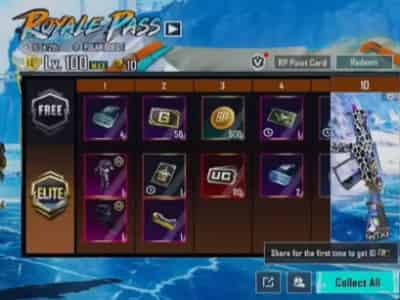
· Royale Pass— The Elite Pass costs 720 UC per season; the Elite Plus Pass costs 1,920 UC and includes bonus rewards
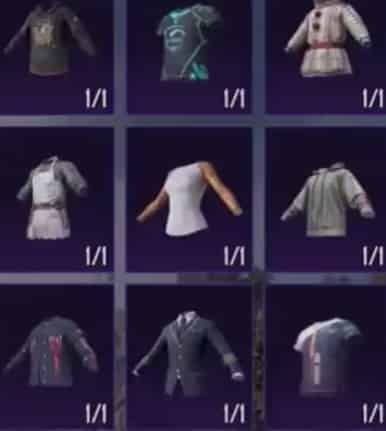
· Skins and cosmetics— Weapon skins, outfits, and character customization items
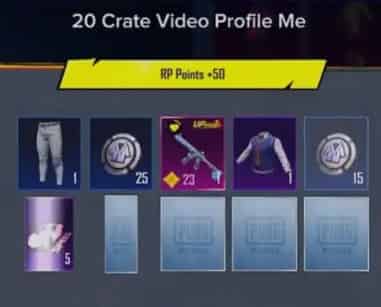
· Crates and draws— Lucky Spin events, crate openings, and limited-time gacha pulls
· Collaboration items— Event-exclusive content from partnerships
【Save with coupon code: topupliveblog】



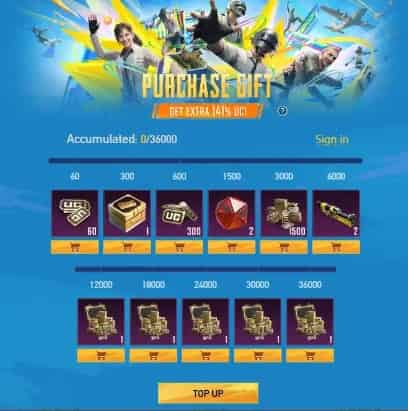
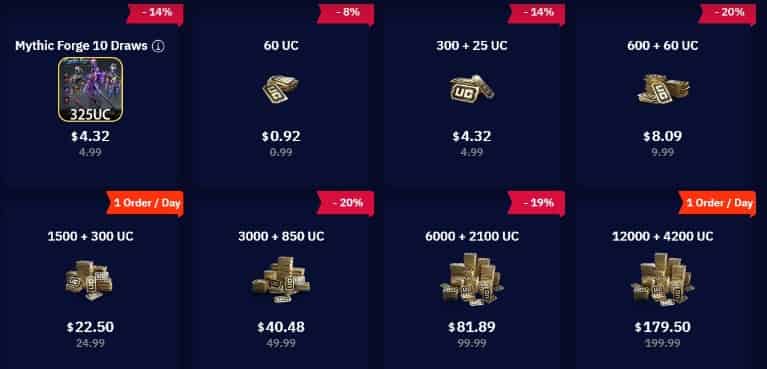
60UC

300 + 25 UC
600 + 60 UC

1500 + 300 UC

2. UC vs Royale Cash — What's the Difference?
Players sometimes confuse UC with Royale Cash. Here is the distinction:
· UC is the main premium currency, purchased with real money or earned through in-game achievements
· Royale Cash is a secondary bonus currency awarded through certain Royale Pass tiers or events
UC is what you need for the vast majority of premium purchases. This guide focuses on UC.
▍PUBG Mobile UC Prices in 2026: Official vs Third-Party
Understanding what UC costs and where you can pay less is the first step to saving money.
1. Official In-Game Store Prices
PUBG Mobile's official store prices are consistent across regions:
UC Package | Official Price | Per-UC Cost |
60 UC | $0.99 | $0.0165 |
325 UC | $4.99 | $0.0154 |
660 UC | $9.99 | $0.0151 |
1,800 UC | $24.99 | $0.0139 |
3,000 UC | $49.99 | $0.0167 |
6,000 UC | $99.99 | $0.0167 |
The official store charges roughly $0.015–0.017 per UC across most packages. Smaller packs are marginally worse value; mid-tier packs (660–1,800 UC) offer the most reasonable per-unit cost.
2. 2026 UC Economy Update
Version 3.6, which launched in January 2026, introduced the biggest UC economy change in recent memory. The bonus penalty on smaller packs widened significantly.
What this means in plain terms: if you were buying 60–325 UC packs, you are now getting even less bonus UC relative to larger packs than before. The cost-per-UC gap between buying small and large packs widened by 34–50% compared to pre-v3.6 pricing.
Players who regularly buy small packs are effectively paying more per UC than ever. The smarter move in 2026 is to buy larger packs when your budget allows, or to use a third-party platform that offers consistent discounts across all denominations.
3. Third-Party Discount
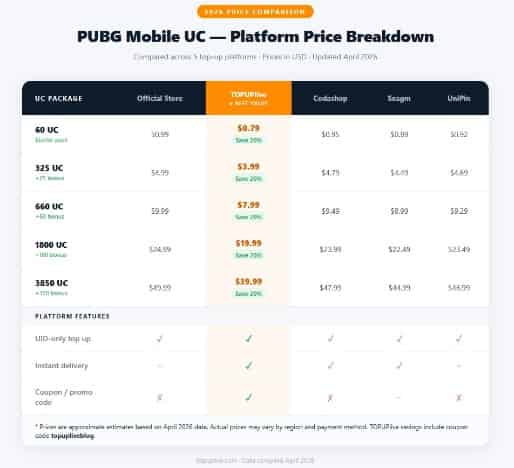
Third-party platforms can undercut official prices by 11–25%, depending on the platform and current promotions. Here is how TOPUPlive compares:
UC Package | Official Price | TOPUPlive Price | You Save |
60 UC | $0.99 | $0.88 | 11% |
325 UC | $4.99 | $4.39 | 12% |
660 UC | $9.99 | $8.49 | 15% |
1,800 UC | $24.99 | $19.99 | 20% |
3,000 UC | $49.99 | $39.99 | 20% |
6,000 UC | $99.99 | $79.99 | 20% |
For the 1,800 UC package — the most popular tier — TOPUPlive offers a 20% discount over the official store. That is roughly $5 saved on every standard pack purchase.
The savings scale with platform promotions. During Double UC events, stacking a third-party discount with the doubled bonus can push total savings to 30–35% versus official pricing.
Get the best PUBG Mobile UC deals with instant delivery: https://www.topuplive.com/pubg-mobile-uc-top-up-global/
▍Is It Safe to Buy PUBG Mobile UC From Third-Party Sites?
This is the question most players ask first. The short answer: buying UC from a reputable third-party platform using the UID-only method carries minimal risk.
1. What the Official Rules Say
PUBG Mobile's developer, Tencent, includes language in its Terms of Service that discourages third-party purchases. In practice, however, UID-only top-ups— where you provide only your player ID and server — do not involve account sharing and are not flagged by the game's anti-cheat systems.
The risk increases significantly when a platform requires your account password or login credentials. That is account sharing, and it violates ToS. Avoid any site that asks for this.
2. UID-Only vs Login Method — Which Is Safer?
Method | How It Works | Risk Level |
UID-only | You provide your player ID and server. UC is delivered to your account directly. No login required. | Low risk |
Login method | You give the platform your account credentials. They log in and top up on your behalf. | High risk— violates ToS, potential for account compromise |
Always use UID-only top-up. It is faster, safer, and does not require sharing any sensitive information.
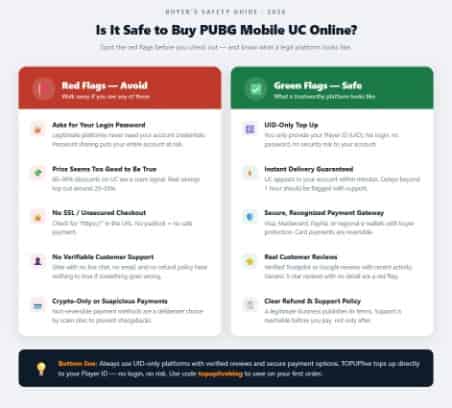
3. How to Identify Scam Sites — 5 Red Flags
Not all third-party platforms are legitimate. Here is how to spot the risky ones:
1. No HTTPS on the payment page— Any site handling payments must have a valid SSL certificate. If the URL starts with http:// instead of https://, do not proceed.
2. Prices that seem too good to be true— If a platform offers 50%+ off official prices, it is either a scam or dealing in stolen payment methods. Walk away.
3. No customer support or vague contact info— Legitimate platforms have live chat, email support, or at minimum a clearly stated refund policy.
4. Asks for your account password— No safe platform requires this. If a site asks for your PUBG Mobile login, it is a scam.
5. No UID-only option— Reputable platforms let you top up with just your player ID. If every option requires logging into your account, the site is not trustworthy.
4. What TOPUPlive Does Differently
TOPUPlive supports both UID-only top-up and login top-up, giving players the flexibility to choose the method that fits their comfort level. The UID-only option requires only your PUBG Mobile player ID and server — no password, no account sharing.
The platform has been serving PUBG Mobile players since the game's global launch, with a track record of instant delivery and a clear refund policy for failed transactions.
▍How to Buy PUBG Mobile UC — Step-by-Step
Once you have chosen a trusted platform, the actual process is straightforward.
1. What You Need
· Your PUBG MobileUID(9-digit player ID)
· Your server/region(Global, KR-JP, CN, TPP, or FPP)
· A valid payment method
2. Steps
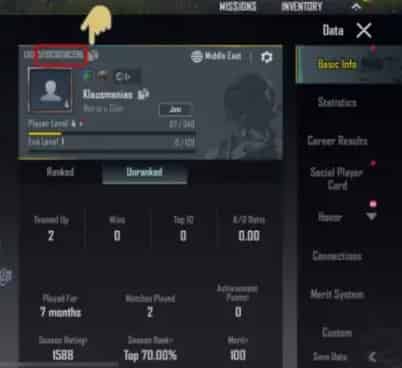
1. Find your UIDin PUBG Mobile: open the game, tap your profile avatar at the top of the main screen. Your UID is displayed there.
2. Visit a trusted top-up platform like TOPUPlive.
3. Select your UC package— choose the denomination that fits your budget.
4. Enter your UID and server— double-check both fields before proceeding.
5. Complete payment through your preferred method.
6. Check your in-game mailbox— UC is usually delivered within 15 minutes. If it does not appear immediately, wait up to 1 hour before contacting support.

3. How Long Does UC Delivery Take?
On TOPUPlive, most UC top-ups complete within 1–15 minutes. During peak hours or server maintenance windows, delivery may take longer. If your UC has not arrived after 1 hour, submit a support ticket with your order number.
▍Double UC Events — How to Maximize Your Savings
PUBG Mobile periodically runs Double UC events, where purchasing a UC package through the official store awards double the base amount. These events are some of the best opportunities to maximize your spending.
1. What Is the Double UC Event?
During a Double UC event, the bonus UC attached to each package doubles. For example, the 1,800 UC package would award 3,600 UC instead of 1,800. These events typically last 3–5 days and occur several times per year.
Community-tracked patterns suggest Double UC events often coincide with major game updates, collaboration event launches, and holiday periods.
2. Best Strategy: Double UC + Third-Party Discount
Here is the math that experienced players use:
1. Check the Double UC event schedule (community forums, PUBG Mobile social channels)
2. Wait for the event to go live
3. Buy your target UC package through TOPUPlive at the discounted rate
4. If the event applies to your purchase, you get both the third-party discount and the doubled bonus
That is roughly a 35% savings versus buying directly from the official store at regular price, and the UC arrives just as fast as a direct purchase.
3. When to Buy — Event Timing Tips
Bookmark the PUBG Mobile official news channel or follow community trackers on Reddit and Discord. Double UC events are announced 1–3 days in advance. The best time to buy is during the event window, not before.
Browse current PUBG Mobile UC deals: https://www.topuplive.com/pubg-mobile-uc-top-up-global/
▍FAQs About Buying PUBG Mobile UC
1. Can I get banned for buying UC from third-party sites?
Using UID-only top-up on a reputable platform carries minimal risk. The risk increases if a platform requires your account password — that is account sharing and violates PUBG Mobile's Terms of Service. Stick to UID-only purchases and you should be fine.
2. What is the cheapest UC package?
The 1,800 UC pack offers the best balance of value and upfront cost. During Double UC events, this pack provides the most dramatic savings, especially when combined with a third-party discount.
3. Does PUBG Mobile offer a first purchase bonus?
Yes. The official store offers a one-time first purchase bonus on each denomination tier. However, this bonus only applies once per tier per account. Third-party platforms like TOPUPlive offer a flat discount on every purchase, which often provides better long-term value than chasing first bonuses.
4. How do I find my PUBG Mobile UID?
Open PUBG Mobile, go to your profile (tap the avatar at the top of the main screen). Your 9-digit UID is displayed there. You do not need anything else — just the ID and your server.
5. Can I buy UC for a friend?
Yes. Most platforms, including TOPUPlive, support gifting. Enter your friend's UID and server instead of your own, and the UC is delivered directly to their account.
6. What happens if my UC does not arrive?
If your UC has not appeared in your in-game mailbox within 1 hour, check your order confirmation email for the transaction ID. Contact the platform's support team with your order number. TOPUPlive has a refund policy for failed or missing deliveries.
▍Conclusion
PUBG Mobile UC in 2026 costs roughly $0.015–0.017 per unit through the official store, but third-party platforms like TOPUPlive consistently offer 11–20% discounts across all denominations. The best value comes from buying larger packs (1,800 UC and above) and timing your purchase around Double UC events, which can push total savings to 35%.
The safest way to buy is through UID-only top-up on a reputable platform. Avoid any site that asks for your account password. Stick to platforms with clear support channels and refund policies, and your experience will be smooth and secure.
If you are ready to top up, start with TOPUPlive — instant delivery, competitive prices, and UID-only transactions that keep your account safe.
Want to get more UC and the latest game info? TOPUPlive offers a safe and discounted way for pubg top up. Enjoy:
✅ Official partner with secure transactions
✅ Exclusive discounts on UC packages
✅ Instant delivery to your account
✅ 24/7 customer support
Get safe, instant, discounted top-ups with 12% off all games ( for user users) or 10% off using blog code:topupliveblog. Save now!
Nightwind Ororon
game writer
I focus on crafting guides, tips, and strategy content that truly resonates with players. Being deeply invested in Genshin Impact and Honkai: Star Rail, I love exploring every new map and character kit. I take my firsthand experience from the latest updates and turn it into simple, actionable advice to help fellow players navigate Teyvat and the Cosmos with ease.

Related products

Related News

Gossip Harbor Beginner Guide: Energy, Merge Tips, and Progression Guide
The Seven Deadly Sins: Origin Beginner Guide - Best Tips for New Players
Delta Force Detonation Mode Guide: New 5v5 Bomb Defusal Mode Release Date, Gameplay, Weapons & Tips
Wuthering Waves 3.7 Banner Guide: Pull Priority, Character Value & Best Astrite Spending Strategy
Hero Clash Beginner Guide: Best Heroes, Progression Tips, and Resource Management
Clash of Critters Beginner Guide: Best Tatari Team, Resources, and Early Progression Tips
DC: Dark Legion Beginner Guide: Heroes, Base Building, Resources, and Tips
Wuthering Waves Version 3.7 Iuno Build Guide: Best Weapons, Echoes, Stats and Teams


