



Delta Force Top Up Guide: How to Buy Delta Coins Safely & Fast

2026-04-03 15:50:08
Delta Force (also known as Delta Force: Hawk Ops) is a fast-paced tactical shooter where cosmetics, battle passes, and market trading can give your gameplay a personal edge. Many players choose to top up Delta Coins to unlock premium skins, season passes, or trade items in the in-game market.
This guide walks you through everything you need to know — from understanding the currencies to completing a top-up safely and quickly.

▍Understanding Delta Force Currencies
Delta Force uses several in-game currencies, each with a specific role:
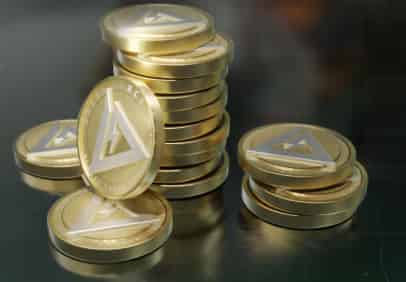
- Delta Coins – The main premium currency purchased with real money. Used for skins, battle passes, and currency exchange.
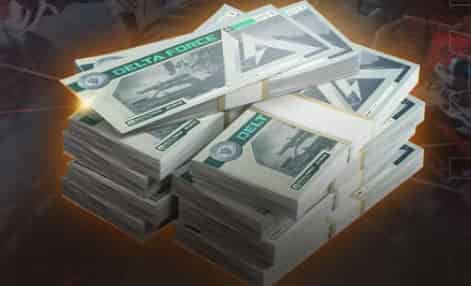
- Delta Tickets – Earned through gameplay or converted from Delta Coins (sometimes at a 1:1 ratio). Used for certain skins and packs.
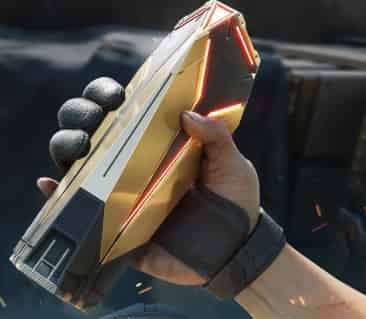
- Mandel Coins / Mandelbricks – Used in the in-game market for trading player-created items.
For most players, Delta Coins are the starting point, since they can be converted into other currencies and used for most premium content. Unlike Delta Tickets, Delta Coins cannot be earned through normal gameplay and must be purchased.
▍How to Find Your Delta Force Player ID (UID)
Before topping up, you need your Player ID. The process is the same for PC, mobile, and console:
- Launch Delta Force and go to the main menu.
- Look at the bottom-right corner of the screen.
- Click the profile icon or Delta Force logo.
- Your Player ID (numeric code) will appear near your username.
- Click Copy.
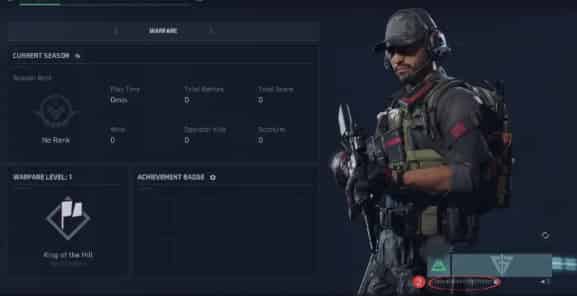
Important: Always double-check your Player ID before submitting a top-up. Coins sent to the wrong ID are very difficult to recover.
▍Delta Force Top Up Price Comparison
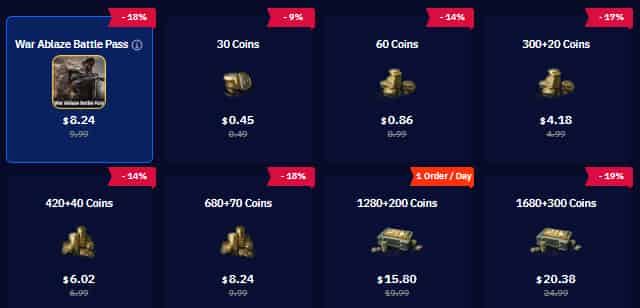
When buying Delta Coins, prices can vary depending on where you top up. The in-game store uses fixed regional pricing, while some third-party platforms offer slightly lower prices depending on payment methods and region.
Here are some example price comparisons for Delta Force top-up:
- War Ablaze Battle Pass
Official: $9.99 → $8.24 - 300 + 20 Coins
Official: $4.99 → $4.18 - 680 + 70 Coins
Official: $9.99 → $8.24 - 1680 + 300 Coins
Official: $24.99 → $20.38 - 6480 + 1620 Coins
Official: $99.99 → $77.40 - 12960 + 3240 Coins
Official: $199.99 → $161.46
In general, larger bundles tend to have better value per coin, and the price difference becomes more noticeable on higher-tier packs and battle passes.



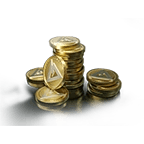
60 Coins


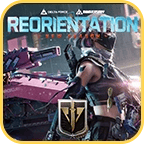
Season Pass Warfare Special
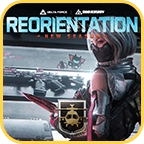
Season Pass Operations Special
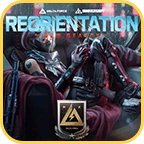
Season Pass Delta Force Deluxe
For players who buy battle passes every season or regularly purchase skins, this can make a noticeable difference over time.
▍Step-by-Step: How to Top Up Delta Coins
The top-up process is very simple and usually takes only a few minutes.
- Go to a Delta Force top-up website and select the Global version.
- Choose the Delta Coin bundle you want.
3. Enter your Player ID.
4. Select your payment method (card, PayPal, online banking, e-wallet, etc.).
5. Complete payment.
6. Coins are delivered to your account within a few minutes.
You do not need to log into your game account during the process — only your Player ID is required.
Tip: Keep the game open so you can see the coins arrive in real time.
▍Safety Tips for Topping Up Delta Force
If this is your first time topping up through a website instead of in-game, keep these safety tips in mind:
- Never share your account password.
- Only provide your Player ID.
- Use platforms that have customer support and clear delivery policies.
- Check recent user reviews before your first purchase.
- Start with a small amount to test delivery speed and accuracy.
Third-party top-ups are common in many online games, but you should always follow the game’s terms of service and use trusted platforms.
▍FAQs about Delta Force Top up Guide
1. How long does delivery take?
Usually 5–10 minutes after payment is completed.
2. What if I entered the wrong Player ID?
Contact customer support immediately with your order number.
3. Does top-up work for console and mobile?
Yes. Delta Coins are tied to your Player ID, not your device.
4. Is there a difference between in-game top-up and website top-up?
The currency is the same, but payment options and pricing may differ depending on the platform.
▍Conclusion
Topping up Delta Coins is one of the fastest ways to unlock battle passes, skins, and market features in Delta Force. Once you know your Player ID, the entire process only takes a few minutes.
Whether you’re buying a small pack for a skin or a large bundle for the season, understanding how the top-up process works helps you avoid mistakes and get your coins safely.
Stay safe out there, Operators — see you on the battlefield.

Lucy Lauria
Game writer
I spend most of my time exploring game worlds, testing new features, and learning how different systems work. Through my writing, I aim to share useful insights, helpful strategies, and clear guides that make games more enjoyable for everyone.

Related products

Related News

Best Arena Breakout Infinite Top Up Sites: Midasbuy, BuffBuff & TOPUPlive
Best X-Clash Top Up Sites: TOPUPlive, Kaloz & LDShop Compared
Wuthering Waves Lily Materials Guide: Ascension, Skills, and Lullaby Weapon
Where Winds Meet Redeem Codes (October 2026): Active Codes and Free Rewards
Aniimo Redeem Codes (October 2026): All Active Codes and How to Use
Identity V Season 45: Release Date, New Survivor, Essence Skins, and Events
Goddess of Victory: NIKKE 4th Anniversary Guide: New SSR Nikkes, Main Story, and New Costumes
Tower of Saviors Top Up Guide: Price, Methods & How to Get Diamonds


