Redeemed your Apple Gift Card successfully — but your balance won’t work?
You’re not alone. One of the most searched Apple ID issues right now is:
- Apple Gift Card redeemed but not working
- Apple ID balance not usable
- Gift card balance cannot be used
In most cases, the problem isn’t the card itself. It’s usually related to region settings, subscription billing rules, or account restrictions.
Here’s exactly why it happens — and how to fix it.
Why Is Your Apple Gift Card Redeemed but Not Working?
If your redemption was successful but you can’t spend the balance, one of these is likely the cause:
1. Apple ID region doesn’t match the card region
Gift Cards are region-locked. A US card only works on a US Apple ID.
2 .Subscription billing rules
Some subscriptions require a valid payment method on file, even if you have balance.
3 . Account review or payment restriction
If your account is under review, Apple may temporarily block spending.
4. Store country mismatch
Your App Store region must match your Apple ID region exactly.
Most issues fall into the first category: region lock.
Region Lock: The Most Common Reason
Apple Gift Cards are country-specific.
Examples:
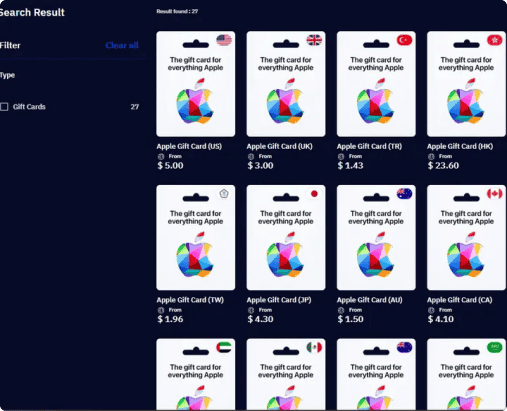
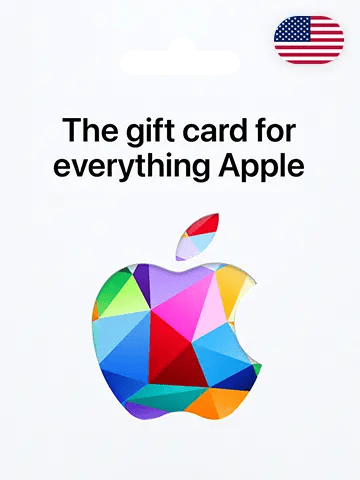
- US Apple Gift Card → US Apple ID only
- UK Apple Gift Card → UK Apple ID only
- TR Apple Gift Card → TR Apple ID only
If you redeem a card from a different region:
- The balance may show
- But purchases will fail
- Or you won’t be able to redeem it at all
Apple does not allow balance transfers between regions.
Before buying any card, always confirm:
Settings → Apple ID → Media & Purchases → View Account → Country/Region
If it doesn’t match the card region, it won’t work properly.
Apple ID Balance Not Working for Subscriptions?
Another common issue:
You have balance, but subscriptions won’t renew.
Important details:
· Apple usually prioritizes account balance
· However, some services require a payment method on file
· Certain subscriptions may not accept full balance coverage
· If your balance is lower than the subscription price, renewal fails
Solution:
· Add a valid payment method
· Ensure your balance fully covers the charge
· Check if the service supports balance payments
This fixes most “balance not working” cases.
How to Fix Apple Gift Card Not Working
Follow these steps:
Step 1 – Check your Apple ID region
Make sure it matches the gift card country.
Step 2 – Verify payment method
Go to Settings → Payment & Shipping and confirm details are valid.
Step 3 – Sign out and sign back in
Sometimes the App Store needs to refresh account data.
Step 4 – Check account status
If you see “Account Under Review,” contact Apple Support.
If none of these work, the issue is likely region-related.
How to Avoid Region Problems When Buying Apple Gift Cards
To prevent future issues:
- Always match card region with your Apple ID region
- Do not attempt cross-region redemption
- Avoid switching regions with active subscriptions
- Buy from platforms that clearly label region versions
If you use multiple Apple ID regions, make sure you select the correct country before purchasing.
Platforms like TOPUPlive offer Apple Gift Cards for multiple regions (US, UK, TR, IT and more), making it easier to choose the correct version and avoid region lock problems.
Always double-check before checkout — region mismatch is the #1 cause of Apple Gift Card balance issues.