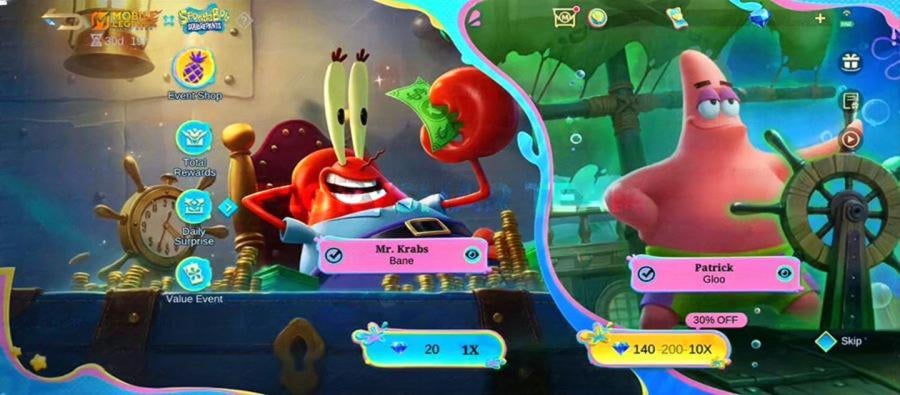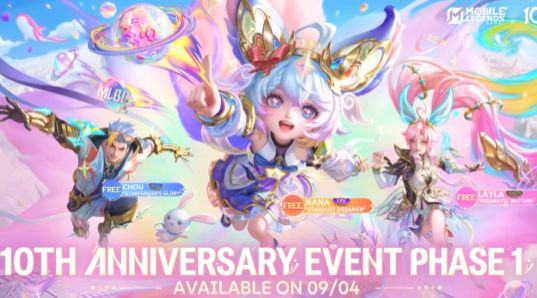




What is Mobile Legends: Bang Bang?
Mobile Legends: Bang Bang (MLBB) is one of the world's most popular 5v5 mobile MOBA games developed by MOONTON, with hundreds of millions of players across Southeast Asia, Latin America, and beyond. Players choose from a vast and growing roster of heroes — each with unique roles and abilities — and compete in fast-paced ranked matches, team-based ranked modes, and seasonal events. Known for its accessibility, deep strategic gameplay, and constant content updates, MLBB has become the defining mobile esports title for an entire generation of players.
What are Diamonds in MLBB and what can they be used for?
Diamonds are the premium currency in Mobile Legends: Bang Bang. They are used to unlock hero skins and cosmetic effects, summon new heroes through the lucky draw system, purchase Starlight Membership, Twilight Pass, Battle Points, and other premium progression tools, participate in limited-time event draws, and send gifts to friends — giving you the ability to fully customize your hero lineup and visual identity on the battlefield.
What products are available on TOPUPLive for MLBB?
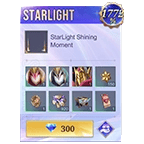
TOPUPLive offers a comprehensive range of MLBB products at up to 36% off: Diamond packs (64+6 / 127+13 / 254+30 / 317+38 and larger), Weekly Elite Bundle ($0.99), Monthly Epic Bundle ($4.62), Starlight Membership ($5.86), Twilight Pass ($10.12), Weekly Diamond Pass ($2.07), and 10x Draws Nexus Sea ($19.16). All products are available across eight regional channels: MY, ID, PH, US, SG, BR, RU, and General Region.
How do I choose the correct region when topping up?
Select the region that matches your MLBB account's registration country. For example: choose MY if your account is registered in Malaysia, ID for Indonesia, PH for the Philippines, and so on. Pricing varies by region — always select your correct region to ensure the Diamonds are credited to your account and that you are seeing the most accurate price for your location. If you are unsure which region applies to you, select General Region.
How do I top up MLBB Diamonds on TOPUPLive?
The process is simple and fully automatic:
1. Select your region (MY / ID / PH / US / SG / BR / RU / General).
2. Choose the Diamond denomination or product you want.
3. Enter your MLBB Player ID and Zone ID.
4. Click "Buy Now" and choose your payment method.
5. Once payment is confirmed, Diamonds are credited directly to your account — you can stay logged in to the game throughout.
How do I find my MLBB Game ID and Zone ID?
Follow these steps in the game:
1. Log in to Mobile Legends: Bang Bang.
2. Tap your Avatar icon in the top-left corner of the main screen.
3. Your Game ID and Zone ID will both be displayed on the profile page that appears (e.g., Game ID: 1688166240, Zone ID: 14445).
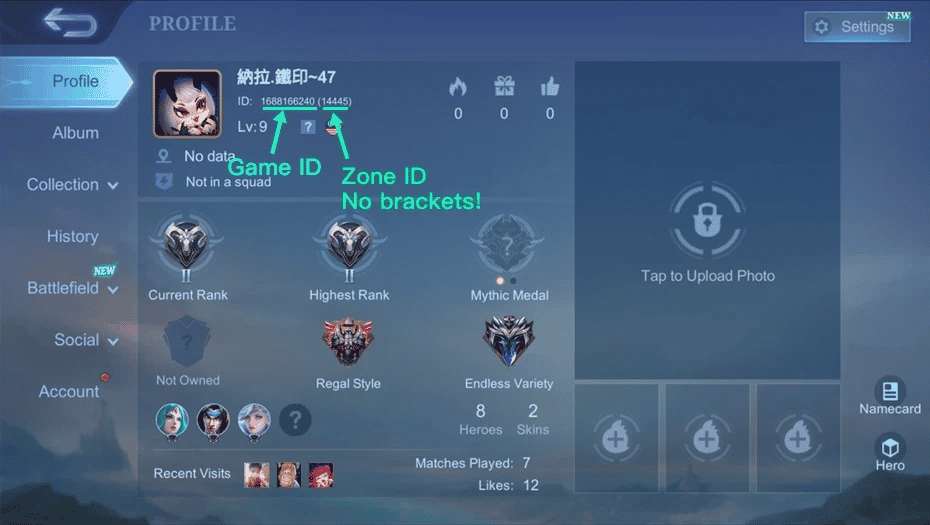
Always copy and paste both values carefully. An incorrectly entered Player ID or Zone ID may result in Diamonds being sent to a wrong account. Also note: your Player ID may change over time — always reconfirm it before each top-up.
Do I need to log out of the game during the top-up?
No — this is one of the key advantages of MLBB's direct top-up system. You can remain logged in to the game while the top-up is being processed. Once the transaction is confirmed, your Diamonds will appear in your account automatically — no logout or restart is required.
Can I top up Diamonds for a friend's account?
Yes. Simply enter your friend's MLBB Player ID and Zone ID at checkout instead of your own. The Diamonds will be credited directly to their account. This makes TOPUPLive an easy and convenient way to send Diamonds as a gift — select the amount, enter their IDs, and complete payment. The gift is delivered instantly.
Is it safe to top up MLBB on TOPUPLive?
Yes. TOPUPLive is PCI DSS certified with fully encrypted, secure payment processing. Only your Player ID and Zone ID are required — your account password is never needed. This UID-only direct top-up method carries no risk of account compromise and is consistent with how MLBB's official third-party top-up system works.
Are there additional ways to save on MLBB Diamonds at TOPUPLive?
Yes. Join the TOPUPLive Discord (discord.gg/qhSdTKGEE6) to receive an exclusive 8% off discount code on top of the standard sale discount — further reducing your per-Diamond cost. With existing discounts of up to 36% plus the Discord 8% code, TOPUPLive offers some of the most competitive MLBB Diamond pricing available globally.
What should I do if my Diamonds were not delivered after payment?
First, verify that both your Player ID and Zone ID were entered correctly, and that you selected the correct region. If all details were accurate and Diamonds have not arrived after a few minutes, please contact TOPUPLive customer support via Live Chat, WhatsApp, or email at [email protected] with your order number, Player ID, and Zone ID for prompt assistance.