
















【Important Notes】
- Please bind the official email address in the game to log in first. Third-party direct login methods such as FB and X are not supported at the moment.
- Please do not log in to the game during the recharge process. It is recommended to change the account password after the recharge is completed.
【Call of Duty Mobile Login Top Up information】
- bound Email
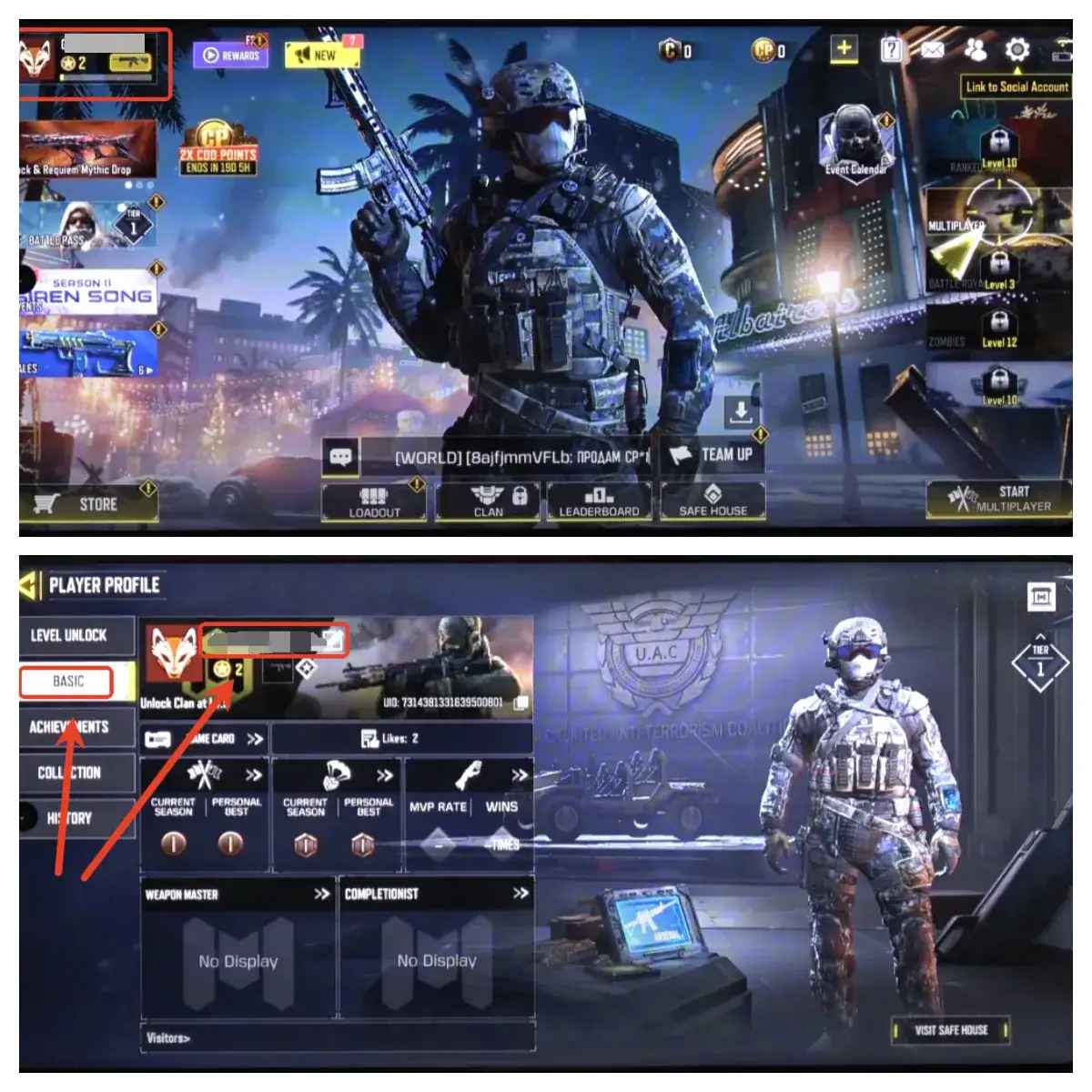
- Character UID
- Screenshot and the name of the package you want to purchase
Important Note: After the payment is successful, you need to cooperate with customer service to provide the Email verification code. Please pay attention to the real-time message guidance of the customer service
Q1: What is CP in Call of Duty: Mobile?
CP (COD Points) is the premium in-game currency of Call of Duty: Mobile. It can be used to purchase new weapon blueprints and skins, Battle Passes and seasonal rewards, character skins and emotes, boosters and power-ups, and a wide range of other premium in-game items.
Q2: What CP denominations are available on TOPUPLive?
TOPUPLive offers four CP packs for both Global and HK/TW servers: 880 CP / 2,400 CP / 5,000 CP / 10,800 CP — with discounts of up to 18% off standard in-game pricing.
Q3: Which servers are supported?
TOPUPLive supports two server regions for Call of Duty: Mobile CP top-ups: the Global server and the HK/TW (Hong Kong/Taiwan) server. Please select the correct server that matches your account region when placing your order.
Q4: What is the recharge method for this top-up?
This is a Login Top-Up service. Unlike a standard UID top-up, TOPUPLive's customer service team will log in to your account on your behalf to complete the recharge. This is why binding your official email address and cooperating with the verification step are required.
Q5: What do I need to prepare before purchasing?
Before placing your order, please ensure the following:
- Your official email address is bound to your Call of Duty: Mobile account (third-party logins via Facebook or X/Twitter are not supported).
- You have your Character UID ready.
- You have a screenshot and the name of the CP pack you wish to purchase.
- You are able to provide the email verification code to customer service after payment.
Q6: Why must I bind an official email address before topping up?
This top-up uses a login method that requires email-based authentication. Third-party login methods (such as Facebook or X/Twitter) are not supported at this time. Binding an official email address to your account in advance is mandatory for the recharge process to be completed successfully.
Q7: What happens after I complete the payment?
After payment is confirmed, TOPUPLive customer service will contact you in real time. You will need to provide the email verification code sent to your bound email address so that the login and recharge process can be completed. Please stay available and monitor your messages promptly after paying.
Q8: Should I log in to the game during the recharge process?
No. Please do not log in to the game while the recharge is being processed. Logging in simultaneously may interrupt the top-up process. It is also strongly recommended that you change your account password once the recharge has been successfully completed.
Q9: Is it safe to use the Login Top-Up service on TOPUPLive?
Yes. TOPUPLive is PCI DSS certified and operates with strict security protocols. The login top-up process is handled by trained customer service staff, and you are advised to change your password immediately after the recharge is completed for added security. Your account safety is our top priority.
Q10: What should I do if there is an issue with my top-up after payment?
If you experience any issues — such as a delay, an unreceived verification prompt, or CP not appearing in your account — please contact TOPUPLive customer support immediately via Live Chat, WhatsApp, or email at [email protected] with your order number and bound email details. Our team is available to assist you in real time.



