












【Important Notes】
The Login top-up required to log in your game to make the purchase
Please be sure to fill in the required information for the equivalent bundle recharge accurately to receive your recharged pack items promptly
【Heartopia Top Up information】
1. Server: America / Asia / Global / SEA / TW,HK,MO
2. Login Account (Google/Facebook)
3. Password
4. UID
5. Character Name
Important Note: After the payment is successful, you need to cooperate with customer service to provide the Email verification code. Please pay attention to the real-time message guidance of the customer service
------------------------------------------------------------------------------------------------------------
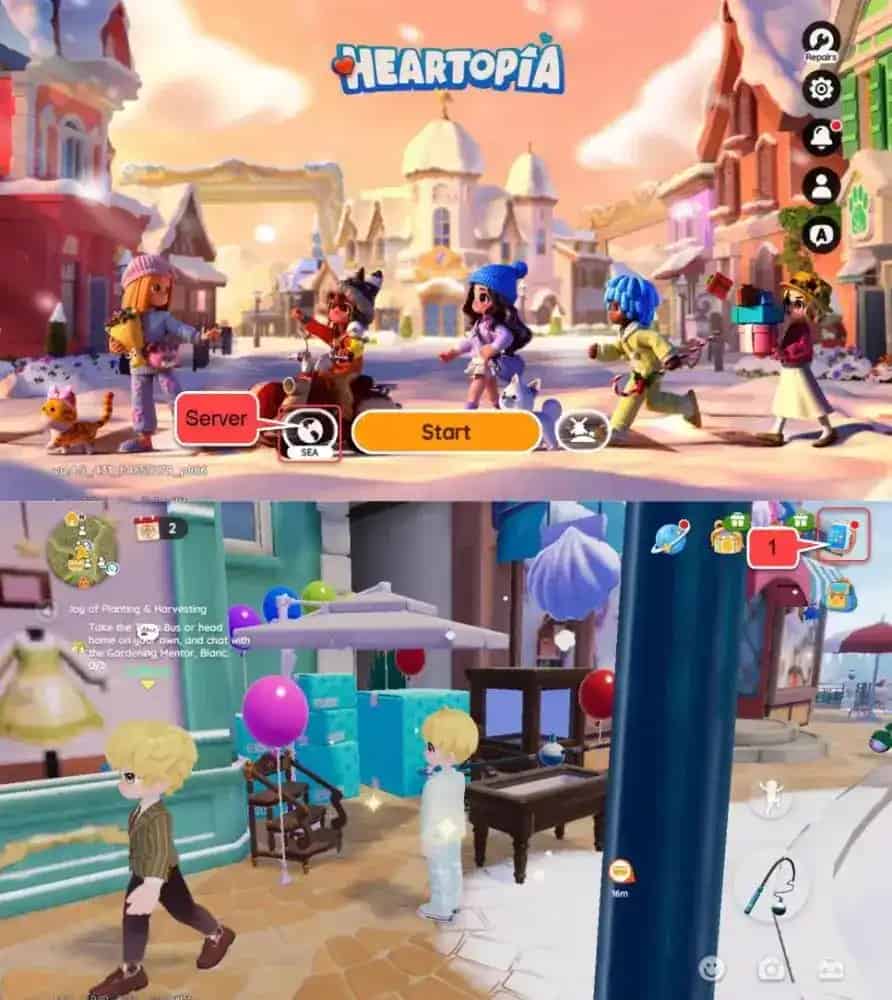
How to find Heartopia Account ID and Server?
- Log in to the game using your account.
- Your server will be shown on the login screen.
- Tap the menu icon in the top-right corner.
- In the menu interface, tap the Settings icon.
- Your Heartopia Account ID will be displayed there.
Top-up Procedures
1. Place your order and complete the payment.
2. Please provide your account information after the payment for us to log in and complete the top-up. Please do not log in to the game during this process.
3. We will purchase/top up the items in the game based on the product you ordered.
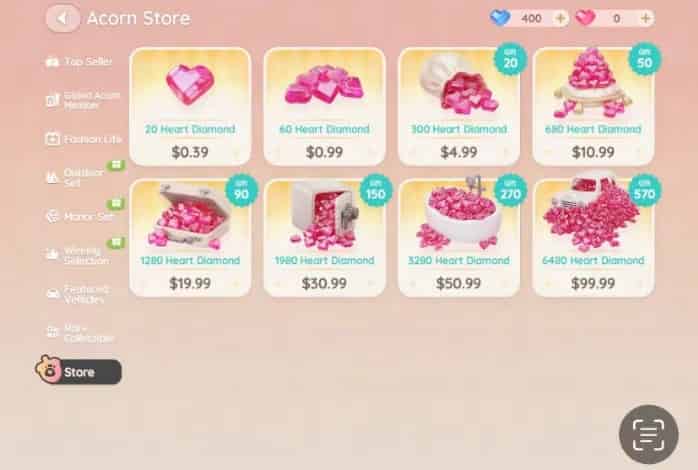
4. After we complete the purchase/top-up, we will log out of your account and clear the login history.
5. You will receive a notification once the top-up is complete, and you can then log in to the game to verify the transaction.
About Heartopia
Welcome to Heartopia, a life simulation game crafted for creativity, freedom, and peace. Build your dream home, explore a wide range of hobbies, and forge warm connections with friends in a town full of endless possibilities.



