








【Important Notes】
- The Login top-up required to log in your game to make the purchase
- Please be sure to fill in the required information for the KingShot Packs or Gems recharge accurately to receive your recharged pack items promptly
【Kingshot Top Up information】
1. KingShot bound account(Google/Facebook)
2. Screenshot and the name of the package you want to purchase
Important Note: After successful payment, contact customer service to provide a Google or Facebook verification code. Please pay attention to the real-time message guidance of the customer service
【Recharge Result】
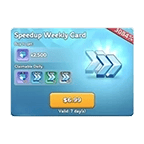
If you purchased the item "99.99 Standard packs", it is worth any 99.99 pack in the game.
For example, you can talk with customer service, and send them the related screenshots of the pack to decide which 99.99 pack to top-up for.
The same applies to other price packages
【Recharge Reward】
If this was your first Kingshot in-game top-up, you'll receive the 1st Purchase bundle, which includes
SSR Hero - Helga, 10,000 Hero XP*10, Gold Key*10, Platinum Key*10 instantly and
Helga shards*10, Gems*200, and Mythic Conquest Skill Book*10 for the next day.
*If you've recharged for Kingshot somewhere else, in-game or through other platforms, then you've claimed this 1st purchase bundle and you won't be able to claim it again.
-------------------------------------------------------------------------------------------------------------------
How to Login Top Up Whiteout Survival Pack ? (VIA TOPUPlive)
1. Place your order and complete the payment.
2. Please provide your account information (Google/Facebook Login) after the payment for us to log in and complete the top-up.
Please do not log in to the game during this process.
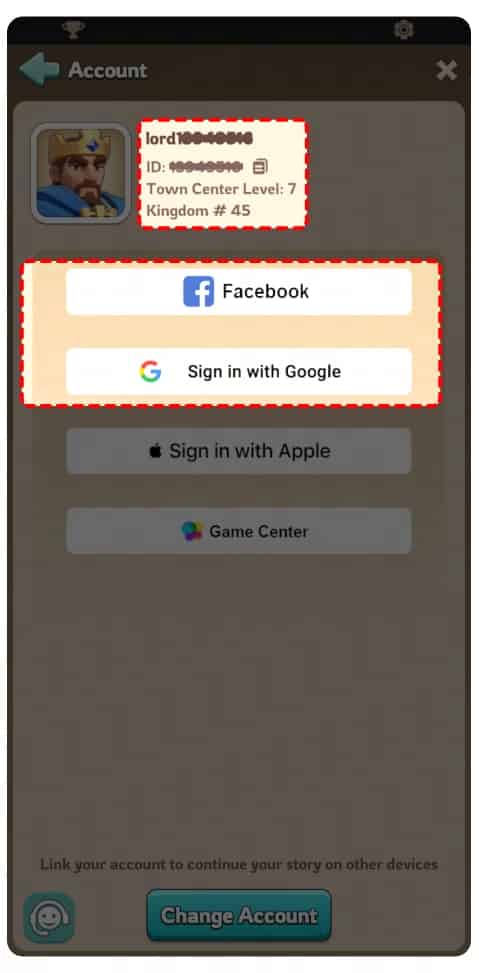
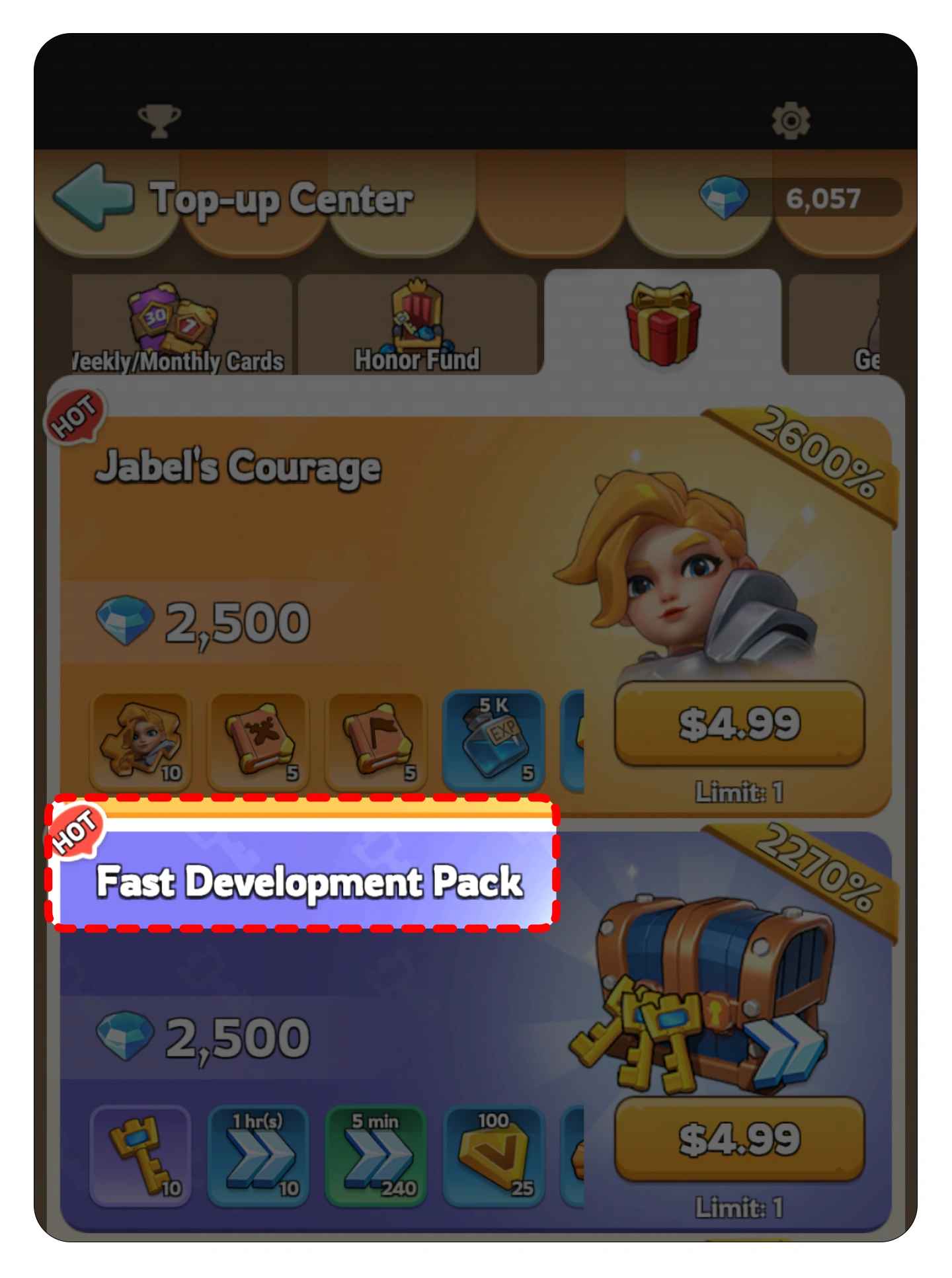
3. Fill in the related pack info after the payment, remember to provide a screenshot of the pack like this. We will purchase/top up the items in the game based on the product you ordered.
4. After we complete the purchase/top-up, we will log out of your account and clear the login history.
5. You will receive a notification once the top-up is complete, and you can then log in to the game to verify the transaction. You can also check your in-game email to see the game's buy history.
How to Obtain the In-Game bound account (Google/Facebook) + Package Name?
1. In-game Bound account(Google/Facebook)
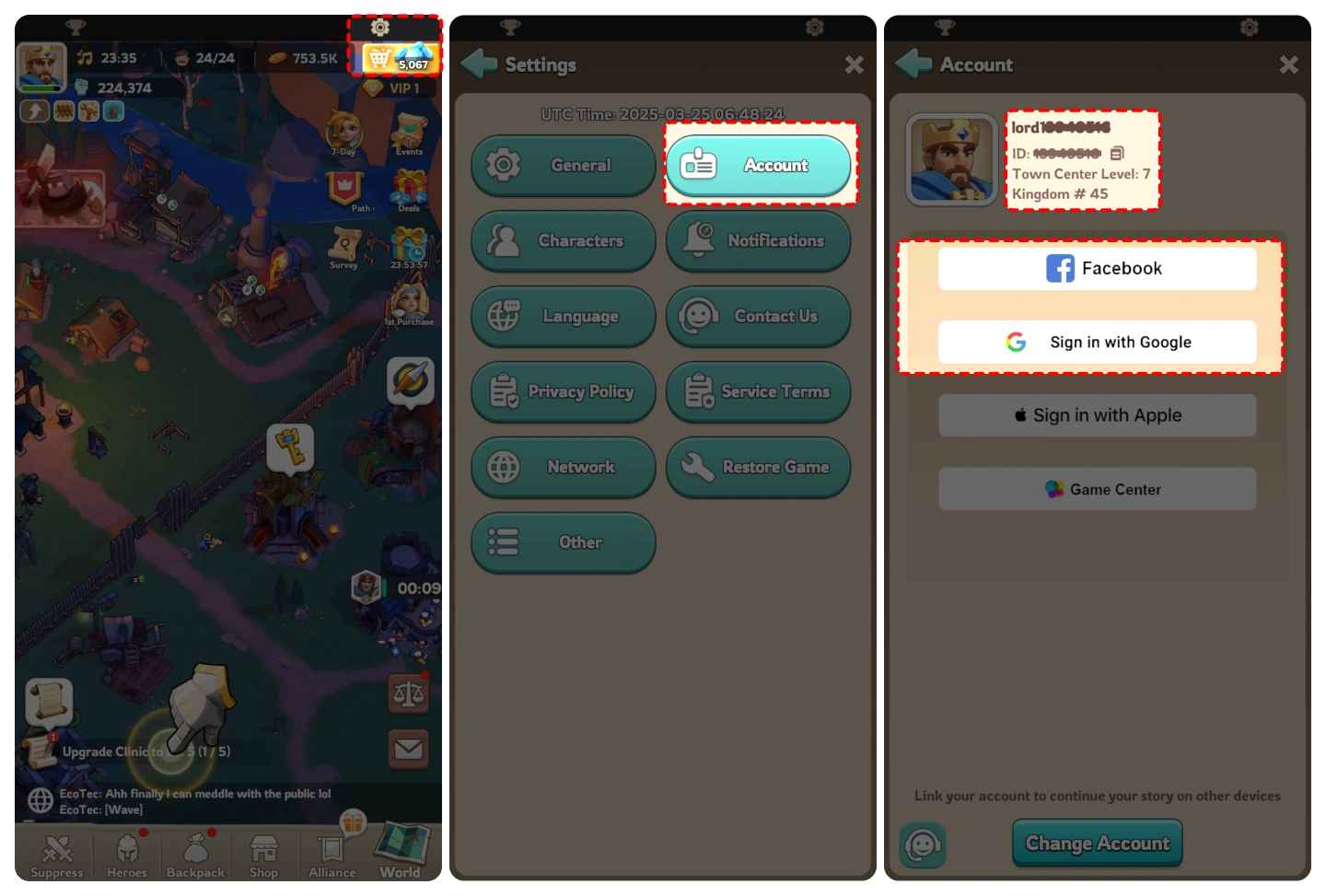
Log in to the game -> Click the "Gear Icon" on the upper right corner -> Select "Account" -> Link your game account with Google/Facebook.
2. Select Package:
Log in to the game and provide the name of the package you want to buy in the game, and we will purchase the package for you.
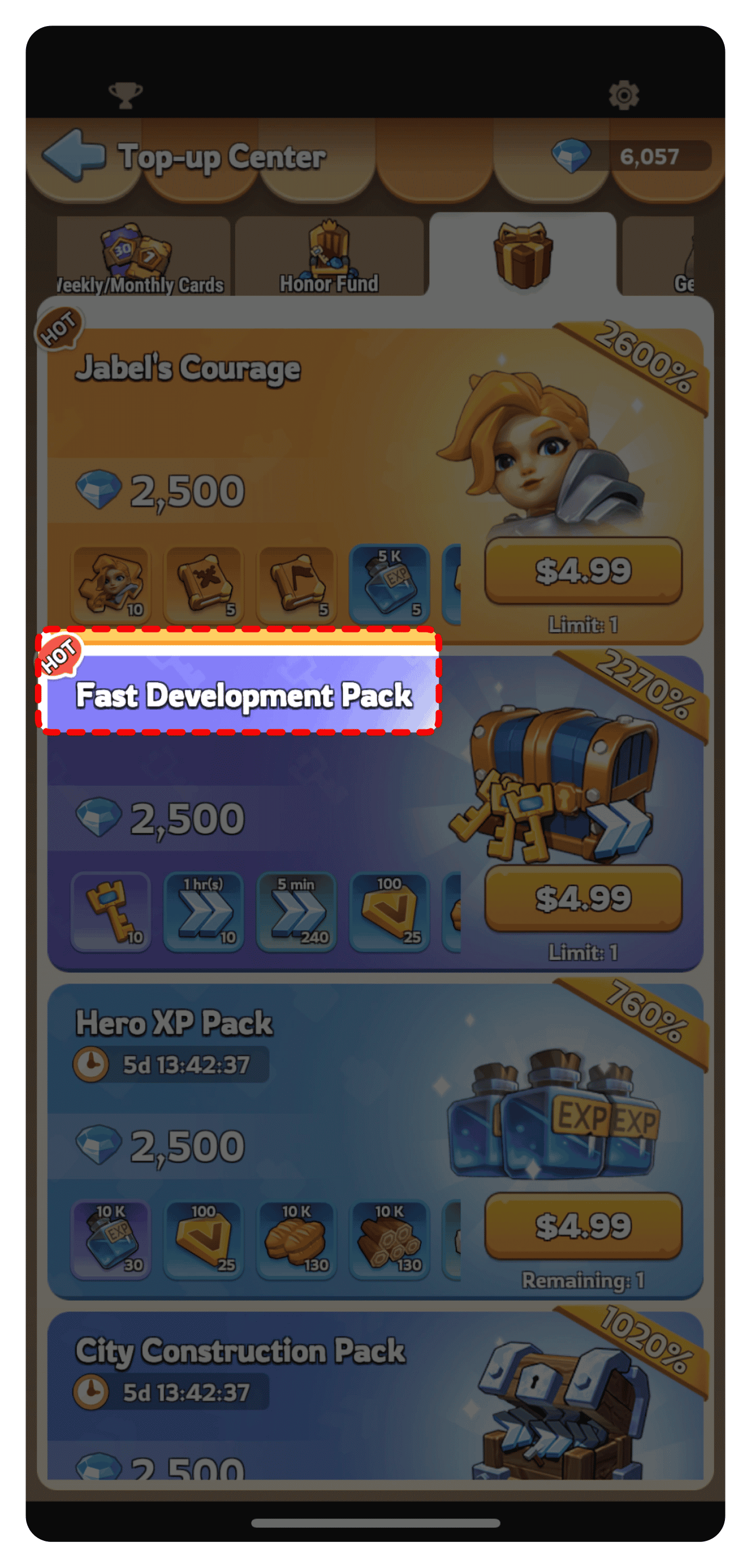
Example: If you want to buy the package shown in the picture below, please enter "Fast Develop Pack" when you submit the information. And remember to provide a corresponding screenshot of the pack.
Kingshot (Login Top-Up) — FAQ
1) What is “Login Top-Up” for Kingshot?
Login Top-Up means the recharge is completed after accessing your game account (instead of sending currency via UID). In some cases, the top-up is done by purchasing packs inside your account on your behalf.
2) What information do I need to provide for a Kingshot login top-up?
Typically you’ll need:
- Your account login method (e.g., email/phone/social login)
- A way to pass verification (OTP / 2FA code) if your account has it enabled
You should never share unrelated sensitive information (bank details, full identity docs, etc.).
3) Is login top-up safe? What are the main risks?
Login top-up carries higher risk than UID-only top-up because it involves account access. Main risks include:
- Sharing credentials with an untrusted party
- Account lockouts due to suspicious logins
- Increased security prompts/verification
To reduce risk, only proceed if you’re comfortable and you can reach Online customer service quickly if anything looks wrong.
4) How do I prepare my account before placing a login top-up order?
Recommended checklist:
- Bind a reliable email/phone to receive verification codes
- Ensure you can access the email/phone during the order window
- Turn on 2FA if supported (but be ready to provide OTP when needed)
- Screenshot your account details (username/ID/server) for support
5) Do I need to stay online in-game during the login top-up?
Usually no. It’s safer to log out and avoid logging in during processing to prevent conflicts. Follow the product page notes and instructions.
6) How long does Kingshot login top-up take?
Login top-ups are typically slower than UID-only top-ups because of verification steps and in-account purchasing. Most orders complete within ~10–30 minutes, but may take longer during peak periods or if verification prompts appear.
7) What should I do if I don’t receive the pack/currency after payment?
Please:
- Check order status on the site
- Confirm whether any OTP/verification was requested but not completed
- Relogin to the game and check your purchase history/inventory
- Contact Online customer service with your order number and screenshots
8) What if I receive a login verification alert or a “new device login” notification?
This is common for login top-ups. Verify that the timing matches your order. If the alert looks suspicious (wrong country/time), contact Online customer service immediately and consider changing your password.
9) Should I change my password after a login top-up?
Yes, it’s a good practice. After the top-up is completed:
- Change your password
- Review account security settings
- Log out of other devices/sessions if the platform supports it
10) Can I get a refund for Kingshot login top-up orders?
Refund eligibility depends on whether the order has been processed/delivered. Once packs/currency are successfully delivered, refunds are usually not possible. For failed orders or duplicate charges, contact Online customer service with your order number.



